If you want to write handwritten annotations directly on research PDFs, compare convertibles and detachable 2-in-1 devices that support a suitable stylus, and check what’s included with the exact configuration. For highlighting text and typing notes, a traditional laptop may be enough. In that case, readability, the keyboard and the space available on your kitchen table matter more than a touchscreen. A detachable device makes it easier to switch to tablet mode, but the stylus and keyboard may be sold separately.
Which workflow is right for you?
Handwritten PDF annotators
If you want to write notes in the margins of articles and then carry on typing, check stylus support and what’s included with the specific model number. Lenovo lists a Yoga Pen for the Yoga 7 2-in-1 14AKP10, model 83JR000PGE; Samsung lists an S Pen in the box with the Galaxy Book5 Pro 360 NP960QHA-KG4DE. These details apply to the configurations specified.
Readers who manage their references
If you highlight passages, transfer annotations to your notes and then write longer pieces, check how your software handles PDFs and how easy the screen is to read at your table. Zotero describes how you can highlight and underline text in its PDF reader, then transfer annotations to notes.
People with a small desk
If you put your device away after reading, you’ll need to balance screen space, desk space and typing comfort. The configurations covered here range from 13.6 inches for the MacBook Air to 16 inches for the Galaxy Book5 Pro 360. Screen size alone doesn’t tell you how well a PDF will fit on your table. Apple lists the display sizes, while Samsung specifies the 16-inch version.
What should you look for when buying?
Convertible with an attached keyboard
A good fit if: you regularly switch between handwritten margin notes and longer typing sessions.
The trade-off: Check the stylus and what’s included carefully. Lenovo describes the display on the Yoga 7 2-in-1 14AKP10 as “Glossy”.
Detachable 2-in-1 device
A good fit if: you use a stylus often and want to use the device as a tablet in between.
The trade-off: The Slim Pen and keyboard are sold separately for the Surface Pro 12-inch (2nd Edition). Make sure you choose a keyboard designed for the 12-inch version.
Traditional laptop
A good fit if: you mainly highlight text using software and type your notes.
The trade-off: Don’t assume you’ll be able to write directly on the screen with a stylus. Choose a screen size that suits your PDF reading and the space available.
| Criterion |
What to check before buying |
Who it matters most to |
| Handwriting directly on PDFs |
Check stylus compatibility, the exact model number and what’s included. A touchscreen alone doesn’t mean a compatible stylus comes with it. |
If you write margin notes directly on articles and then carry on typing, compatible stylus input is especially important. Around 36% of consumers put this need first. |
| Reading space and desk space |
Open one of your own PDFs where you plan to use the device and check the text size, window layout and any reflections. |
If you want to keep an article and a notes window readable at the same time while fitting the device on a limited amount of desk space, what you can actually see on screen is key. Around 29% of consumers prioritise reading space and room on the desk. |
| PDF and writing workflow |
Test highlighting, transferring annotations to notes and exporting. Also check that the software you need will run on your chosen device. |
If you want to find annotations again, reuse them and write longer pieces, your workflow needs to work with your software. Around 21% of consumers focus particularly on reference management and writing workflows. |
| Total cost and useful life |
Compare the equipment you need, including a stylus or keyboard if they’re sold separately. |
If you need extra accessories to get the most out of your device, consider the full set-up together. Around 14% of consumers put total cost and useful life first. |
Which buying mistakes should you avoid?
-
A touchscreen doesn’t automatically mean a suitable stylus is included
For the Lenovo Yoga 7 2-in-1 14AKP10, Lenovo lists a Yoga Pen for model 83JR000PGE, while its general Yoga product page describes styluses as optional. Microsoft lists the Slim Pen and keyboard for the Surface Pro 12-inch (2nd Edition) as sold separately.
Check what’s included against the full model number and the specific product configuration on offer.
-
Screen size alone doesn’t tell you how much room you’ll have to read
Different screen sizes take up different amounts of space. Lenovo also describes the display on the Yoga configuration mentioned here as “Glossy”.
Try one of your own PDFs in the place where you plan to sit, using your preferred text size and window layout, and check for reflections.
-
Saved annotations aren’t automatically exported into the PDF file
Zotero explains that annotations are saved in the Zotero database and can be exported separately to PDFs with embedded annotations.
Before sharing an annotated article, check the export process you need using a test file.
-
Don’t assume ARM compatibility without checking
Microsoft warns that some software and peripherals may cause problems with ARM-based Surface devices.
Check that the research software, drivers and devices you need are supported on the platform you’re planning to use.
Key brands at a glance
Lenovo
Lenovo says its Yoga convertibles let you switch between laptop and tablet modes. The configuration covered here is the Yoga 7 2-in-1 14AKP10, model 83JR000PGE.
- Lenovo’s PSREF lists a Yoga Pen and a German keyboard for 83JR000PGE.
- Lenovo describes the display on this configuration as “Glossy”; you can’t assume other Yoga models include the same stylus.
Samsung
The Galaxy Book5 Pro 360 is a 16-inch convertible for people who want a larger stated screen size and stylus input.
- Samsung lists an S Pen in the box for configuration NP960QHA-KG4DE.
- What’s included and the features available don’t automatically apply to other versions; check the exact model number.
Microsoft
The Surface Pro 12-inch (2nd Edition) is a detachable 2-in-1 device for switching between tablet and keyboard use.
- Microsoft lists touch and stylus input.
- The Slim Pen and keyboard are sold separately. Microsoft also notes that other Surface Pro keyboards mentioned aren’t compatible with the 12-inch version. If you’re choosing an ARM-based device, check that your software and peripherals are compatible.
Apple
The MacBook Air M5 is a traditional laptop option for highlighting PDFs and typing annotations, rather than for assumed stylus input.
- Apple lists 13.6-inch and 15-inch display versions.
- The specifications given don’t confirm direct stylus input on the display, so don’t assume this feature is available.
HP
The EliteBook 8 Flip G2i is a convertible designed for switching between laptop and tablet modes.
- For the German model DL9S8ET#ABD, HP describes how you can switch between laptop and tablet modes.
- HP lists the stylus as optional, which doesn’t confirm that it’s included with a particular configuration.
A selection of suitable laptops
This selection includes 360° convertibles for switching between reading and typing, as well as traditional laptops for typed notes and text highlighting.
 No image available
YOGA Laptop 11.6 inch, 360° Touchscreen
The 360° touchscreen suits a workflow where you switch between reading and typing; the product description lists several modes.
Specifications listed in the product title: Intel Pentium Gold 6500Y, 8 GB RAM, 256 GB SSD, Windows 11 Pro and an 11.6-inch screen.
These details don’t confirm that a stylus is included. Check what’s in the box if you want to annotate by hand.
Joybuy
 No image available
HP OmniBook Ultra Flip 14-fh0670ng
This 2-in-1 is designed to switch between laptop and tablet modes. If you want to write directly on PDFs, check whether a stylus is included with this exact configuration.
Specifications listed in the product title: 14-inch touchscreen, Intel Core Ultra 7 258V, 32 GB RAM, 1 TB SSD, 2.8K OLED and Windows 11 Home.
Joybuy
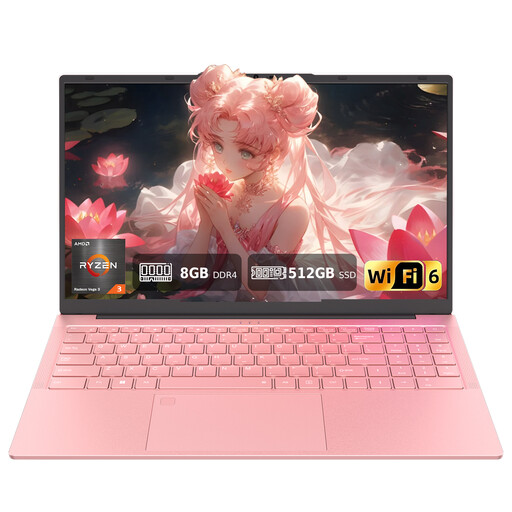 No image available
Auusda T156A Laptop
As a traditional laptop, this model is better suited to typed notes and software-based text highlighting than to assumed direct stylus input.
Specifications listed in the product title: AMD 3250C, 8 GB DDR4 RAM, 512 GB SSD, 15.6-inch FHD display and backlit keyboard.
Joybuy
 No image available
Ninkear YBook15 2-in-1
The 360° touchscreen and listed usage modes make it easy to switch between reading and typing. The product title doesn’t confirm that a stylus is included.
Specifications listed in the product title: 15.6-inch FHD IPS screen, 8 GB DDR4 RAM and 512 GB SSD.
Joybuy
 No image available
Ninkear A15 pro Laptop
This traditional laptop is an option if you read PDFs at a table and mostly type your notes; the product title doesn’t specify direct stylus input.
Specifications listed in the product title: 15.6-inch FHD IPS screen, 16 GB DDR4 RAM, 512 GB SSD and a weight of 1.6 kg.
Joybuy
Frequently asked questions
Do I need a stylus to highlight text in research PDFs?
No, not with the PDF reader described by Zotero: you can highlight or underline selected passages and transfer annotations to notes. For handwritten margin notes, check that the specific device supports a stylus and that your PDF app has the features you need.
How can I set up my PDF workflow so I can use my annotations later?
Test one of your own articles to check whether highlights transfer to your notes and links back to the relevant pages are retained. Zotero explains that annotations are saved in its database and can be exported separately to PDFs with embedded annotations. Check the export method you need before you get started.
What should I include in the cost of buying a Surface Pro 12-inch (2nd Edition)?
If you want to annotate by hand and type longer pieces, budget for the Slim Pen and a compatible keyboard as extras: Microsoft lists both as sold separately. Microsoft says that other Surface Pro keyboards mentioned aren’t compatible with the 12-inch version.
What rights apply when buying and disposing of a device in Germany?
For a consumer contract with a statutory right of withdrawal, the withdrawal period under § 355 BGB is generally 14 days; the relevant conditions and start date of the period depend on the individual case. Under § 438 BGB, the standard limitation period for the defect claims mentioned is generally two years from delivery. The German Environment Agency lists local collection points as one way to return old electrical equipment free of charge.
Does the ASR A6 screen-work regulation automatically apply to my kitchen table at home?
No. ASR A6 applies to the workplaces and teleworking locations within its stated scope, and explicitly excludes the use of screen equipment in private homes outside such workplaces. A kitchen table used at home doesn’t automatically become a regulated screen workplace as a result.


