What should you look for when buying?
First, decide which development tools and browsers you plan to use. Then you can match the display, configuration and portability to your workflow.
| Buying priority |
What to check before buying |
Who should pay particular attention? |
| Local development stack |
Match the RAM and SSD in the specific configuration to the tools you use at the same time; for Windows, check the requirements for WSL and Docker. |
If I’m running my editor, browser and local tools at the same time, I want to choose enough RAM and storage for my stack. Around 33% of consumers put their local development stack first. |
| Workspace for responsive layouts |
Check the display size and resolution of the specific configuration; if you plan to use an external monitor, check the ports. |
If I want to view code and a preview side by side, I need a workspace that can accommodate both. Around 25% of consumers prioritise their screen setup. |
| Browser and device testing |
Decide which browsers you need; also plan to test important booking journeys on real devices. |
If I need to test Safari or other target browsers, the right testing platform matters—not just a device view in the browser. Around 17% of consumers put browser and device testing first. |
| Overall configuration |
Check the RAM and SSD in the configuration on offer; factor in what’s included and any software licences you’ll need. |
I want to plan for everything my workflow requires and avoid overlooking any accessories I may need. Around 17% of consumers prioritise the cost of a suitable complete setup. |
| Moving between work locations |
Balance the weight and ports of the specific model against the screen space you need. |
If I regularly move between work locations, I want to balance portability with the workspace I need. Around 8% of consumers put portability first. |
Joybuy products for a Windows workflow
The following Joybuy options are Windows laptops for workflows involving an editor, browser and responsive layout views. Specifications vary by configuration.
 No image available
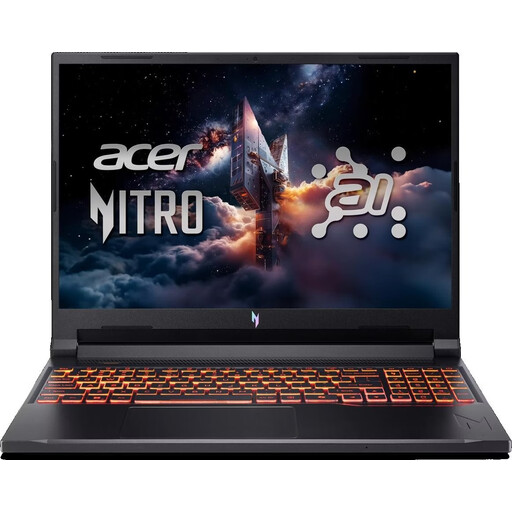
Acer Nitro V 16 AI (ANV16-42-R1PE), 16-inch, US keyboard
For a Windows workflow, with a 16-inch display for your editor and preview.
16-inch WUXGA display with 180 Hz; AMD Ryzen 5 240; NVIDIA GeForce RTX 5050 with 8 GB; 16 GB DDR5; 512 GB SSD; Windows 11 Home.
This configuration is listed with a US keyboard.
View at Joybuy
 No image available
Acer TravelMate TMP216-41-TCO, 16-inch
For a Windows workflow, with a stated 16-inch display.
WUXGA display; AMD Ryzen 3 PRO 7335U; 16 GB DDR5; 512 GB SSD; Windows 11 Pro Education.
View at Joybuy
 No image available
Lenovo ThinkPad E16 Gen 3 21ST, 16-inch
For a Windows workflow, with a stated configuration for local development tools.
16-inch WUXGA display; AMD Ryzen 7 250; 32 GB RAM; 1 TB SSD; Windows 11 Pro; stated weight: 1.71 kg.
View at Joybuy
 No image available
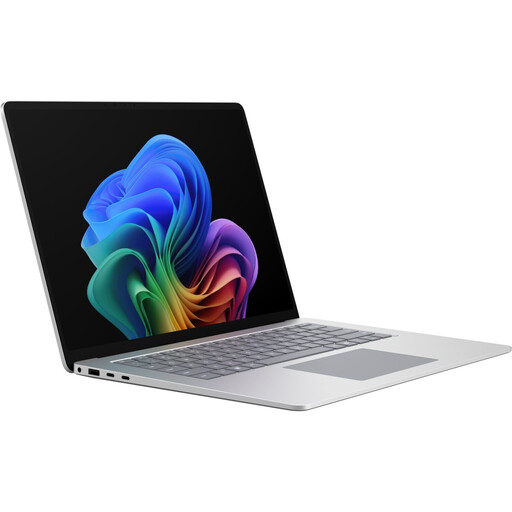
Microsoft Surface Laptop 8 for Business, 15-inch, Platinum
For a Windows workflow, with a stated 15-inch touchscreen.
Core Ultra X7; 16 GB RAM; 512 GB SSD; Windows 11 Pro.
View at Joybuy
 No image available
Lenovo ThinkBook 16 Gen 9, 16-inch
For a Windows workflow, with a 16-inch display and specified memory configuration.
WUXGA display; Intel Core Ultra 5 325; 32 GB DDR5; 512 GB SSD; Windows 11 Pro; stated weight: 1.7 kg.
View at Joybuy
Frequently asked questions
Is the browser’s device view enough to test ticket purchases on smartphones?
No. Chrome for Developers describes Device Mode as a starting point, and Apple Developer also notes that Safari’s Responsive Design Mode doesn’t reproduce every aspect of device behaviour exactly. Test important booking steps on real mobile devices too.
Do I need to install Linux on a Windows laptop for web development?
Not necessarily. If your project requires Linux tools, WSL provides a Linux environment on supported Windows configurations. Microsoft Learn documents WSL; if you plan to use Docker Desktop, also check Docker Docs for the requirements for your intended workflow.
What should I set up for local testing?
Set up the tools your project requires and check booking views at different viewport widths. For Docker Desktop on Windows, compare your system with the Windows, WSL and hardware requirements in Docker Docs.
Is a manufacturer’s guarantee the same as your statutory rights?
No. For a relevant purchase under German law, claims against the seller for faulty goods are separate from a voluntary manufacturer’s guarantee. Section 438 of the German Civil Code (BGB) generally provides a two-year period from delivery for the general category relevant here; the Verbraucherzentrale explains the difference between statutory rights and guarantees. Special cases and the circumstances of each individual situation should be considered separately.
Will a suitable laptop automatically make a theatre ticketing website compliant with the BFSG?
No. The BFSG applies to the service concerned and its provider, not to the choice of laptop. The Federal Accessibility Agency explains that electronic commerce may fall within its scope from 28 June 2025, with an exemption for certain micro-enterprises providing services: those with fewer than ten employees and annual turnover of no more than 2 million euros. Whether a specific ticket offer is covered depends, among other things, on the operator, the way the contract is concluded and the applicable legal requirements.


