Methodical duplicate checkers
If you’re merging lots of review entries, you need to know which fields your software uses for comparison. Microsoft Support and LibreOffice Help explain how to choose these comparison fields.


First, choose the software and version you want to use to edit your index, then decide which fields identify a duplicate. To compare sources afterwards, you’ll need a comfortable workspace and the right ports. If you’ll be working on the move, also consider the laptop’s weight and any accessories you’ll need.
If you’re merging lots of review entries, you need to know which fields your software uses for comparison. Microsoft Support and LibreOffice Help explain how to choose these comparison fields.
If you add notes in different locations, you’ll need to balance portability with having enough screen space to work comfortably. Compare the exact device configuration and any accessories you’ll need to take with you.
If you check a review and an index side by side, the screen, keyboard and peripherals you already own should suit your workspace. ASUS lists an RJ45 port among the features of a particular ExpertBook B5 configuration; check the ports on the specific version you’re considering.
A good fit if: your workflow relies on the Windows version of Excel and its Power Query features.
What to consider: Decide which columns make up your comparison key before removing anything. Power Query can remove duplicates based on selected columns.
A good fit if: the data sources and steps you need are available in the specific version of Excel for Mac.
What to consider: Microsoft lists supported data sources and features by version, so don’t assume the Mac and Windows workflows are identical without checking.
A good fit if: you can manage your index in Google Sheets and have confirmed the relevant access and data protection requirements for the reviews.
What to consider: Google Sheets offers a duplicate-clean-up tool with selectable comparison columns. Also check that your files and working practices are suitable for this workflow.
A good fit if: your workflow works with Calc’s method and the files you actually use.
What to consider: The feature can remove records. Check the comparison fields and work from a backup copy.
| Buying criterion | What to check before buying | Who is it important to? |
|---|---|---|
| Software and duplicate checking | Test the specific operating system and software version with a representative file. Decide on comparison fields and make a backup copy before cleaning up. | If I need to compare entries using specific fields, I want to understand why rows are treated as duplicates. Around 36% of consumers put duplicate checking first. |
| Reading sources side by side | Try arranging windows on the display and check that the ports work with your existing monitor or dock. | If I check a review and an index side by side, I need a layout that’s easy to read for my workflow. Around 28% of consumers prioritise comparing sources. |
| Working on the move | Consider the weight, display, charging accessories and your typical working day together. The manufacturer’s battery-life figures aren’t a measure of how long it will last during your own workflow. | If I add notes in different locations, I care about the weight of the laptop and its accessories together. Around 18% of consumers prioritise portability. |
| Equipment costs | Confirm your tested software workflow and the ports you need before comparing complete device configurations. | If I want to avoid paying for unnecessary features, I still need to make sure the software I require and any important ports are included. Around 18% of consumers focus primarily on equipment costs. |
The comparison columns you select determine which rows are treated as duplicates. Removing them could mean losing entries that would be distinguishable if you chose different fields.
Test your comparison rule with examples first, and keep an untouched copy before cleaning up.
Specifications for the display, RAM, SSD and ports apply to the configuration named. A similarly named version may have different components.
Before buying, check the full model or article number and the specifications of the specific offer.
Microsoft lists supported Power Query data sources and features by version. An import or clean-up step in your current workflow may therefore not be available in another version.
Test the steps you need with your specific software version and a representative file.
The ThinkPad E14 Gen 7 (Intel) 21SX000RGE is a useful point of comparison for working with documents at a desk.
The ExpertBook B5 B5402CVA-KI0013X is a useful point of comparison for a workspace with a wired connection.
The ProBook 4 G1a 14 range is another point of comparison for working with documents.
The TravelMate P6 14 AI NX.BJMEG.001 shows one possible configuration for working with documents on the move.
This selection from Joybuy includes laptops for spreadsheet work and comparing sources, including Windows models for a local Excel workflow.
 No image available
Could suit a Windows-based workflow; check that the steps you need work with your software version.
14 inches; Intel Core Ultra 7 258V; 32 GB RAM; 1 TB SSD; 2.8K OLED touchscreen; Windows 11 Home.
The product specifications also list Thunderbolt 4. Check that the ports work with your monitor and existing accessories.
 No image available
Could suit data entry and checking sources on the device; test your intended spreadsheet workflow with a representative file.
14-inch FHD display; N5095 processor; 8 GB RAM; 256-GB SSD.
The product title lists USB 3.0 and Type-C. Check that these ports are compatible with your existing peripherals.
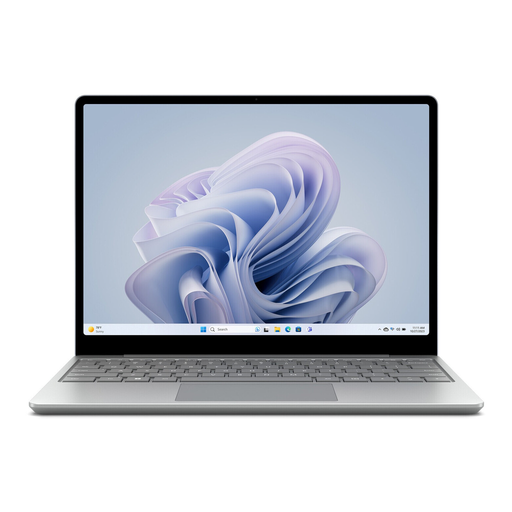 No image available
Could suit mobile data entry; check whether the smaller display is large enough to compare sources side by side.
12.45-inch touchscreen; Intel Core i5; 8 GB RAM; 256-GB SSD; Windows 11 Home.
The product description lists a weight of 1.13 kg. Factor in charging accessories and your typical working day when weighing it up.
No. Decide on your comparison fields first and save an untouched copy. Excel Power Query and LibreOffice Calc let you select comparison fields; choosing different fields can produce a different result.
Not every workflow is automatically the same. Microsoft documents Power Query for Excel for Mac, but lists supported data sources and features by version. Test the import and clean-up steps you need with your specific version.
Make backup copies and check that work files stored on the move are encrypted. Germany’s Federal Office for Information Security describes backups as protection against data loss and encryption as protection in case a laptop is lost.
No. The Federal Network Agency describes it as the manufacturer’s own declaration of conformity with the applicable requirements. For a laptop that requires marking and is being placed on the German market, check the marking and required accompanying information on the specific device.
There’s no general answer. If reviews contain personal data, its processing is governed by the GDPR. Whether a particular use of the cloud is permitted depends, among other things, on the data involved and how it is processed. Choosing a laptop alone won’t answer this question.