Choose a laptop whose display and controls let you compare similar shots comfortably; a compact chassis alone isn’t enough. Next, work out how you’ll import camera files, which photo software you’ll use, and where you’ll keep your originals and backups. Adobe explains that in Lightroom you can browse with the arrow keys, then flag or reject images.
Who is this laptop for?
Reviewing photo bursts at a small desk
Adobe explains how to browse and flag images in Lightroom. If you’re comparing similar shots directly on your laptop, you’ll want to see the details clearly without having to set up a large monitor all the time.
Photographers who regularly import from memory cards
Adobe points out that the catalogue, original images and exports all need to be backed up separately. So, decide in advance how you’ll import camera files and where you’ll store them.
Photographers who work on the move
Apple and Lenovo’s German spec sheets list compact devices with 13.6- and 14-inch displays. If you work at a small desk and on the go, consider the screen size and weight together.
What to consider when buying
Start by checking how easy the display is to read and how comfortable the laptop is to use at your desk. Then check the card-import method, local storage and backup options against the exact device configuration.
| Buying criteria |
What to look for |
Who it matters most to |
| Display and controls |
Compare the screen size, resolution and display finish of the exact model. Also check that your photo software works well with your preferred input method. |
When I’m sorting similar images on my laptop, I want to see the details clearly and use the software in a way that suits me. Around 37% of consumers put comparing images first. |
| Space and portability |
Measure the available desk space and compare the laptop’s dimensions; the screen size alone won’t tell you how much room the chassis takes up. |
If I need the laptop to fit on a small desk alongside my camera and accessories, and to take it with me, both size and weight matter. Around 27% of consumers put space and portability first. |
| Photo import and storage |
Check the memory card format against the ports actually available. Also make sure the SSD has enough space for your local files and catalogue. |
If I regularly transfer camera files, I want to check the import method and available storage before I buy. Around 18% of consumers put importing and file management first. |
| Accessories and data backup |
Check what’s included and plan where you’ll store original images and exports separately from the catalogue. |
If I want to keep my photos safe for the long term, I need a separate way to back up originals and exports as well as the catalogue. Around 18% of consumers put complete file storage and backups first. |
Common misconceptions
-
Assuming high resolution means the display is easy to read in all lighting conditions
Resolution alone doesn’t tell you how clearly you’ll be able to view images where you work. The Yoga configuration documented by Lenovo has a glossy display finish.
Check the finish and readability of the exact display variant in the lighting conditions you’ll be using it in.
-
Assuming a card reader or power adapter is included
Apple’s listed ports don’t include a card reader. The product description for the MacBook Air variant reviewed also doesn’t list a power adapter as included.
Before you buy, check the card format, ports and what’s included with the exact variant.
Depending on the ports and what’s included, you may need to buy extra accessories such as a card reader or compatible power adapter.
-
Confusing a Lightroom Classic catalogue backup with a photo backup
According to Adobe, a catalogue backup only includes the catalogue file; your original images and exports aren’t backed up automatically.
Plan separate storage locations for the catalogue, original images and any exports you need.
If you don’t already have a separate storage location, you’ll need additional backup storage as part of setting up your photo workflow.
Relevant brands at a glance
Apple
For buyers who prefer macOS and a compact 13.6-inch form factor.
- Apple’s German spec sheet lists 16 GB of unified memory, a 512 GB SSD and two Thunderbolt 4 ports for the 13-inch base configuration.
- The listed ports don’t include a card reader, so check how you’ll import files from your camera.
Lenovo
The Yoga Slim 7i Aura Edition Gen 10 is a conventional compact Windows laptop; the IdeaPad 5 2-in-1 14AKP10 is a convertible option and should be considered separately.
- Lenovo lists a 14-inch OLED display, 16 GB of memory and a 512 GB SSD for the documented Yoga configuration.
- Lenovo states that the display on this Yoga configuration is glossy. The IdeaPad convertible’s specifications don’t apply to the Yoga.
HP
OmniBook 5 models are another 14-inch Windows option to consider; check the processor and display variant carefully.
- HP lists 16 GB of memory and a 512 GB SSD for the OmniBook 5 14-he0754ng.
- The range name and display description alone don’t tell you the exact specification. Check the full configuration of the model you choose.
Dell
The XPS 13 is an option for buyers looking for a compact Windows laptop who are happy to compare configurations carefully.
- The Dell XPS 13 DX13260 offer reviewed lists variants with either 8 or 16 GB of memory and a 512 GB SSD.
- The product range name alone doesn’t tell you which memory or included-accessories configuration you’ll receive.
Joybuy products for reviewing photos
This selection includes 13- and 14-inch laptops, plus a 14-inch convertible, for reviewing images at a small desk.
 No image available
Lenovo Yoga Slim 7i Aura Edition, 14-inch, 2.8K OLED, Core Ultra 7 355, 16 GB, 1 TB SSD
A compact Windows configuration for comparing images on the built-in display.
The 14-inch OLED display is specified at 2880 × 1800 pixels and 120 Hz, with 16 GB of RAM and a 1 TB SSD. Listed weight: 1.14 kg.
View at Joybuy
 No image available
HP ZBook 8 G1i 14, Ultra 9 285H, 64 GB, 1 TB SSD
A 14-inch configuration for buyers who want to review photos on a matte display.
The IPS display is described as having a resolution of 2560 × 1600 pixels and a matte finish. It also has 64 GB of RAM and a 1 TB SSD, and weighs 1.43 kg.
View at Joybuy
 No image available
HP OmniBook Ultra Flip 14-fh0670ng, 14-inch, 2-in-1, Core Ultra 7 258V, 32 GB, 1 TB SSD
This convertible is an option if you’d like to switch between using it as a laptop and propping it up for touchscreen use while reviewing images.
It features a 14-inch OLED touchscreen with a resolution of 2880 × 1800 pixels and a 120 Hz refresh rate, along with 32 GB of RAM and a 1 TB SSD. Listed weight: 1.34 kg.
View at Joybuy
 No image available
Apple MacBook Air 13-inch M5, 16 GB, 512 GB SSD, Silver, German QWERTZ keyboard
The 13.6-inch display is a good fit for a small desk if you want to use macOS.
Specifications include a resolution of 2560 × 1664 pixels, 16 GB of unified memory and a 512 GB SSD. The product description states that no power adapter is included.
View at Joybuy
 No image available
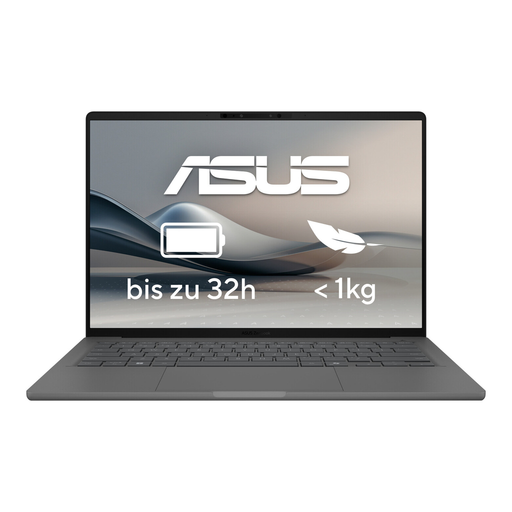
ASUS Zenbook A14 OLED UX3407RA-QD011W
This 14-inch configuration is designed for comparing images on a compact Windows laptop.
It features an OLED display with a resolution of 2880 × 1800 pixels, 16 GB of RAM and a 512 GB SSD. Listed weight: 1.20 kg.
View at Joybuy
Frequently asked questions
How should I sort through a burst of photos?
Adobe explains that in Lightroom you can browse through images in Loupe view using the arrow keys, then flag or reject shots. Before you buy, check that your photo software and preferred input method support this workflow.
Is a Lightroom Classic catalogue backup enough to protect my photos?
No. Adobe explains that a catalogue backup only includes the catalogue file; photos and exports need to be backed up separately. Set aside a separate storage location for them in addition to your laptop’s SSD.
What should I check about accessories and warranty cover?
Check what’s included, and whether you’ll need a card reader or compatible power adapter for the specific variant. The Verbraucherzentrale distinguishes between statutory rights for faulty goods and a voluntary guarantee.
Can I return a laptop bought online in Germany?
For a relevant consumer purchase made at a distance, the Verbraucherzentrale says you’ll generally have 14 days to cancel, starting from the day you receive the goods. You must notify the seller that you wish to cancel; check separately whether the conditions apply to your specific purchase.


