What should you look for when buying?
First, decide whether you want to draw directly on your laptop or use an external drawing tablet. Then you can work out how much screen space you need, what your software requires and how portable your setup should be.
Convertible with stylus input
A good choice if: You want to sketch or make corrections directly on your illustration while you’re out and about. Lenovo lists a 14-inch touchscreen and a Yoga Pen Gen 2 for configuration 83TD008TGEEB.
Consider: On a 14-inch screen, your canvas and references have to share the space. The stylus and accessories may vary by configuration.
Traditional laptop with an external drawing tablet
A good choice if: A larger built-in screen for references matters more to you than using a stylus directly on your laptop. The 15-inch MacBook Air with M5 is a documented laptop option, and Apple also describes support for external displays.
Consider: You’ll need room for the external input device. Also check that it’s compatible with your operating system and drawing software.
Workspace with an additional monitor
A good choice if: You want your map, image references and canvas to stay visible side by side. For the HP OmniBook Ultra Flip 14-fh0797ng reviewed, HP documents Thunderbolt 4 ports for connecting external displays.
Consider: Allow for the monitor, a suitable connection and enough desk space. The stated ports aren’t necessarily available on other model variants.
| What to consider |
What to check before buying |
Who is it important to? |
| Stylus input |
Check the stylus protocol, pressure sensitivity and what’s included with the exact configuration, and make sure they work with your drawing software. |
If I sketch directly on my laptop, I want to be sure the stylus and software work together. Around 33% of consumers are likely to put direct stylus input first. |
| Space for references |
Check how your windows fit on the actual screen. If you’re using an external monitor, check the ports on the specific variant. |
If you want to see a map, photos and your canvas at the same time, you’ll need a suitable screen layout or an additional monitor. Around 33% of consumers are likely to prioritise having space for references side by side. |
| Software and memory |
Check the requirements of the software version you use. Adobe recommends 16 GB of RAM or more for Photoshop 27.x; CELSYS notes that Clip Studio Paint needs more memory and CPU power for larger images and more layers. |
If I work with large files or lots of layers, I want to take my drawing software’s requirements into account. Around 25% of consumers are likely to place the greatest importance on having room to work on projects like these. |
| Overall portable setup |
Consider the laptop and the accessories you need together. Don’t assume the manufacturer’s battery life figures reflect how long it will last while illustrating. |
If you sketch in different places, you’ll need to decide which device and accessories you’ll actually take with you. Around 9% of consumers are likely to prioritise how portable their whole drawing setup is. |
Key brands at a glance
The features listed relate to the specific product lines and configurations mentioned, not every device from each brand.
Lenovo
Yoga 7 convertibles are designed for people who want to switch between laptop use and stylus input.
- For configuration 83TD008TGEEB, Lenovo Germany lists a 14-inch OLED touchscreen, 16 GB of RAM and a Yoga Pen Gen 2.
- The stylus and accessories may differ across other Yoga 7 offers. The listed specifications don’t confirm how the device will perform in your particular project.
HP
The OmniBook Ultra Flip is a convertible range with touchscreen functionality and options for connecting a more extensive workspace.
- For the OmniBook Ultra Flip 14-fh0797ng, HP Germany lists a pen, an HDMI adapter, 32 GB of RAM and Thunderbolt 4.
- These specifications apply to the 14-fh0797ng and shouldn’t be assumed to apply to other model numbers.
Apple
The 15-inch MacBook Air with M5 is a traditional laptop option for people who prioritise screen space and external displays.
- Apple Germany documents configurations with at least 16 GB of unified memory and support for external displays.
- For drawing directly, you’ll need to plan for an external input device. Check that it’s compatible with your chosen configuration.
ASUS
The ProArt PX13 is a compact convertible alternative for creative work.
- Notebookcheck describes the tested HN7306EA-LX070W model as having a 13.3-inch OLED touchscreen, 32 GB of RAM and a 1 TB SSD.
- Consider the smaller screen size if you work with several reference windows open at once. These specifications don’t necessarily apply to other ProArt models.
Joybuy products for illustrations with references
This selection includes traditional laptops for use with an external drawing tablet, as well as for workspaces with multiple references or an additional monitor.
 No image available
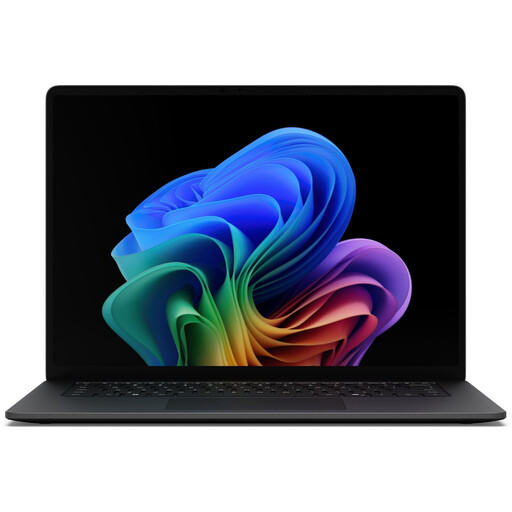
Microsoft Surface Laptop 8 Core Ultra 7, 16 GB, 512 GB, Black
As a traditional laptop, it could suit a drawing setup with an external drawing tablet. Check that your window layout works on the screen you choose.
Listed in the product name: Core Ultra 7, 16 GB RAM and 512 GB.
View at Joybuy
 No image available
MSI Titan 18 HX Dragon Edition Draco Epic A2WJ-1218
For a fixed workspace with lots of reference windows, you can factor the 18-inch screen size listed in the product name into your window layout plans.
Listed in the product name: Intel Core Ultra 9 290HX Plus, 96 GB DDR5, 4 TB SSD, UHD+ 240 Hz Mini-LED display, GeForce RTX 5090 with 24 GB and Windows 11 Home.
View at Joybuy
 No image available
MSI Raider 18 HX A2WH-1088
If you want to arrange a map and image references alongside your canvas, you can factor the screen size listed in the product name into your workspace plans.
Listed in the product name: Intel Core Ultra 9 275HX, 32 GB DDR5, 1 TB SSD, QHD+ 240 Hz and GeForce RTX 5070 Ti with 12 GB; HDMI 2.1 is listed as a port.
View at Joybuy
 No image available
HP OMEN MAX 16-ah0698ng
For a fixed drawing setup with multiple references, you can factor the screen size listed in the product name into your planned window layout.
Listed in the product name: Intel Core Ultra 9 275HX, 64 GB RAM, 2 TB SSD, WQXGA 240 Hz, GeForce RTX 5090 with 24 GB and Windows 11 Home; HDMI 2.1 and Thunderbolt 4 are listed as ports.
View at Joybuy
 No image available
HP OMEN MAX 16-ak0693ng
For multiple reference windows or an additional screen, compare the screen size and listed ports with your planned workspace.
Listed in the product name: AMD Ryzen AI 9 HX 375, 32 GB RAM, 1 TB SSD, WQXGA 240 Hz, GeForce RTX 5070 Ti with 12 GB and Windows 11 Home; HDMI 2.1 is listed as a port.
View at Joybuy
Frequently asked questions
Is a touchscreen enough for pressure-sensitive drawing?
No. A touchscreen alone doesn’t confirm pressure sensitivity. Check that a pressure-sensitive stylus works with the specific laptop and drawing software. For Clip Studio Paint on Windows, CELSYS lists compatible Wintab or Windows Ink input.
How do I set up a workspace with multiple references?
Start by arranging your map, image references and canvas on the screen you plan to use. If you want a second screen, check the ports and supported display configuration for the exact model. Apple and HP document these options for the specific configurations reviewed.
What should I check for drawing software and accessories?
Compare the requirements of your software version with the device, and make sure your stylus or drawing tablet, monitor and connections suit your setup. Adobe states that Photoshop 27.x requires an internet connection for activation and subscription validation. CELSYS lists internet access as necessary for certain features and licence checks.
Who is responsible if goods bought by a consumer in Germany are faulty?
The retailer, not just the manufacturer, is responsible for your statutory rights. The Verbraucherzentrale distinguishes these rights from a voluntary warranty. The details depend on the specific purchase and fault.
Can I cancel an online laptop purchase in Germany?
According to the Verbraucherzentrale, consumers generally have a 14-day right to cancel an online contract, starting from the day they receive the goods. You must notify the other party to the contract that you wish to cancel; simply returning the item without explanation isn’t enough.


