
Lieferung heute & morgen

Qualitätsgarantie

Willkommens-Angebote freischalten: KOSTENLOSE Lieferung | Bis zu 80 % RABATT | Kostenlose 30-Tage-JoyPlus-Testphase
App herunterladen
A laptop rucksack with a USB charging port can make commuting, studying or travelling much more convenient. However, models differ significantly in device size, storage space, wearing comfort and material protection. A USB port alone doesn't tell you much about how practical it will be in daily use.
Typical buying mistakes come down to three points:
Measure your notebook including its outer casing. With a 15.6-inch laptop rucksack, the internal compartment shouldn't just account for the screen diagonal. A wide bezel, an unusually thick casing or a protective sleeve all need extra room.
For larger devices, 17.3-inch laptop rucksacks are worth considering. These models often offer more storage space, but they also weigh more and can be bulkier on public transport. A large laptop rucksack is especially suitable when you also need to carry documents, clothing, chargers or accessories.
Nylon and polyester are common materials used in notebook rucksacks. Look for a specific description such as water-resistant nylon, reinforced seams or padded laptop compartments. Don't take the term "waterproof laptop rucksack" at face value if there's no mention of welded seams or a defined water column rating.
For a rucksack used for work and university, care is also important. Some models should only be cleaned with a damp cloth and not machine washed. This helps preserve the material coating and the rucksack's shape.
For longer journeys, padded shoulder straps, a breathable back panel and a low empty weight are all beneficial. A business rucksack should also have compartments for a power adapter, smartphone, documents and keys. A rucksack with a luggage strap can be attached to a suitcase handle when you're travelling.
An anti-theft rucksack with a hidden back pocket can make it harder for thieves to access your valuables. RFID protection reduces the risk of electronic scanning, but it doesn't offer complete security. You should still never leave valuables unattended. The USB port on the products mentioned here does not transmit data.
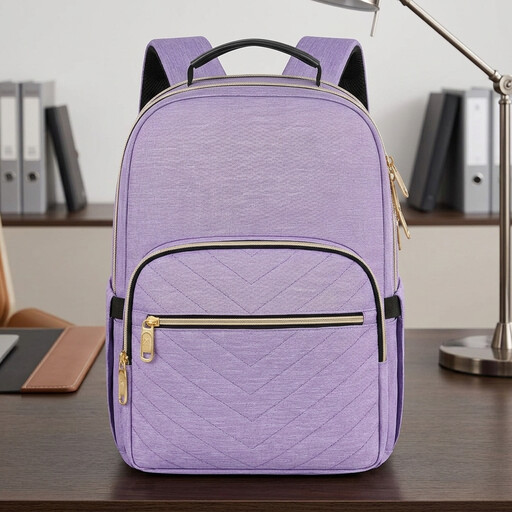
Why this product fits the profile: This model is relatively light at 621 g, fits laptops up to 15.6 inches and offers several compartments for everyday use, work or study.
The product details mention water-resistant nylon, a separate laptop compartment, a hidden back pocket and a USB port. The power bank must be inserted separately.
42 × 29 × 20 cm, RFID protective sleeve, luggage strap, plus padded shoulder straps and back panel.

Why this product fits the profile: The combination of handbag, shoulder bag and rucksack is designed for people who want to switch between different carrying styles at the office, on the way to work or at university.
The details mention a padded laptop compartment up to 17.3 inches, reinforced seams and multiple compartments. The USB port is intended for power supply and does not transmit data.
43.2 × 33 × 16.5 cm, PU leather exterior, nylon lining, detachable straps and metal feet.
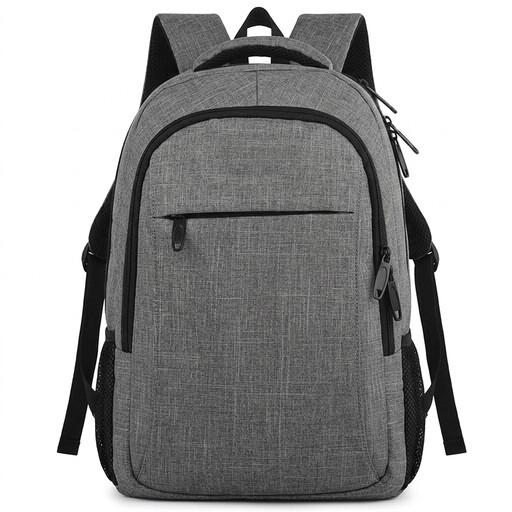
Why this product fits the profile: This 34-litre model is aimed at professionals, business travellers and students who need to carry a lot of gear.
This model combines a padded laptop compartment, a fully stated storage capacity of 34 litres, a hidden back pocket and a luggage strap. The water resistance is described as water-resistant.
48 × 35 × 20 cm, 950 g, laptop compartment up to 17 inches, five additional pockets and a USB charging port.
The practical setup is simple: a charged power bank is stored inside the rucksack and connected to the internal cable. Your smartphone is then plugged into the USB port on the outside. Before flying, always check the current regulations for power banks.
The port is not a replacement for a mains charger and won't charge anything automatically if no power bank is connected. Also, be careful not to trap cables between the zip and the fabric.
We've put together a complete, regularly updated list of products that fully meet these strict selection criteria and the safety regulations in force in the EU.
Connect a suitable power bank to the integrated cable inside the main compartment. You can then plug your smartphone charging cable into the port on the outside. The USB port only transmits power, not data.
The lifespan depends on the load, the zips, the seams, how you clean it and how you store it. Don't overload the rucksack, avoid sharp objects and clean it according to the manufacturer's instructions. Water-resistant coatings can be damaged by heavy friction or incorrect cleaning.
The USB port itself doesn't incur any ongoing costs. However, you will need to buy a power bank separately and charge it from time to time. Its capacity, charging speed and lifespan will determine how practical it is for commuting or travelling.