Retouching on a small desk
You need to fit your laptop, scanner and input devices into a limited space, balancing the room they take up against the screen area available for your work.


For retouching scans on a small desk, a compact 13- or 14-inch laptop is an obvious choice, provided its screen gives you enough room to work. You’ll also need to check that it supports your specific scanner and meets the requirements of your image-editing software. Check the drivers, ports and exact configuration before you buy. More graphics power alone won’t remove dust from a scan.
You need to fit your laptop, scanner and input devices into a limited space, balancing the room they take up against the screen area available for your work.
You want to keep using your scanner, so you’ll need to check that its drivers, software and connection are compatible with your new laptop.
You want to spot fine traces of dust and need enough screen space and storage for your image-editing software.
First, measure the space available for your laptop, scanner and accessories. Then check that the scanner is supported and compare the requirements of your image-editing software with the exact laptop configuration.
| Buying priority | What to check | Who is it most important to? |
|---|---|---|
| Desk space and screen area | Measure the space for your laptop, scanner, mouse and cables. Compare the dimensions and screen size of the specific version. | I need room for both my laptop and scanner on my small desk, without having too little screen space. Around 31% of consumers prioritise desk space and usable screen area. |
| Scanner compatibility | Search for drivers and software for Windows or macOS using the scanner’s full model number. Then check that the connection is compatible. | I want to keep using my scanner, so I’ll check its drivers, scanning software and connection before buying. Around 25% of consumers prioritise compatibility with their existing scanner. |
| Spotting and correcting details | Check the display resolution and available workspace of the exact version, as well as the retouching tools in your image-editing software. Adobe describes a Dust & Scratches filter for old photos in Photoshop. | If I want to check for small traces of dust and edit them precisely, I need the right combination of screen space and software. Around 25% of consumers focus on checking details. |
| Performance and storage | Check the processor, operating system, RAM and available SSD space against the requirements of your software version. Adobe lists at least 8 GB of RAM for Photoshop 27.x and recommends 16 GB or more; you’ll also need extra storage space for your files. | I want to meet the requirements of my image-editing software and have enough room for my scans. Around 19% of consumers focus mainly on software performance and storage. |
A matching plug alone doesn’t guarantee that the drivers or software needed to use the scanner’s buttons will work with your operating system.
Before choosing a laptop, use the scanner’s full model number to check which operating system versions and components are supported by the manufacturer.
You may need an adapter for a different connection. Without compatible drivers, you might not be able to use your existing scanning workflow.
A high ranking for all-round photo and video editing doesn’t tell you whether the laptop will fit on your desk alongside your scanner and accessories.
Measure the available desk space and check your software requirements before applying a ranking to this more specific use.
A larger laptop takes up more room on an already small desk.
According to Lenovo’s datasheet, the RAM in the Lenovo Yoga Slim 7 14ILL10 is soldered and cannot be upgraded.
If you plan to use Photoshop 27.x, compare the RAM in the specific version with Adobe’s minimum and recommended requirements.
With a version that has non-upgradeable RAM, you’ll need to choose the right specification before you buy.
The M5 MacBook Air is a compact macOS option. The 13-inch version may suit you if desk space is limited.
The Yoga Slim 7 14ILL10 range is a 14-inch Windows option with ports suited to a compact scanning setup.
The Vivobook S 14 OLED S5406 is a 14-inch option for anyone considering an OLED display.
The Pro 14 Essential PV14255 is a configurable 14-inch Windows alternative.
This selection at Joybuy includes compact 13-inch devices and 14-inch models for working with scans when space is limited.
 No image available
The compact 13-inch format may be a good fit if desk space is limited.
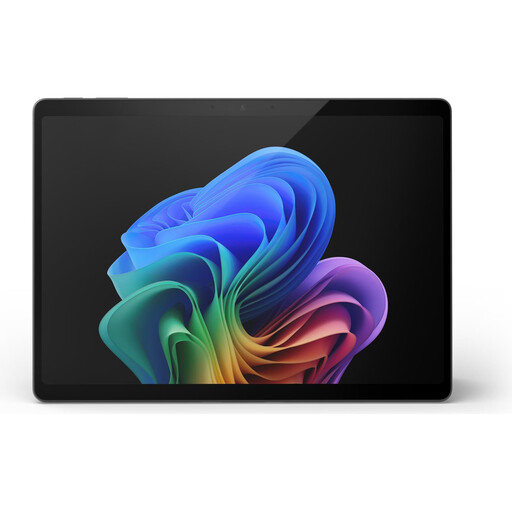
The touchscreen is listed at 2880 × 1920 pixels. Two USB-C 4 ports are specified; check that your scanner’s plug is compatible.
 No image available
The 13-inch format is an option if you want to save desk space and view scans directly on the device.
The OLED display is listed at 2880 × 1920 pixels. Two USB-C 4 ports are specified; check your scanner’s connection.
 No image available
This 14-inch convertible is worth considering if you’d like a little more screen space than a 13-inch device offers and can make room for it.
This version is described as having a 2.8K OLED display, 32 GB of RAM and a 1 TB SSD. Its listed weight is 1.34 kg.
 No image available
The 13-inch 2-in-1 format could be a good choice for a workspace with limited desk space.
The OLED display is listed at 2880 × 1920 pixels, and the stated weight is 0.872 kg. Two Thunderbolt 4/USB-C ports are specified, so check that your scanner’s plug is compatible.
 No image available
The compact MacBook Air may suit a small desk, provided your scanner and image-editing software work with macOS.
The display is listed as 13.6 inches with a resolution of 2560 × 1664 pixels, and the laptop has 16 GB of RAM. Two Thunderbolt 4/USB-C ports are specified. A power adapter is not included; you may need an adapter if your scanner has a different plug.
No. Check compatibility for your specific model. Search the scanner manufacturer’s website using the full model number to find drivers and scanning software for your chosen operating system. Canon notes that certain products require a driver; Epson also explains that scanner buttons depend on the software being used.
The software requirements available don’t establish a general need for one. If you plan to use Photoshop 27.x, check the requirements for that specific version and compare them with the laptop’s operating system, processor, RAM and storage.
Install the components recommended for your scanner and test the connection with a sample scan. Then edit a copy of the scan in your chosen image-editing software. Adobe documents a Dust & Scratches filter for old photos in Photoshop.
Your statutory rights are generally against the seller and are separate from any voluntary guarantee. The Verbraucherzentrale says that, for new goods, the period is generally two years from delivery. The rights that apply in an individual case depend on the purchase and the fault.
Check the information and notices provided for the specific product. For relevant electrical and electronic products, the Bundesnetzagentur lists requirements including correct CE marking, manufacturer details and any necessary information in German. A brand name alone doesn’t prove compliance.