Writing without a plug socket
If you spend a long time writing answers to seminar questions, compare the stated battery life with your writing software and the way you actually work.


First, choose a laptop that works with your seminar software and any devices you need. Then compare its battery life with how long you actually spend writing. Manufacturer claims such as Apple’s ‘up to 18 hours’ aren’t a promise of a full day’s writing. Also check the keyboard layout, screen and what’s included with the specific configuration.
If you spend a long time writing answers to seminar questions, compare the stated battery life with your writing software and the way you actually work.
When writing alongside texts or notes, keyboard layout, typing feel and a clear workspace can matter more than extra processing power.
If you often change where you work and need particular programmes or devices, the laptop’s weight and compatibility need to suit your day-to-day routine.
First, check that your writing software and any devices you need work with the operating system on the specific configuration. Then compare battery life claims and portability with the length and type of writing you do.
| What matters | What to check when buying | Who should pay particular attention |
|---|---|---|
| Battery life | Compare battery tests carried out under similar workloads and screen brightness settings. Treat manufacturer figures as a guide to the conditions used for testing. | If I’m writing answers to seminar questions away from a plug socket for extended periods, I need battery life that suits my writing pace; around 31% of consumers put battery life first. |
| Keyboard and screen | Check the keyboard layout on the exact model, along with the screen size and finish. You can’t tell how a keyboard feels to type on from the specifications alone. | If you write lots of answers while reading documents, comfortable typing and a suitable workspace are especially important; around 25% of consumers prioritise typing comfort. |
| Weight and size | Compare the weight of the specific configuration. When packing, also allow for a charger if you need to carry one separately. | If I often carry my laptop between seminar rooms and other places I work, I want to weigh up its size and screen area; around 19% of consumers put portability first. |
| Software and documents | Check the software and peripherals you need. If you want to work offline, download your documents in advance and test that you can access the local copies. | If I need specific software or devices, the main thing is that they work with the exact laptop configuration; around 13% of consumers prioritise compatibility. |
| What’s included and accessories | Check whether a power adapter is included and what wattage you’ll need if you have to buy one separately. Remember to factor in any software you need, too. | If I need a charger or software as well as a laptop, I want to plan for everything together; around 12% of consumers look at the total cost first. |
A manufacturer’s maximum figure doesn’t tell you how long the battery will last with your mix of writing, research and screen brightness.
Compare credible battery tests carried out under similar conditions, and allow some extra time for your actual workload.
According to ASUS, the ASUS Zenbook 14 UX3405CA-QD1709W does not include a power adapter. The MacBook Air M5 configuration documented there is also sold without one.
Check the specific offer and the required charging wattage before budgeting for accessories.
A charger bought separately means one more thing to pack, and it needs to match the stated charging wattage.
Required drivers or specialist programmes may need a separate compatibility check.
Check your essential software and peripherals before buying, and don’t assume information applies to other processor versions without checking.
You may not be able to access a document without an internet connection if you haven’t saved it locally beforehand.
Download the documents you need in advance and check where changes are saved and how they’ll sync later.
The 13-inch MacBook Air with M5 is a compact macOS option if your writing and seminar software runs on macOS.
The ThinkPad E14 Gen 7 configuration 21SXCTO1WWDE5 is a Windows laptop with a German keyboard and a matte 14-inch display.
The Zenbook 14 UX3405CA-QD1709W is a Windows option with a 14-inch display and a German keyboard.
The Swift Go 14 AI SFG14-I71-5906 is an Intel configuration in the portable Swift Go range.
The Joybuy products below include Windows laptops with different screen sizes and specifications. You can’t assume they’ll all have the same battery life, so check the details for the specific product version.
 Image unavailable
The 16-inch format could suit you if you prefer more screen space for writing and don’t need to carry your laptop long distances very often.
16-inch WUXGA IPS display, AMD Ryzen 3 PRO 7335U, 16 GB RAM, 512 GB SSD and Windows 11 Pro Education.
The product description lists a weight of 1,80 kg, so bear this in mind if you’ll be carrying it around often.
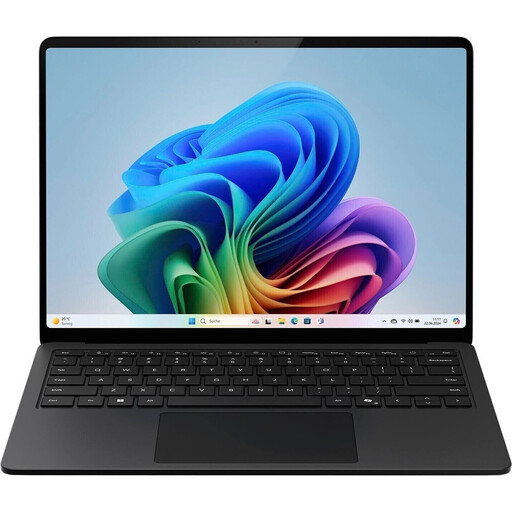 Image unavailable
This configuration is worth considering if you’re looking for a Windows laptop with a 15-inch screen for answering seminar questions and working with documents.
Intel Core Ultra 7 266V, Windows 11 Pro, 16 GB RAM and 512 GB SSD.
The product description claims up to 15 hours of battery life and lists a 64 Wh battery. That’s no guarantee of a full day’s writing. The stated weight is 1,66 kg.
 Image unavailable
The compact size could be useful for shorter writing sessions on the go. Check whether the smaller workspace will suit you for longer pieces of writing.
Intel Pentium Gold 6500Y, Windows 11 Pro, 8 GB RAM and 256 GB SSD.
The title specifies a touchscreen that rotates through 360°; no battery life is listed here.
 Image unavailable
This 14-inch convertible is an option if you’d like a fold-back touchscreen for writing. Be sure to check that it also supports the software you need.
Intel Core Ultra 7 258V, Windows 11 Home, 32 GB RAM, 1 TB SSD and 2.8K OLED touchscreen.
The product description claims up to 16,25 hours of battery life and lists a weight of 1,34 kg. The battery life claim isn’t a promise for your particular workload.
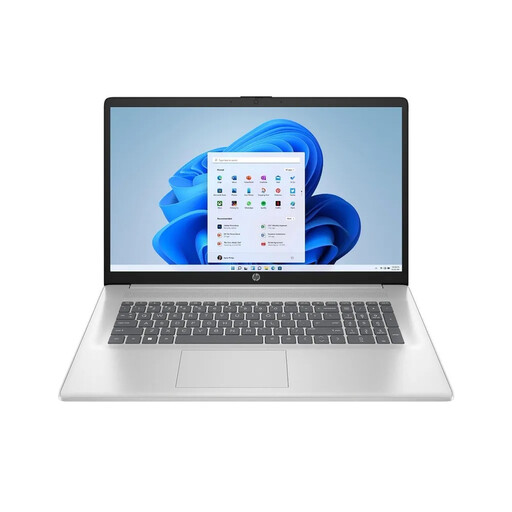 Image unavailable
The large screen could be handy for reading and writing at the same time, if you don’t need to carry a bigger laptop around often.
17.3-inch Full HD IPS display, AMD Ryzen 7 7730U, Windows 11 Home, 16 GB RAM and 512 GB SSD.
The product description claims up to 8,25 hours of battery life and lists a 41 Wh battery. The stated weight is 2,07 kg; the battery life isn’t guaranteed for your writing workload.
Yes, as long as you’ve made the documents you need available locally beforehand. Microsoft explains how to download and edit a copy of a Word web document offline, then upload it later. Test your own workflow in advance.
Check the operating system and ports, as well as the specific programmes and devices you need. If you’re using Windows on ARM, it’s especially important to check whether a suitable ARM version is supported for peripherals that need their own drivers.
It depends on the specific offer. ASUS says the Zenbook 14 UX3405CA-QD1709W needs a separate 45 to 65 W power adapter. The documented Joybuy configuration of the MacBook Air M5 is also sold without one. Check what’s included with the version you’re considering.
For a consumer purchase from a retailer, the seller is generally responsible for the statutory guarantee. The European Union’s consumer information states that this lasts for at least two years from the date you receive the goods. An additional manufacturer’s guarantee doesn’t replace these rights. The same retailer rules don’t apply in the same way to purchases from private individuals.
No. The German Environment Agency explains that electrical waste must be collected separately from unsorted household waste. You can take it to a recycling centre or a suitable take-back point, among other options. Delete your personal data before handing it in.