What should you look for when buying?
Start with your writing and drawing software, along with its operating system requirements. Then compare how much space you need for text and illustrations, and check that the laptop suits your workspace and has the ports you need.
| What you need |
What to check before buying |
Who this matters to |
| Track changes |
Check which version of Word you need and how you’ll collaborate on edits. According to Microsoft Support, Word for the web has fewer Track Changes features than the desktop app. |
When I edit drafts with others, I want to review changes and accept or reject them individually. This is the main priority for around 36% of consumers. |
| Review illustrations alongside text |
Compare the screen size and resolution of the specific configuration. If you choose a smaller laptop, check whether you can connect your existing monitor. |
If I want to view steps and illustrations at the same time, having enough screen space matters to me. Around 29% of consumers prioritise comparing images and text side by side. |
| Create pattern graphics yourself |
Check your drawing application’s system requirements against the exact laptop configuration. With Windows on Arm, check any required printer drivers separately; Microsoft Learn specifies native Arm64 drivers for this. |
If I draw pattern pieces digitally, I want to use my drawing application and any necessary devices as part of my workflow. Around 21% of consumers prioritise this. |
| Move between workspaces |
Compare the weight, screen size and ports you need on the exact configuration. A manufacturer’s maximum battery life figure doesn’t reflect how long the battery will last with your own workflow. |
If I move between my writing space and sewing table, size and suitable ports matter to me. Around 14% of consumers prioritise a flexible workspace. |
Joybuy laptops for sewing instructions
The Joybuy picks below are Windows laptops for writing and editing sewing instructions collaboratively, in both compact and larger formats.
 Image unavailable
Lenovo ThinkPad E16 Gen 3 21ST
The 16-inch format is a good fit if you want to compare text and illustrations on a larger screen. Remember to allow for the space it will take up on your sewing table.
AMD Ryzen 7 250 at 3.3 GHz; Windows 11 Pro; Radeon 780M; 32 GB RAM; 1 TB SSD; 16-inch WUXGA.
View at Joybuy
 Image unavailable
Microsoft Surface Laptop 8, Core Ultra 5, 24 GB RAM, 512 GB SSD, Platinum
A compact option if you move between workspaces. Check whether the screen gives you enough room for your instructions and illustrations.
Core Ultra 5; 24 GB RAM; 512 GB SSD; Platinum.
View at Joybuy
 Image unavailable
Microsoft Surface Laptop 8, Core Ultra 5, 24 GB RAM, 1 TB SSD, Platinum
This configuration is worth considering if you want a compact laptop for a flexible workspace. Compare the screen space you need with how much of your work involves images.
Core Ultra 5; 24 GB RAM; 1 TB SSD; Platinum.
View at Joybuy
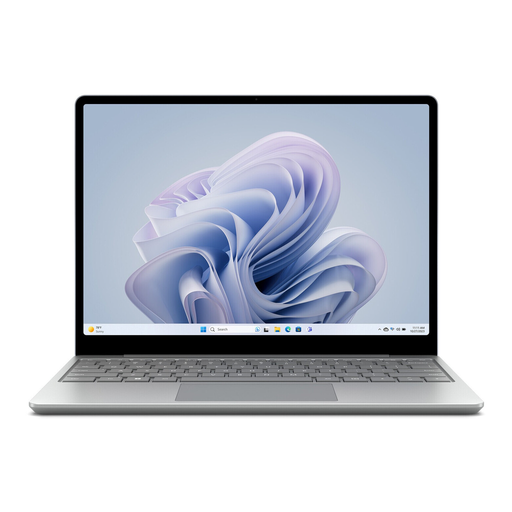 Image unavailable
Microsoft Surface Laptop Go 3, 12.45-inch, Intel Core i5, 256 GB SSD, 8 GB RAM, Windows 11 Home, Platinum
Its compact size makes it a good option if you work in different places. Check whether the smaller screen is large enough to view text and images together.
12.45-inch; Intel Core i5; 256 GB SSD; 8 GB RAM; Windows 11 Home; 360° touchscreen; Platinum; 2023 model.
View at Joybuy
 Image unavailable
HP OmniBook Ultra Flip 14-fh0670ng
This 2-in-1 touchscreen laptop comes with a pen, making it a good fit if you want to work on instructions and illustrations using touch or a stylus.
14-inch; Intel Core Ultra 7 258V; 32 GB RAM; 1 TB SSD; 2.8K OLED; Windows 11 Home; Eclipse Gray.
View at Joybuy
Frequently asked questions
Do I need a particularly powerful laptop to use Track Changes?
Not just for this feature. First, check which version of Word you need and how you’ll review changes with others. Microsoft Support explains how Track Changes works in Word; the web version has fewer features than the desktop app. This doesn’t guarantee that every laptop will handle documents of any size.
How can I share a Word file without accidentally leaving markup in it?
Decide what to do with suggested changes before sharing the final version. The “No Markup” view only hides the markup; to remove it, you need to accept or reject the changes, as Microsoft Support explains.
Should I back up my sewing instructions as well?
Yes. Regularly updated backups protect your work files from loss due to damage, theft or accidental deletion. Germany’s Federal Office for Information Security recommends keeping backup copies; store one separately from the files on your laptop.
What are my rights if I buy a faulty laptop online?
For consumer purchases in the EU, you’re generally entitled to a legal guarantee of at least two years from the date you receive the laptop. Online purchases also generally come with a 14-day right to cancel. Your Europe, the European Union’s information portal, explains these rights; how they apply depends on the purchase and the individual circumstances.


