For research and writing in different locations, a compact, portable device is an obvious choice. At a shared desk, make sure its ports work with your monitor, dock and input devices. If you’ll be editing images or working on layouts, also check the operating system, RAM, available SSD storage and display against the versions of the software you use. Adobe recommends 16 GB of RAM for the documented versions of both InDesign and Photoshop, while, if you move between locations frequently, the combined weight of your work equipment matters more (Federal Institute for Occupational Safety and Health).
Which setup is right for you?
Pitch writers who move between locations
If you research and write in different places, a screen that’s comfortable to use and the combined weight of your work equipment are key considerations. The Federal Institute for Occupational Safety and Health highlights weight as an important factor when choosing equipment, particularly if you move between locations frequently.
Editorial teams working with images and layouts
If you edit images or create page layouts as well as writing, the RAM, available storage and display should suit the software you actually use. Adobe recommends 16 GB of RAM for the documented versions of both InDesign and Photoshop.
People using a shared docking station
If you want to connect a monitor and input devices at your desk, compare the ports on the specific laptop with those on your dock and accessories. The Federal Institute for Occupational Safety and Health recommends considering work equipment and the workplace together.
What should you look for when buying?
Before comparing processors for your pitch, check software requirements and ports. They’ll help determine whether the laptop suits your tasks and your shared workspace.
Portable laptop for writing and research
A good fit if: you often move between workspaces and your pitch mainly involves research, writing and presentations. Apple lists two Thunderbolt 4 ports for the MacBook Air 13-inch (M5).
Consider: HDMI and USB-A aren’t listed for the documented model, so check the monitors you already have and whether you’ll need adapters. Apple’s battery-life figures are based on specific manufacturer tests.
Windows laptop for connecting to a dock repeatedly
A good fit if: a monitor and USB accessories are ready to use at your shared desk. HP lists HDMI, USB-A and two USB-C ports for the HP ProBook 4 G1a 14 AD2M8ET#ABD.
Consider: check the exact configuration, compatibility with your existing dock and what’s included. These features aren’t standard across all ProBook variants.
Pitch involving image editing or page layouts
A good fit if: you edit images in Photoshop or create layouts in InDesign. Adobe recommends 16 GB of RAM for the documented versions of both programmes.
Consider: check the specific software version, operating system, available SSD storage and display variant against your requirements. A high-resolution display doesn’t remove the need to check your particular image or print workflow.
| What to consider |
What to check before buying |
Who it matters most to |
| Software for images and layouts |
Check the operating system, RAM and available SSD storage against the requirements for the specific software version. |
If I edit images or prepare pages in InDesign, I want to check my software requirements against the laptop. Around 33% of consumers say software suitability for image and layout work is their top priority. |
| Ports and docking |
Compare the laptop’s ports with the monitor, dock, charger and USB accessories. |
If I want to connect a monitor and input devices at a shared desk, I want to avoid unnecessary cable swapping. Around 27% of consumers prioritise docking at their workspace. |
| Portability |
Consider the total weight, including the charger, and interpret battery-life figures in light of the conditions they were measured under. |
If I move between work locations frequently, I want to be able to carry the laptop and everything I need with ease. Around 20% of consumers put portability first. |
| Total cost and use |
Check which extras you’ll need and what’s included; distinguish statutory rights from optional services. |
If I’m looking for a suitable all-in-one package without unnecessary extra purchases, I want to consider accessories and how I’ll use the laptop beforehand. Around 20% of consumers say total cost is their top priority. |
Avoid common buying mistakes
-
Choosing based only on the processor or advertised battery life
At a shared desk, the ports may matter more than moving up another performance tier. Manufacturers’ battery-life figures apply to specific test conditions and aren’t a guaranteed running time for your pitch workflow.
Start by listing your software and the equipment at your workspace. Then compare the ports on the specific model and consider battery-life figures in light of their test conditions.
-
Assuming OLED or a high resolution means colour accuracy for print
Display specifications don’t automatically confirm the colour reproduction of your specific device configuration or your entire print workflow. ASUS lists a 14-inch OLED display with 2880 × 1800 pixels and a stated DCI-P3 colour gamut for UX3405 variants; the product range includes several configurations.
Check the display variant of the specific offer and compare it with the requirements of your image-editing or print-preparation work.
-
Confusing the manufacturer’s warranty with your statutory rights
A voluntary warranty is an additional promise and doesn’t replace your statutory rights against the seller. Your Europe explains the difference between these rights and services for goods bought in the EU.
Check who the seller and warranty provider are, and what terms apply to each service.
Brands and product ranges to consider
The product ranges below offer different approaches. Check the specific configuration, keyboard and what’s included before you buy.
Apple
The documented MacBook Air 13-inch (M5) is a compact macOS option for writing and research on the move.
- Apple Support Germany lists a 13.6-inch display, 16 GB of RAM and two Thunderbolt 4 ports for this model.
- HDMI and USB-A aren’t listed for the documented model. Its battery life is a manufacturer figure based on specific tests, not a measurement for a pitch workflow.
HP
The HP ProBook 4 G1a 14 AD2M8ET#ABD is a business laptop option for a workspace with external devices.
- For this configuration, the HP Store Germany lists 24 GB of RAM, a 512 GB SSD, HDMI, USB-A and two USB-C ports.
- These details apply to this specific configuration and shouldn’t be assumed to apply to other ProBook variants.
Lenovo
The ThinkPad E14 Gen 7 AMD offers one combination of ports and upgrade options; the documented specification applies to model 21T00050MB.
- For this model, Lenovo lists HDMI, USB-A, USB-C, Ethernet and two RAM slots, among other features.
- The documented device has a Belgian keyboard. Check which keyboard layout is actually offered before buying.
ASUS
The Zenbook 14 OLED UX3405 range could be worth considering for a pitch involving images, provided the specific display variant meets your needs.
- ASUS lists a 14-inch OLED display with 2880 × 1800 pixels and a stated DCI-P3 colour gamut for UX3405 variants.
- The specifications cover several processor and configuration variants. They don’t confirm a particular German configuration or independently measured colour accuracy.
Dell
The Dell Pro 14 Plus PB14250 is a business laptop option for working at a fixed or shared desk.
- Dell Germany lists different processor, memory and display configurations under the same model name.
- A power adapter isn’t listed for one specific configuration. Check what’s included and the charging requirements of the offer you’re considering.
Laptops at Joybuy
This selection includes laptops for image and layout work, frequent docking and writing on the move from a shared desk.
 No image available
Acer TravelMate TMP216-41-TCO, 16-inch, WUXGA, 16 GB RAM, 512 GB SSD
If you’re planning image or layout work, check that the 16 GB of RAM meets the requirements of your software version.
The listed specification includes a WUXGA display, an AMD Ryzen 3 PRO 7335U, 16 GB DDR5, a 512 GB SSD, AMD Radeon 660M and Windows 11 Pro Education.
If you already have a dock, check that its requirements match the listed HDMI 2.1, USB-A and USB4 ports.
View at Joybuy
 No image available
HP OmniBook Ultra 14-kd0072ngx, 14-inch, 3K, 16 GB RAM, 1 TB SSD
If you’re planning layout or image work with the documented Adobe versions, you can compare the listed 16 GB of RAM with the software requirements.
The product name lists an Intel Core Ultra 7 356H, 16 GB of RAM, a 1 TB SSD and Windows 11 Home.
If you use a dock, check whether the three listed Thunderbolt 4 ports suit your workspace.
View at Joybuy
 No image available
16-inch laptop with FHD display, Intel Core i5-8210Y, 16 GB RAM, 512 GB SSD
If you use a wired network connection at a shared desk, check whether the RJ45 port listed in the product title suits your setup.
The product name also lists an Intel Core i5-8210Y with 2 cores and 4 threads, speeds of up to 3.6 GHz and Windows 11 Pro.
View at Joybuy
 No image available
Apple MacBook Air 13-inch (M5, 2026), 16 GB RAM, 512 GB SSD, German QWERTZ keyboard layout
If you move between workspaces frequently and mainly write and research, you can factor the listed weight and German QWERTZ keyboard layout into your decision.
This variant is listed with a 10-core CPU, 8-core GPU, 16 GB of memory and a 512 GB SSD; two Thunderbolt 4 ports are also listed.
The offer states that a power adapter isn’t included. Check how you’ll power the laptop at your desk before buying.
View at Joybuy
 No image available
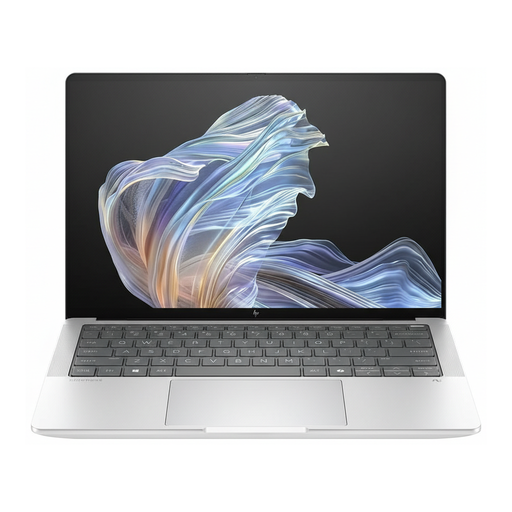
HP EliteBook Ultra G1a 14 B66PTES, 2.2K display, 16 GB RAM, 512 GB SSD
If you use a shared desk with external devices, check that the listed ports work with your monitor and accessories.
The product name lists a Snapdragon X Elite, 16 GB of RAM, a 512 GB SSD and Windows 11 Pro. USB-C Power Delivery is also listed.
For this specific configuration, check whether HDMI, USB-A and USB-C suit your workspace.
View at Joybuy
Frequently asked questions
How do I decide whether I need more RAM for my pitch?
For the documented current versions of InDesign and Photoshop, Adobe lists 8 GB of RAM as the minimum and recommends 16 GB for each. What matters is which programmes and versions you actually use; this recommendation isn’t essential for writing plain text.
How can I set up a shared desk for longer working sessions?
Adjust the screen, keyboard, chair and desk surface to work together, rather than looking only at the laptop specifications. The Federal Institute for Occupational Safety and Health recommends considering work equipment and the workplace together when working flexibly across locations. For a workplace screen setup, the relevant health and safety rules and the employer’s responsibilities also apply; this doesn’t mean every laptop bought for personal use must include a particular set of features.
What should I check first about my dock and charger?
Compare the ports on the specific laptop with the monitor, dock and power supply at your workspace. The configurations listed for the Dell Pro 14 Plus PB14250 differ, and a power adapter is explicitly not listed for one configuration. Check what’s included with the specific offer before buying.
What rights apply when buying online in Germany?
For a relevant distance purchase by a consumer, the withdrawal period is generally 14 days from delivery; exceptions and conditions apply. If goods are faulty, you generally have statutory rights against the seller for at least two years. Your Europe distinguishes these statutory rights from voluntary warranties. If you’re clearly buying for business purposes, check the specific contract terms.


