What to consider when buying
Compact laptop with an external monitor
A good fit if: you mainly work at a fully set-up sit-stand desk and want to view slides, notes or sources on separate displays.
The trade-off: the monitor and separate input devices need desk space and suitable ports.
Laptop with a larger screen
A good fit if: you often edit slides and sources directly on your laptop and have enough space at your desk.
The trade-off: a larger device can take up more space and weigh more when you carry it. It doesn’t automatically provide a suitable screen and input-device position for longer work sessions.
Lightweight, portable laptop
A good fit if: you often move between a sit-stand desk, meetings and other workplaces.
The trade-off: a smaller built-in display leaves less room for slides and sources when you don’t have an additional screen.
For longer work sessions, the DGUV recommends separate input devices and, where possible, an external monitor. The table below organises what to check when buying around your main priority.
| Priority |
What to look for when buying |
Who it matters most to |
| Ergonomic set-up |
Check the desk space, screen position and ports for a monitor, keyboard and mouse. Ergonomic guidance is not a general requirement to buy a particular device. |
If I spend a long time editing slides at the same sit-stand desk, I want to be able to position the screen and input devices appropriately. That’s why around 36% of consumers put an ergonomic set-up first. |
| Display and connectivity workflow |
Compare the video outputs on the specific model with the inputs on your monitor or projector. For USB-C, check that video output is specified for the exact variant. |
I need a connection that works with my existing display for slides, notes or a projector. Around 29% of consumers consider display connectivity their top priority. |
| Portability |
Check the weight of the exact configuration and consider any adapters and input devices you’ll need to carry as well. |
If I often move between my desk and meetings, I want to keep the kit I carry to a manageable amount. Regularly changing locations is the main consideration for around 21% of consumers. |
| Built-in workspace |
Compare the screen size, resolution and, where relevant, anti-glare finish of the variant actually on offer. Also consider how much space is available at your desk. |
If I edit slides and sources without a permanent external monitor, I need enough room to view everything on the laptop screen. That’s why around 14% of consumers prioritise the built-in workspace. |
Joybuy products
These Joybuy products include compact and larger laptops for working on slides at a sit-stand desk.
 No image available
Laptop 11.6 inch YOGA with 360° Rotatable Touchscreen, Intel® Pentium® Gold 6500Y, 8 GB RAM, 256 GB SSD, Windows 11 Pro
Its compact size may appeal if you frequently change locations. Without an additional screen, the 11.6-inch display gives you less viewing space than the larger models in this selection.
11.6-inch touchscreen with 360° rotation; Intel® Pentium® Gold 6500Y, 8 GB RAM, 256 GB SSD and Windows 11 Pro.
View at Joybuy
 No image available
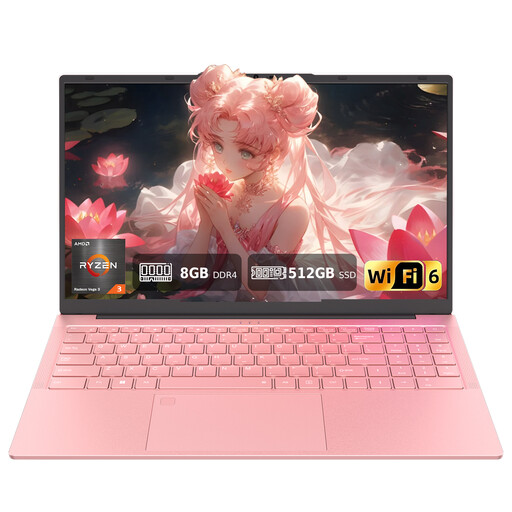
Auusda T156A, 15.6 inch FHD Display, AMD 3250C, 8 GB DDR4 RAM, 512 GB SSD
The 15.6-inch display gives you more built-in viewing space than a compact 11.6-inch model when you’re editing slides directly on your laptop.
15.6-inch Full HD display, AMD 3250C, 8 GB DDR4 RAM and 512 GB SSD. The product description lists USB-C with data, charging and video functionality.
View at Joybuy
 No image available
Ninkear YBook15, 2-in-1 Laptop, 15.6 inch FHD IPS Touch Screen, 8 GB DDR4 RAM, 512 GB SSD
The 15.6-inch display gives you a larger built-in workspace than a compact laptop, and the touchscreen rotates through 360°.
15.6-inch FHD IPS touchscreen, 8 GB DDR4 RAM and 512 GB SSD.
View at Joybuy
 No image available
Ninkear A15 pro, 15.6 inch FHD IPS Screen, 16 GB DDR4 RAM, 512 GB SSD
The 15.6-inch display is worth considering if you often edit slides directly on your laptop and want more built-in viewing space than a compact model offers.
15.6-inch FHD IPS display, 16 GB DDR4 RAM, 512 GB SSD, 55.4 Wh battery, 1.6 kg weight and Windows 11. The display opens through 180°.
View at Joybuy
 No image available
HONOR Magicbook X16 AMD 2025, AMD R5 6600H, 16 GB RAM, 512 GB SSD, German Keyboard
In this selection, the 16-inch display offers the largest stated built-in screen area for working on slides without a permanent external monitor.
16-inch display, AMD R5 6600H, 16 GB RAM, 512 GB SSD and German keyboard layout.
View at Joybuy
Frequently asked questions
Do I have to use an external monitor for slide work at a sit-stand desk?
No, an external monitor isn’t essential. For longer work sessions, the DGUV recommends separate input devices and, where possible, an external monitor. Whether that suits your workstation depends on factors including how long you work, how much desk space you have and the position of your laptop screen.
How can I keep my speaker notes on my screen during a presentation?
PowerPoint supports Presenter View with two displays: your notes appear on one display and your slides on the other. Your laptop and connection need to support a second screen, so check your display settings before presenting.
Are the minimum hardware requirements for Microsoft 365 a good guide when buying?
No, the minimum requirements don’t tell you how comfortably you’ll be able to work with your specific files. For Microsoft 365 for home users, Microsoft lists Windows 11 or one of the three most recent macOS versions and 4 GB RAM, among other requirements. Also consider your files, other programmes and whether you might use a second screen.
What are my rights in Germany if a newly purchased laptop is faulty?
For a consumer purchase, the retailer is generally responsible for ensuring the product was free from defects when it was handed over, for two years, as explained by the Verbraucherzentrale. This is separate from a voluntary guarantee. For purchase contracts dated 31 July 2026 or later, the Verbraucherzentrale also describes a one-off 12-month extension to the statutory warranty period if you choose a repair instead of a replacement when a defect arises. The conditions of each individual case should be checked.
Will my programmes and devices work with every laptop operating system?
No. Check that the programmes, add-ons and connected devices you need are compatible with the specific operating system and processor architecture. With Windows on Arm devices, hardware-specific drivers may need to be checked separately.


