If you mainly work at a small desk, start by choosing a laptop that fits your available space, has an easy-to-read display and offers the connections your workflow actually needs — rather than simply looking for the most processing power. For a simple website, you’ll need a code editor and modern browsers, and possibly a local test server. For longer sessions, the DGUV recommends using a separate keyboard and mouse, plus an external monitor where possible.
Who is this selection for?
Beginners building a website with limited desk space
If you’re creating a simple website using an editor and browser, you need a workspace where you can comfortably read the programmes you need without taking up too much desk space. MDN Web Docs describes using a code editor, modern browsers and a local test server for this purpose.
Web designers who work for longer periods
For longer sessions, consider whether there’s room beside your laptop for a keyboard, mouse and possibly an external monitor. The DGUV recommends separate input devices and, where possible, an external monitor when working on a laptop for extended periods.
Web developers who work in different locations
If you also work on your website elsewhere, consider the weight of your complete setup as well as the screen space available. The Federal Institute for Occupational Safety and Health highlights the total weight of work equipment when people regularly work in different locations.
What should you look for when buying?
First check that the laptop and your workspace will fit on your desk. Then consider how easy it is to read your usual editor-and-browser setup and whether your tools are compatible. MDN Web Docs lists an editor, modern browsers and, where needed, a local test server as parts of a development environment. For longer work sessions, the DGUV recommends separate input devices and, where possible, an external monitor.
| Buying criterion |
What to look for |
Who is this particularly important to? |
| Footprint and workspace |
Compare the dimensions of the specific laptop with the free space on your desk; try your editor and browser at your preferred scaling. |
If my desk is short on space, I want to be able to read my editor and preview without the laptop and extra input devices taking up all the room. Around 33% of consumers say footprint is their top priority. |
| Development tools |
Check the operating system and processor architecture against the programmes you actually need; check the specifications of the specific model variant. |
If I want to use a particular editor, browser and possibly a local test server, I’ll first check that my tools are compatible with one another. Around 27% of consumers put tool compatibility first. |
| Ergonomics for longer sessions |
Allow space for a separate keyboard and mouse, and possibly a monitor; check that the laptop has the connections you need. |
If I work in the same place for long periods, I want to be able to arrange my screen and input devices so I’m not stuck using only the laptop keyboard. Around 27% of consumers say ergonomics is their top priority. |
| Working in different locations |
Consider the weight of the laptop and the accessories you need; don’t assume the manufacturer’s battery-life figures will match your own usage. |
If I work on my website project in different places, I want to be able to carry everything I need without losing sight of my tools’ requirements. Around 13% of consumers put being able to work in different locations first. |
Common buying mistakes
-
Assuming screen size tells you how much usable workspace you have
You can’t tell from the screen diagonal or stated resolution alone whether your editor and page preview will be easy to read at your preferred scaling.
Try your usual editor-and-browser setup and measure the free space on your desk at the same time.
-
Choosing a compact laptop without allowing space for longer sessions
For extended laptop use, the DGUV recommends an external keyboard and mouse, plus an external monitor where possible. These devices need extra space.
Plan for separate input devices and a possible monitor only if the length and nature of your work call for them, and check that you have room.
-
Assuming Windows on Arm guarantees full compatibility with your tools
The fact that Windows 11 can run x64 applications on Arm doesn’t automatically mean every programme you need and every project dependency will work.
Before choosing an Arm model, check that the specific versions of your development tools and dependencies are supported.
Key brands at a glance
Lenovo
The ThinkPad E14 Gen 7 is a specific 14-inch Windows laptop that provides a useful point of comparison for a compact workspace.
- For configuration 21SX000RGE, Lenovo lists 16 GB RAM, a 512 GB SSD, a matt 1920 × 1200-pixel display and a German keyboard.
- These specifications apply to the stated item number and don’t automatically apply to other configurations in the range.
ASUS
The Zenbook 14 OLED UX3405 is a compact Windows range that offers a useful comparison for display and portability.
- The ASUS product page lists several processor and operating system variants.
- Some configurations are sold without a pre-installed operating system, so check the specific listing.
Apple
The 13-inch MacBook Air is a macOS option if the specific development tools you use run on macOS.
- Apple lists a 13.6-inch display for the 13-inch MacBook Air with M5.
- Memory options depend on the configuration. Apple’s battery-life figures are manufacturer claims, not measurements for this website-building workflow.
HP
The OmniBook 5 14-inch range includes compact Windows options; the Arm platform used by the 14-HE0000 series is a compatibility factor to consider in its own right.
- HP lists processor options featuring Snapdragon X.
- Specifications and configurations may vary by country and model. Windows 11 can run x64 applications on Arm, but that doesn’t guarantee compatibility with every development tool and dependency.
Suitable laptops on Joybuy
This selection features compact laptops for working on a small website. They’re designed to fit on a small desk without the need to keep adding accessories to your workspace.
 No image available
Lenovo Yoga Slim 7i Aura Edition 14" 2.8K OLED Core Ultra 7 355, 16 GB/1 TB SSD, Windows 11
The stated footprint of 31.2 × 22.1 cm is worth considering if your desk is short on space.
14-inch OLED display, 16 GB RAM, 1 TB SSD and Windows 11 Home.
Weight is listed as 1.14 kg, with two Thunderbolt 4 ports.
Joybuy
 No image available
HP OmniBook Ultra 14-kd0072ngx 14" 3K OLED, Core Ultra 7 356H, 16 GB/1 TB SSD, Windows 11 Home
The stated dimensions of 31.11 × 21.56 cm make it easy to check how it will fit on your desk.
14-inch OLED touchscreen, 16 GB RAM and 1 TB SSD.
Weight is listed as 1.27 kg, with three Thunderbolt 4 ports.
Joybuy
 No image available
Apple 13-Inch MacBook Air (M5, 2026), 16 GB/512 GB SSD, Midnight, German QWERTZ Keyboard
At 30.41 × 21.5 cm and 1.23 kg, its stated dimensions and weight are worth considering for a small workspace and frequent travel.
13.6-inch display, macOS, 16 GB unified memory and 512 GB SSD.
The product description states that a power adapter isn’t included, so you’ll need to buy one separately.
Joybuy
 No image available
ASUS Zenbook 14 UX3405CA-QD1303W 14" WUXGA OLED, Core U7 255H, Intel ARC, 16 GB/1 TB, Windows 11
The stated dimensions of 31.24 × 22.01 cm are useful to know when checking how much desk space is available.
14-inch OLED display, 16 GB RAM, 1 TB SSD and Windows 11 Home.
Weight is listed as 1.22 kg, with Thunderbolt 4 and HDMI connections.
Joybuy
 No image available
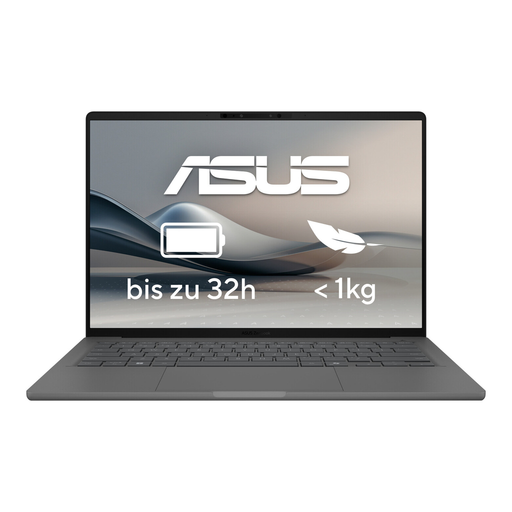
ASUS Zenbook A14 OLED UX3407RA-QD011W
The 14-inch size and stated weight of around 1.2 kg are worth considering for a small desk and when working in different locations.
The product specifications list 16 GB RAM and a 512 GB SSD.
Joybuy
Frequently asked questions
Do I need a particularly powerful laptop for a small website?
Not simply because of the task itself. Start by allowing for a code editor, modern browsers and, if needed, a local test server. Check any additional requirements against the tools you actually use.
How can I set up for longer work sessions at a small desk?
If you have enough room, the DGUV recommends an external keyboard and mouse, plus an external monitor where possible. This is an ergonomics recommendation, not a blanket requirement for private users to buy additional equipment.
What should I check when buying a Windows laptop with an Arm processor?
Check the specific programmes and dependencies you use. Microsoft says that Windows 11 on Arm can run unmodified x64 applications, but this doesn’t guarantee that every development workflow will work.
What are my rights when shopping online in Germany if the laptop isn’t suitable or is faulty?
When consumers buy online in Germany, they generally have a 14-day right to cancel, although exceptions and the terms of the specific contract should be checked. This is separate from your rights if the goods are faulty: Your Europe explains that goods in the EU are covered by a statutory guarantee for at least two years from receipt. This is different from a voluntary warranty.


