First, choose a word processor that meets your guide’s requirements: Word for Windows, LibreOffice Writer and Google Docs all offer structured heading features, but differ in how they work and what they require. Then check the keyboard and screen for longer writing sessions, as well as the weight, offline access and any extra costs for where you’ll be working. The writing task described here doesn’t call for any particular graphics performance.
Who is this selection for?
Writer working to specific document requirements
If your guide needs several heading levels, numbering or a table of contents, choosing the right word processor is essential. Microsoft Support explains how headings work in Word for Windows’ Navigation pane; LibreOffice Help covers chapter numbering, while Google Docs Editors Help describes headings and linked tables of contents.
Prolific writer at a desk
If you’re editing longer sections and often switching between the outline and the text, assess the keyboard, touchpad and screen on the specific device. Notebookcheck lists work-ready displays and input devices among its criteria for laptops for study.
Writer who works on the move
If you write in different places or sometimes work without an internet connection, compare the weight and the conditions attached to battery-life claims. Google Chromebook Help explains that you need to make the required Drive files available offline in advance; Acer lists the Aspire Go Spin 14 variant NX.J3UEG.008 as weighing 1.54 kg.
What should you consider when choosing?
| Priority |
What to check before buying |
Who will find this most important? |
| Document structure and software |
Check the required file format and word processor using a sample document with several heading levels, numbering and a table of contents. |
If my guide needs to meet specific outline requirements, I’ll first check that my chosen application can handle them. Around 33% of consumers prioritise document structure. |
| Writing comfort and visibility |
Try the keyboard and touchpad, and view a longer, structured document on the specific model. |
If I write for long periods and often switch between the outline and the text, the typing experience and readability matter to me. Around 27% of consumers prioritise writing comfort. |
| Portability and working offline |
Compare the weight and the conditions attached to the battery-life claim. For Google Docs on a Chromebook, set up offline access to the files you need in advance. |
If I edit my draft on the move or without a reliable connection, I want to be able to carry it with me and access my files. Around 20% of consumers prioritise mobile use. |
| Total costs and cover |
Check the software you need and any optional services separately; assess your statutory rights based on the terms of your purchase. |
If I want to keep track of software and ongoing costs, I’ll check in advance what I’m already entitled to use and which extra services I really need. Around 20% of consumers prioritise total costs. |
Which mistakes should you avoid?
-
Formatting headings for appearance only
Navigation and outline features rely on proper heading styles. Simply using a larger or bold font won’t automatically give you these features.
Before you start writing, create a short sample with several outline levels, numbering and a table of contents in the application you plan to use.
If you have to fix the outline later, you may need to spend extra time correcting the numbering and table of contents.
-
Confusing cloud access with offline availability
On a Chromebook, the Google Drive files you need must be made available offline and synchronised. Google also notes that some apps don’t work offline.
Before leaving an internet connection, check that the specific file is marked as available offline.
-
Assuming every model in a range has the same specification
Details such as keyboard layout, weight or included accessories may apply to a particular variant. Acer lists NX.J3UEG.008 as having a German keyboard layout and notes that it doesn’t include a stylus.
Before buying, check the full model number, keyboard layout and what’s included in the box.
If you need a stylus, check whether you’ll have to buy one separately.
-
Confusing an optional service with your statutory rights for faulty goods
An optional HP Care Pack is an additional service and isn’t the same as your statutory rights if goods are faulty.
Check the cover and cost of any additional service separately from your statutory rights.
An additional service may cost extra; decide based on the specific cover it provides.
Which brands are worth considering?
HP
The OmniBook range includes conventional Windows laptops. The details below apply to the specific model 14-mh0760ngx, not all OmniBooks.
- HP lists a 14-inch display, Windows 11 Home, 16 GB RAM and a 512 GB SSD for E87ZXEA#ABD.
- Optional Care Packs should be distinguished from your statutory rights for faulty goods. The details for this variant don’t confirm that it’s available from Joybuy.
Acer
The Aspire Go Spin is a convertible option if you’d like a touchscreen as well as a keyboard. The details here apply to NX.J3UEG.008.
- Acer lists a 14-inch screen, 16 GB RAM, a 512 GB SSD, a German keyboard layout and a weight of 1.54 kg for this variant.
- Acer says a stylus isn’t included. This doesn’t tell you about other variants or how comfortable the keyboard is to type on.
Apple
The MacBook Air is a macOS option if you’ve checked that the word processor you need and your required file format work on macOS.
- Apple lists configurations of the 13-inch MacBook Air with M5 that include 16 GB of unified memory and a 512 GB SSD.
- Microsoft Support’s instructions for the Word Navigation pane apply specifically to Windows. Check separately how to do what you need on macOS.
Lenovo
The IdeaPad Slim 3 is another Windows laptop range, with specifications varying by model.
- Lenovo’s specifications reference documents the IdeaPad Slim 3 14IRH10 platform.
- A platform reference doesn’t specify the configuration of a particular product. Check the full model number, keyboard layout and specification.
Joybuy products for the writing task
Here you’ll find laptops and convertibles for writing. For each model, check the operating system and whether the word processor you need and your required file format are compatible.
 No image available
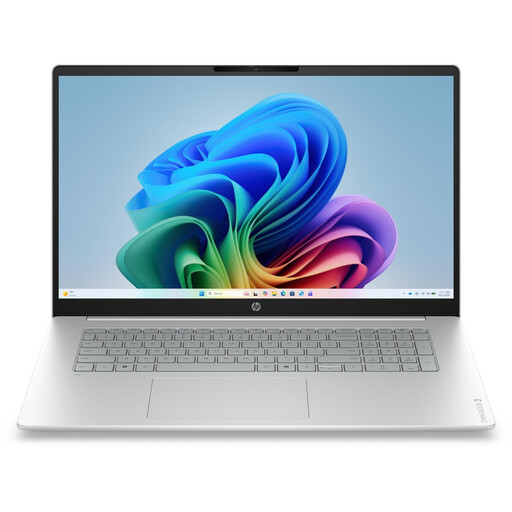
HP OmniBook 3 17-dg0050ngx, 17.3-inch FHD
Could be worth considering for a permanent writing space if you’d prefer a larger display for working on your draft.
17.3-inch FHD display, Intel Core Ultra 5 225U, 8 GB RAM, 256 GB SSD and Windows 11 Home.
View at Joybuy
 No image available
Auusda T156A laptop
If you’re looking for a backlit keyboard, check that it’s comfortable to type on during longer writing sessions.
The product name lists 16 GB DDR4, a 512 GB SSD, a 3050E processor and a backlit keyboard.
View at Joybuy
 No image available
YOGA 11.6-inch convertible, 360° touchscreen
The rotating touchscreen design is an option if you’d like to use it in the stated tablet mode as well as as a laptop.
Intel Pentium Gold 6500Y, 8 GB RAM, 256 GB SSD and Windows 11 Pro.
View at Joybuy
 No image available
HP OmniBook Ultra Flip 14-fh0670ng, 2-in-1
Could be a good fit if you’d like to use its stated convertible mode as well as laptop mode when writing.
14-inch touchscreen, Intel Core Ultra 7 258V, 32 GB RAM, 1 TB SSD, 2.8K OLED and Windows 11 Home.
View at Joybuy
 No image available
Ninkear YBook15, 15.6-inch 2-in-1
The product name lists several modes of use; check that the design and keyboard suit the way you write.
15.6-inch FHD touchscreen, 8 GB DDR4, 512 GB SSD and backlit keyboard. The stated 5000 mAh battery capacity isn’t a battery-life figure.
View at Joybuy
Frequently asked questions
How do I create nested and numbered headings?
Use proper heading styles rather than simply making the text larger or bold. Word for Windows links its built-in heading styles to multilevel numbering; in LibreOffice Writer, styles are assigned outline levels through chapter numbering. Google Docs offers headings 1–6 on a computer.
Can I carry on writing in Google Docs on a Chromebook without internet access?
Yes, as long as the files you need have been made available offline and synchronised in advance. Set up offline access and, before you leave, check that the specific file is marked as available offline. Google notes that some apps don’t work offline.
Do I have to pay for an extended warranty or Word?
An additional manufacturer service is optional and should be considered separately from your statutory rights for faulty goods; HP lists optional Care Packs for a specific model. LibreOffice is free. Whether using Word will cost you extra depends on the licence or access rights you already have.
What are my legal rights when buying a laptop in Germany?
For a relevant consumer distance contract, you generally have a right to cancel. Section 355 of the German Civil Code (BGB) sets a 14-day cancellation period; when it starts depends on the applicable regulations. For ordinary sales contracts involving movable goods, claims for defects generally expire two years after delivery (Section 438 BGB). This is separate from a voluntary manufacturer’s guarantee. This information is based on details from the Federal Ministry of Justice and the Federal Office of Justice on “Gesetze im Internet”.


