Heavy writers with limited desk space
If you write and edit longer pieces, you may need room for notes or reference materials alongside your laptop. So check the keyboard, display readability and the device’s actual dimensions.


When choosing a laptop for a personal essay, start by checking that it runs your writing software, that you find the keyboard comfortable and how much desk space it takes up. A compact model leaves more room for your notes, while a larger display gives you more screen space. For the specific model, also check the keyboard layout, ports, what’s included and how you’ll back up your work.
If you write and edit longer pieces, you may need room for notes or reference materials alongside your laptop. So check the keyboard, display readability and the device’s actual dimensions.
If you need to use particular programmes, file formats or devices, check compatibility first. This will determine which operating system and laptop configuration will work for you.
If you mainly want to write and research, compare the specifications with what you actually need. Factor in any required software and, if necessary, a power adapter when making your decision.
For longer writing sessions in a student room, first check comfort and software compatibility. Then weigh up screen space, overall costs and how you’ll back up your work.
A good fit if: Your writing software runs on Windows and you want to leave room for notes beside your laptop.
What to weigh up: With the ASUS Vivobook 14 X1407QA, check that your programmes and devices are compatible with the Snapdragon processor.
A good fit if: Your writing programmes support macOS and a compact display gives you enough room to work.
What to weigh up: Check which ports you need and what’s included with the specific offer.
A good fit if: Your laptop will mostly stay in your room and you prefer a larger built-in workspace.
What to weigh up: Compare the laptop’s dimensions with your available desk space, rather than looking at screen size alone.
A good fit if: You actually use Google Docs and don’t need any essential software that’s incompatible with ChromeOS.
What to weigh up: Google says you need to prepare files for offline use, and some apps won’t work without an internet connection.
| Priority | What to check before buying | Who is this important to? |
|---|---|---|
| Comfort when writing and reading | Check the keyboard layout and feel, along with the display size, resolution and glare. | When I write for long periods, I want a keyboard I can get on with and a screen that’s comfortable to read. Around 23% of consumers put comfort when writing and reading first. |
| Software compatibility | Check that the programmes, file formats, offline features and connected devices you need are supported. | If I need to use specific writing programmes or submit work in particular formats, I want to check they’re supported before choosing a device. Around 23% of consumers prioritise software compatibility. |
| Desk space | Measure the available desk space and compare it with the dimensions of the specific model. | If I need room for notes beside my laptop, its footprint matters just as much as the screen size. Around 18% of consumers prioritise the space available to them. |
| Cost and what’s included | Consider the configuration, any writing software you need and, if necessary, a power adapter together. | If my budget is limited, I only want to pay for features I actually need to write my essay. Around 18% of consumers put the overall cost first. |
| Backing up essays | Check the storage location, autosave, offline access and a separate backup in practice. | When I’m writing longer drafts, I don’t want to rely on a single saving feature. Around 18% of consumers prioritise backing up their writing. |
The screen diagonal and keyboard specifications don’t tell you how comfortable the keyboard will feel during a long writing session, or how much space will be left around the laptop.
Measure your desk, check the dimensions and keyboard layout of the exact model, and try the keyboard if you can.
Memory configurations can vary within a product range. Lenovo’s documentation for the IdeaPad Slim 3 14AMN8 also lists variants with soldered, non-upgradable RAM.
Check the full model number, RAM, display and keyboard layout for the specific offer. If the configuration doesn’t suit you and its memory can’t be upgraded, you may need to replace the device rather than simply add more memory later.
Storage and offline features depend on the service you use and how it’s set up. On their own, they don’t tell you whether you have a separate copy of your essay.
Check where your work is stored, set up the features you need and regularly test an additional backup of your drafts.
The MacBook Air is a compact macOS option if your writing programmes are compatible with macOS.
The Vivobook 14 X1407QA is a 14-inch Windows option for a desk where you also need room for notes.
The Aspire Go 15 offers a larger display option if you’ll mostly use your laptop in your room.
The IdeaPad Slim 3 14AMN8 is another 14-inch range where the specifications of the individual variant matter.
With its larger display, the OmniBook 3 could suit a mainly fixed workspace.
The Joybuy models below include compact and larger laptops for writing and research. What matters most is whether your programmes are compatible, how much desk space you have and the keyboard layout of the specific variant.
 No image available
A compact 2-in-1 option if you’d like to switch between laptop and tablet use while writing.
The product title lists a 2.8K OLED touchscreen, 32 GB RAM and a 1-TB SSD.
 No image available
A larger display could be a good choice if you prefer more screen space for writing and research.
The product title lists a 16-inch display, 16 GB RAM, a 512-GB SSD and a German keyboard layout.
 No image available
A compact macOS option, provided your writing programmes work with macOS.
For the M5 base configuration, Apple lists 16 GB of unified memory and a 512-GB SSD; the display measures 13.6 inches. According to the product description, a power adapter isn’t included.
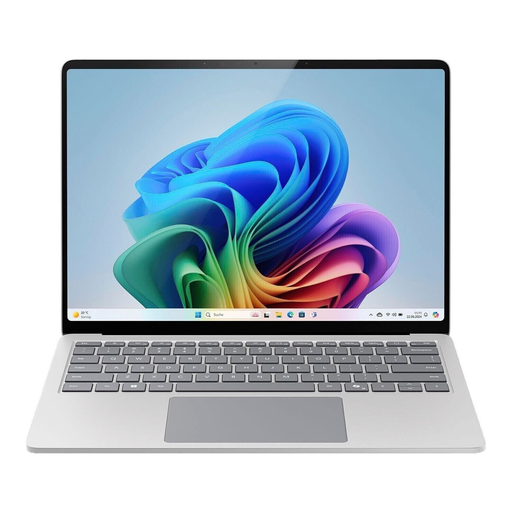 No image available
The 15-inch version could suit you if your laptop will mostly stay on your desk and you prefer a larger display.
Compare the footprint of the specific device with the space available on your desk.
 No image available
A larger Windows option if you prefer more screen space for writing and research.
The product title lists a 16-inch display, 32 GB DDR5 and a 512-GB SSD. The stated dimensions are 356 × 254 mm; compare them with the space available on your desk.
Not necessarily. What matters is whether the programmes, files and devices you actually need will work on that platform. If you want to use Google Docs offline on a Chromebook, make the files you need available offline beforehand. Google notes that some apps won’t work without an internet connection.
Check where your work is stored and also test a separate backup of your drafts. Microsoft says AutoSave in Microsoft 365 apps is available for files stored on OneDrive or SharePoint, among other conditions, and with an active subscription. This feature doesn’t automatically mean you have an independent backup copy.
Check that your writing software is available and that any power adapter you need is included. No power adapter is listed for the MacBook offer described here; this doesn’t tell you what’s included with other models or offers.
If an item is faulty, you have statutory rights against the seller; a voluntary guarantee is separate from these. For online consumer contracts, you generally have a 14-day right to withdraw from the contract, starting when you receive the goods. You must notify the retailer or contracting party that you’re withdrawing; simply returning the item isn’t enough.