Study-material organiser
If you manage lots of files, decide which documents you want stored locally and which can stay online. With synced files, whether they’re available offline affects how much storage you need (Microsoft Support).


Start by thinking about the programmes and file formats you actually need. Then decide whether a larger screen for your desk or a more compact laptop for travelling to university matters more. Check the storage, ports and what’s included with the specific model: you can only open cloud files without an internet connection if you’ve made them available offline first.
If you manage lots of files, decide which documents you want stored locally and which can stay online. With synced files, whether they’re available offline affects how much storage you need (Microsoft Support).
If you usually work in your room, extra screen space can make it easier to view documents and research side by side. The models compared here have screen sizes of 16 and 13.6 inches respectively (HP Store Germany; Apple Germany).
If you regularly take your study materials with you, you’ll need to weigh screen size and portability against the requirements of your university software. Check your institution’s software requirements before choosing an operating system.
A good fit if: You mostly work at a desk, use windows side by side or need a university application that only runs on Windows.
The trade-off: A larger screen is a different priority from having the most compact device possible. The power adapter for the HP OmniBook 5 16-bm0750ngx is sold separately (HP Store Germany).
A good fit if: Your required programmes run on macOS and you prefer a smaller built-in screen.
The trade-off: The MacBook Air reviewed here has a 13.6-inch display. A documented Citavi Pro campus licence from a Hamburg university department is for Windows only (Apple Germany; University of Hamburg).
A good fit if: You want to work on PDFs or slides using the touchscreen and switch between different working positions.
The trade-off: Check whether a stylus or other accessories are compatible with the specific model and included in the box. The HP version reviewed here was marked as unavailable on the manufacturer’s website (HP Store Germany).
| Priority | What to check before buying | Who should consider it? |
|---|---|---|
| File storage and offline access | Compare SSD capacity with the amount of storage needed for files you want to keep available offline. | If you need lots of PDFs, media or synced folders without an internet connection, local storage matters more. Around 28% of consumers put file storage first. |
| Desk space for your screen | Compare screen size and resolution with the space available on your desk. | If you want to read documents and research side by side in your room, a larger display could help. Around 22% of consumers prioritise their desk setup. |
| Software compatibility | Check your institution’s programme list and licence terms against the operating system and specific model. | If you’re required to use a particular university programme, make sure it’s compatible before choosing an operating system. Around 22% of consumers prioritise software compatibility. |
| Total cost | Check what’s included with the specific offer and whether you’re eligible for university software licences. | If you want to avoid extra purchases, check the power adapter and software access in advance. Around 17% of consumers focus primarily on the total cost. |
| Portability and working on the go | Check the dimensions and weight, including the charging accessories. Bear in mind that the manufacturer’s battery-life figures are based on a specific usage scenario. | If you often carry your laptop between your room and university, you’ll need to weigh portability against the amount of workspace built in. Around 11% of consumers prioritise portability. |
OneDrive files that are only available online can’t be opened without an internet connection in the same way as locally stored documents.
Before travelling or attending a meeting, mark important course folders as available offline and allow for the storage space they’ll use on your device.
Files made available offline take up local space on your SSD.
Memory, SSD capacity and accessories can vary between configurations. According to HP, the power adapter for the HP OmniBook 5 16-bm0750ngx is sold separately.
Check the full model number, specifications and what’s included with the specific offer.
A documented Citavi Pro campus licence from a Hamburg university department is for Windows only. This is one specific example, not a rule for every university.
Check the requirements of your own institution first, then choose between Windows and macOS.
The examples reviewed include a 16-inch Windows model and a touchscreen convertible. These features apply to the specific models mentioned, not to every HP laptop.
The MacBook Air is a macOS option for users whose required programmes are compatible with macOS and who want a smaller built-in screen.
According to ASUS, the Vivobook range includes different designs, including 16-inch models and a 16-inch Flip.
The Inspiron 14 is a 14-inch Windows laptop range that offers a useful point of comparison for a more compact design.
This selection includes Windows laptops for working with and storing study materials at a desk, including traditional laptops and touchscreen convertibles.
 No image available
The 16-inch version is designed to give you more built-in workspace at your desk.
16 inches, WUXGA, AMD Ryzen 3 PRO 7335U, 16 GB DDR5, 512 GB SSD, Windows 11 Pro Education.
Ports listed include USB4, USB-A, HDMI and RJ-45.
 No image available
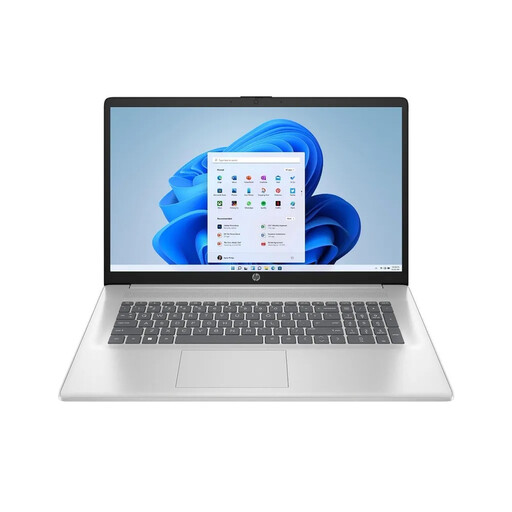
The 17.3-inch display is an option if you do most of your study work at a fixed workstation.
AMD Ryzen 7 7730U, 16 GB RAM, 512 GB SSD, Full HD IPS, Windows 11 Home.
 No image available
The 16-inch version with a German keyboard is designed for working with study materials at a desk.
AMD Ryzen 5 6600H, 16 GB RAM, 512 GB SSD, German keyboard.
 No image available
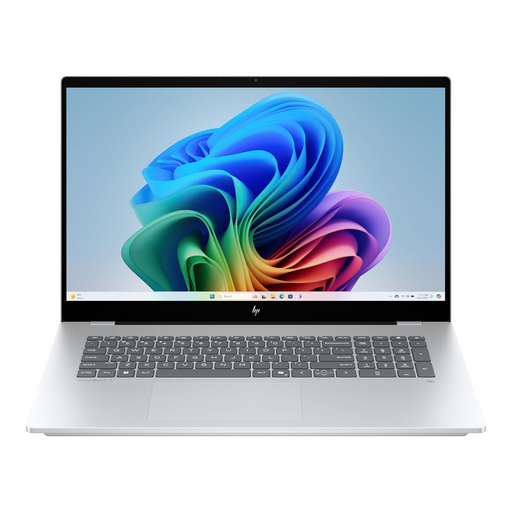
The touchscreen and range of modes make it well suited to working with study materials in different positions.
16 inches, WUXGA touchscreen, 16 GB RAM, 512 GB SSD, Windows 11.
The product description lists laptop, tablet, stand and tent modes.
 No image available
The touchscreen and 360-degree hinge are useful if you want to switch between different modes while working.
16 inches, WUXGA IPS touchscreen, Intel Core Ultra 7 155U, 16 GB RAM, 512 GB SSD, Windows 11.
This version is listed with a German QWERTZ layout.
No. If your OneDrive files are set up accordingly, some documents can be available online only. To access them reliably without an internet connection, make the folders you need available offline first. These copies take up local storage.
Not without checking first. One Hamburg university department lists its Citavi Pro campus licence as Windows-only; other universities and programmes may have different requirements. Check your own institution’s guidance before choosing an operating system.
Set up syncing and check whether important folders are available offline. Microsoft explains that changes to synced files are applied between your device and OneDrive. So don’t assume that syncing is the same as keeping a separate backup.
No. According to HP, the power adapter for the HP OmniBook 5 16-bm0750ngx is sold separately. Access to university software depends on your institution’s terms, so check what’s included and confirm your licence access before buying.