First, check whether your analysis software requires a particular operating system, and which connections your existing monitor and input devices need. A compact laptop is more suitable if you regularly clear your desk and can use an external monitor. Without a dedicated monitor, a larger display can make it easier to compare spreadsheets and reports, but it takes up more space. If you work with large local files and personal survey responses, you should also consider the resources you need and how the data will be handled.
Which option is right for you?
People who move between desks
If you often put your laptop away, its footprint and the connections on the specific configuration matter. The Federal Institute for Occupational Safety and Health highlights the total weight of work equipment as an important consideration when people frequently change their place of work.
Analysts without a dedicated monitor
If you compare spreadsheets, responses and reports directly on your laptop, usable screen space is important. Check the exact display specification and whether an external monitor is actually available.
Analysts working with local data models
If you use larger workbooks or local reports, compare the software requirements with the system resources available before you buy. Microsoft describes Power BI Desktop as a Windows application; according to Microsoft, available memory and system resources also matter when working with Excel workbooks.
What should you look for when buying?
Compact Windows laptop with an external monitor
A good fit if: You often need to clear the shared space, can connect a compatible monitor and need Windows applications such as Power BI Desktop.
Trade-off: The built-in display offers less space than a larger model. Ports and any accessories you need depend on the specific configuration.
Windows laptop with a larger display
A good fit if: You regularly work without a dedicated monitor and want to check several views directly on your laptop.
Trade-off: A 16-inch device takes up more space than a 14-inch one; screen size alone does not indicate how much processing power you need.
Compact macOS laptop
A good fit if: Your specific analysis software runs on macOS and the ports are compatible with your existing devices.
Trade-off: Microsoft describes Power BI Desktop as a Windows application. You may need a suitable adapter for existing HDMI or USB-A devices.
| Buying priority |
What to check |
Who it matters most to |
| Space and connections |
Compare the dimensions of the laptop and the video and USB ports on the exact model with your monitor and input devices. |
If I regularly need to clear my workspace and connect existing devices, a compact size and compatible connections are especially important. Around 29% of consumers say space and connections are their top priority. |
| Reading spreadsheets and reports |
Check the screen size, resolution and finish of the specific model; also find out whether an external monitor is available. |
Without a dedicated monitor, I want to be able to compare spreadsheets and results directly on my device. Around 23% of consumers prioritise the usable screen area of the built-in display. |
| Software and local files |
Check which applications you need and how large your files are; compare the operating system, RAM and storage in the configuration with your requirements. |
If I work on larger workbooks locally, I want to check software compatibility and available resources before buying. Around 18% of consumers say local analysis is their main priority. |
| Protecting responses |
Check whether responses contain personal details and whether several people use the device; tailor access controls to the way you work. |
If responses could identify people or several people use the same laptop, I need to handle data and accounts appropriately. Around 18% of consumers prioritise this protection. |
| Purchase and accessories |
Consider the configuration and any accessories you need together, such as a monitor, adapter or dock. |
If I want to avoid unnecessary spending on devices and accessories, I first need to work out what my workflow actually requires. Around 12% of consumers say cost is their top priority. |
Common buying mistakes to avoid
-
Choosing based on screen size alone
A larger built-in display can be useful when checking several views, but it takes up more space on a shared desk.
Measure the space available and decide whether you’ll work directly on the laptop or use an existing external monitor.
-
Assuming USB-C guarantees a compatible monitor connection
Ports vary by configuration, and your existing monitor will have its own requirements.
Compare the video ports on the exact device with those on your monitor, and check what’s included before budgeting for an adapter or dock.
-
Confusing a shared desk with a shared laptop
Taking turns at a desk doesn’t automatically mean several people use the same device. If survey responses contain personal details, the specific data you hold also matters.
Check who uses the device and whether responses could identify people. The Federal Office for Information Security recommends separate, password-protected accounts for multiple users. If you handle personal data, you should also follow your organisation’s requirements.
Brands to consider
Lenovo
The ThinkPad E14 is a compact Windows option for limited desk space.
- For model 21SX000RGE, Lenovo lists 16 GB RAM, a 512-GB SSD, a matte 14-inch WUXGA display and a German keyboard.
- These specifications apply to the model listed and shouldn’t be assumed to apply to other E14 versions.
HP
The ProBook 4 G1i comes in different screen sizes to suit different priorities for space and screen area.
- For AD2N7ET#ABD, HP lists a 16-inch WUXGA display, 16 GB RAM, a 512-GB SSD, HDMI, USB-A and two USB-C ports.
- These specifications apply to this documented configuration.
Dell
The Dell Pro 14 PC14250 range includes configurable Windows models for more compact workspaces.
- One configuration listed by Dell has a 14-inch IPS display, 16 GB DDR5 and a 512-GB SSD.
- A power adapter wasn’t listed as included with one documented configuration; check what comes with the specific offer.
ASUS
The ExpertBook P3 PM3406 is a business laptop range with several possible configurations.
- The ASUS specification sheet lists HDMI, RJ45, USB-A and USB-C among the available port options.
- The display, RAM and power supply vary; the specification sheet’s options don’t all come together in a single retail configuration.
Apple
The 13-inch MacBook Air with M5 is a macOS option, provided your required analysis software runs on it.
- For the model described, Apple lists 16 GB of unified memory and two Thunderbolt 4 ports.
- You may need a suitable adapter for existing HDMI or USB-A devices; Microsoft describes Power BI Desktop as a Windows application.
Joybuy products
The following Joybuy offers showcase laptop options for compact workspaces and Windows-based analysis workflows.
 No image available
Microsoft Surface Laptop 7 Snapdragon X Plus, 16 GB, 512 GB, Black
A compact option if you’re looking for a Windows environment to suit your workflow.
16 GB RAM and a 512-GB SSD.
View at Joybuy
 No image available
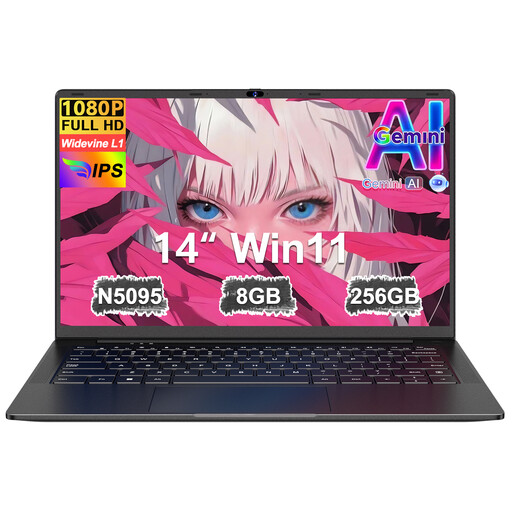
Ruzava 14-inch laptop, 8 GB RAM, 256 GB SSD, N5095
The 14-inch format is worth considering if you’re looking for a laptop for a limited desk space.
FHD display, 8 GB RAM and a 256-GB SSD.
View at Joybuy
 No image available
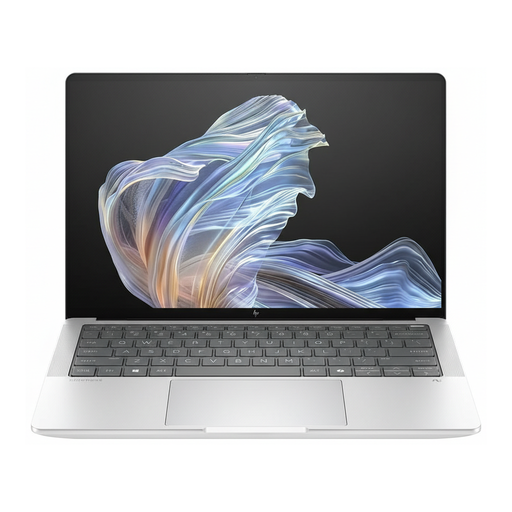
HP EliteBook Ultra G1a 14-inch, B66PTES
A 14-inch option for a compact workspace if Windows 11 Pro is compatible with the software you need.
2.2K display, Snapdragon X Elite, 16 GB RAM and a 512-GB SSD.
View at Joybuy
 No image available
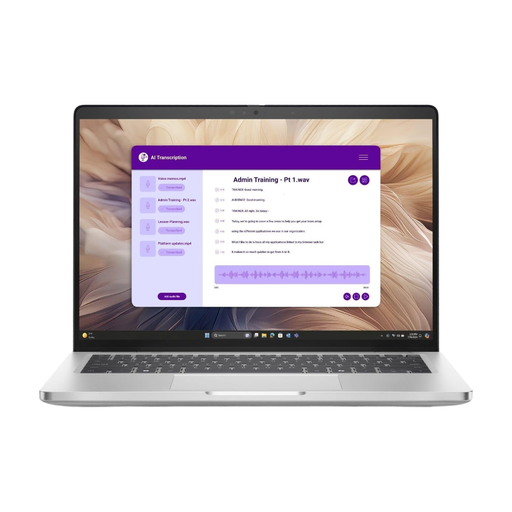
Dell Pro 14 Plus PB14250 U7-266V, 16 GB
A compact model to consider if you’re looking for a 14-inch laptop for a shared desk.
16 GB RAM.
View at Joybuy
Frequently asked questions
Do I need Windows to analyse survey results?
Not for every type of results review. If your workflow depends on Power BI Desktop, the operating system matters: Microsoft describes the desktop application as a Windows application. Before choosing between Windows and macOS, check the requirements for any other software you use.
How should I set up my laptop for longer periods of desk-based work?
If you’re working in the same place for a long time, a separate screen and input devices may be a good idea. The Federal Institute for Occupational Safety and Health explains that you can then raise the laptop. Workplace display-screen requirements should also be taken into account where applicable.
Can several people use the same laptop to access survey responses?
If several people use the same device, the Federal Office for Information Security recommends separate, password-protected accounts. Responses that can identify people may be personal data; according to the European Commission’s guidance, pseudonymised information may also count as personal data. The organisation responsible must assess the specific data and workflow.
What rights apply when buying online, and does a manufacturer’s guarantee replace your statutory rights?
For a qualifying online distance purchase by a consumer, there is generally a 14-day right to cancel from the date of delivery, subject to exceptions and possible return costs. Faulty goods are generally covered by a statutory minimum two-year guarantee against the trader; any additional manufacturer’s guarantee must not reduce these rights. The EU information relates to consumer rights, which you shouldn’t assume apply to a business purchase without checking.


