Choose a laptop based first on the size of your files and the software you actually use. For larger datasets, the available RAM matters; if you follow set workflows in Excel, R or SPSS, check which version of the programme you need and what it can do. A smaller device saves space, but you may see fewer columns and windows at once. If you plan to add a monitor, make sure you have the right ports and enough desk space.
Which device is right for you?
For cleaning larger datasets
If you open large files or several workbooks, base your choice on file size and your actual memory requirements. Microsoft Learn explains that multiple open Excel workbooks can use more memory, while Posit Support notes that the RAM needed for R depends on the analysis being carried out.
For working at a small desk
If you have little space around your laptop, the device’s dimensions need to work alongside the screen area you need. PC-WELT notes that keeping track of several open windows at once can be harder on a smaller screen.
For using specific analysis software
If your workflow depends on particular Excel features, R tools or a specific version of SPSS, check the operating system and programme version first. Microsoft Support lists Power Query for Excel on Windows, Mac and the web, but that does not mean every feature works in exactly the same way on each platform.
What should you look for when buying?
Start by checking your files and software, then compare the display with your desk space, and finally consider any extra equipment you might need.
| Criterion |
What to check before buying |
Who should pay particular attention? |
| RAM |
Compare file sizes, the programmes you run at the same time, the RAM in the specific configuration and whether it can be upgraded. |
If I clean large files or several workbooks, I want to avoid running short of memory; around 29% of consumers put available RAM first. |
| Space and visibility |
Measure your desk and check the laptop’s dimensions, resolution and display format. If you’re adding a monitor, check its connection and the laptop’s supported display output too. |
If my small desk needs to fit both a laptop and my work materials, but I also want to keep an eye on several columns, usable screen space matters; around 23% of consumers prioritise space and visibility. |
| Software compatibility |
Check the specific Excel features, R packages or SPSS version you need, as well as the operating system. |
If my analysis workflow depends on particular programmes or features, my setup needs to support them; around 18% of consumers put software compatibility first. |
| Total cost |
Consider the software, ports and any extra equipment you need for your workflow, rather than comparing laptops alone. |
If I want to set up a complete workstation, any essential extras count too; around 18% of consumers prioritise total cost. |
| Survey data protection |
Check whether responses can be linked to individuals and what technical and organisational measures are needed for your specific use. The BfDI refers to appropriate protective measures. |
If responses could include personal data, I want to clarify how they will be handled before starting work; around 12% of consumers put survey data protection first. |
Common buying mistakes
-
Assuming a larger screen means a clearer view of your spreadsheets
A compact display can save space, but it may be harder to keep track of several work windows at once.
Check the resolution and display format alongside the space available on your desk. If you plan to use an external monitor, check the specific device’s display output first.
An extra monitor or adapter takes up more desk space and may require additional accessories.
-
Assuming one RAM figure will be enough for every analysis
The amount of memory you need depends on file size, the workbooks you have open and the analysis you’re running. Microsoft Learn describes how using multiple Excel workbooks can require more memory, while Posit Support says R’s requirements depend on the work being carried out.
Use your own files and the programmes you run at the same time as a guide. If you work with larger datasets, check whether the RAM in the specific configuration can be upgraded.
-
Assuming software with the same name has identical features on every operating system
Power Query being available in Excel on several platforms does not prove that every feature or connection you need will work in the same way everywhere.
Check that the required data sources and transformation steps are supported by the version of the programme you plan to use before choosing an operating system.
If the software setup isn’t right, you may need a different licence or a change to your workflow.
Brands and ranges to consider
Lenovo
The ThinkPad T14 Gen 6 is a compact business range for workspaces where you plan to connect other devices to your laptop.
- Lenovo’s range specification lists HDMI, USB-A and Thunderbolt 4, depending on the configuration.
- Check the ports and exact configuration of the model you’re considering before buying.
HP
The ProBook 4 G1i 14 is an example of a 14-inch Windows laptop with a WUXGA display.
- For the AD2N3ET#ABD configuration, HP lists 16 GB RAM, a 512 GB SSD and Windows 11 Pro.
- These specifications apply to this configuration; check the details for the specific model you’re buying.
Apple
The 13-inch MacBook Air M5 is a compact macOS option to consider if its programmes and features suit your workflow.
- Apple lists 16 GB of unified memory, a 512 GB SSD and a 13.6-inch display for the entry-level configuration.
- Check the programmes, features and ports you need. The specifications do not prove that every Excel feature works identically on macOS and Windows.
ASUS
The Zenbook 14 UX3405 is a compact Windows range with different display and specification options.
- ASUS lists OLED display options in its global specifications.
- Processor and operating system options vary; check the exact configuration and its availability before buying.
Dell
The Pro 14 PC14250 range is a 14-inch business series for buyers who want to compare ports and display support.
- Dell’s German manual includes sections on RAM, external ports and multiple displays.
- A manual is no substitute for checking the specific configuration on sale.
Joybuy product selection
The Joybuy picks below include compact 14-inch laptops. Before buying, check that the operating system, RAM and ports are right for your data-cleaning work.
 No image available
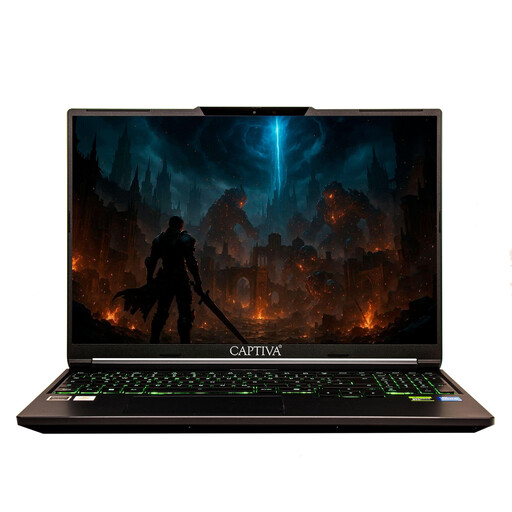
Captiva Power Starter 14, AMD Ryzen 7 255, 16 GB RAM, 500 GB SSD, Windows 11 Home
A compact Windows option if you’re looking for a 14-inch device for spreadsheet work.
The product name lists an AMD Ryzen 7 255, 16 GB RAM, a 500 GB SSD and Windows 11 Home.
View at Joybuy
 No image available
HP OmniBook Ultra Flip 14-fh0670ng
The product name lists a 14-inch convertible laptop with Windows 11 Home. Check that the software you need is compatible with this operating system.
Specifications include an Intel Core Ultra 7 258V, 32 GB RAM, a 1 TB SSD and a 2.8K OLED touchscreen.
View at Joybuy
 No image available
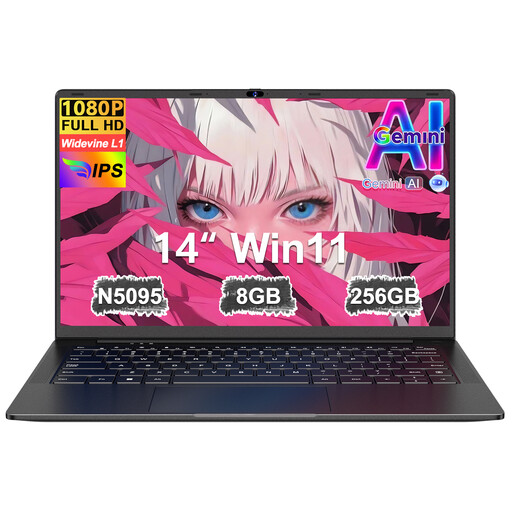
Ruzava 14-inch laptop, N5095, 8 GB RAM, 256 GB SSD
A 14-inch option if you’re looking for a compact device for working at a small desk.
The product name lists 8 GB RAM, a 256 GB SSD (expandable up to 1 TB), an N5095 processor running at up to 2.9 GHz, an FHD display, USB 3.0 and Type-C.
View at Joybuy
 No image available
ASUS Zenbook 14 UX3405CA-QD1303W
The product name lists Windows 11 Home. Check that it supports the programmes and features you need.
Listed specifications include a 14-inch WUXGA OLED display, a Core U7 255H, Intel ARC, 16 GB RAM and a 1 TB SSD. According to the product details, the RAM cannot be upgraded.
View at Joybuy
 No image available
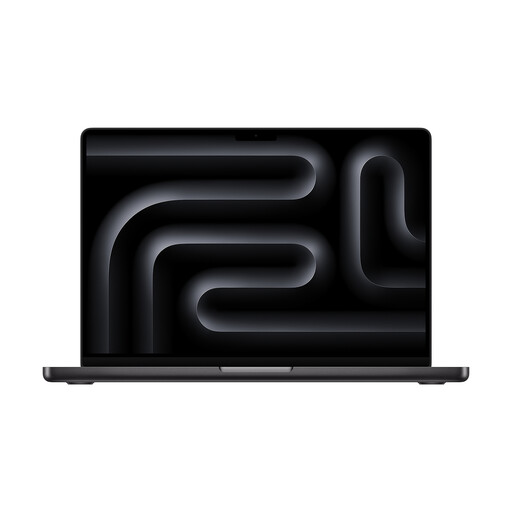
Apple MacBook Pro 14-inch, M5, 24 GB, 1 TB SSD
A compact macOS option if the programmes and features you need are compatible with your analysis workflow.
The product name lists an M5 chip with a 10-core CPU and 10-core GPU, 24 GB of unified memory and a 1 TB SSD. According to the product description, a power adapter is not included.
View at Joybuy
Frequently asked questions
Do I generally need a particularly high number of processor cores to clean survey data?
Not necessarily. According to Posit Support, R’s requirements depend on the analysis you’re carrying out, so check your dataset size and the programmes you use first.
Can I use Power Query on a Mac?
Yes. Microsoft Support lists Power Query for Excel on Windows, Mac and the web. Even so, check that the connections and features you need are supported by your specific version of Excel.
How can I keep track of lots of columns on a small laptop?
Check the display format and resolution, and compare both with the space available on your desk. If you have room for an external monitor, check the display output and ports on the specific laptop first.
What are my rights when buying a laptop online in Germany?
Statutory consumer rights and a voluntary guarantee are different things. In an article dated 5 August 2026, the Verbraucherzentrale states that online orders generally come with a 14-day right to cancel, starting from the day you receive the goods. The conditions and any exceptions for your specific purchase should be taken into account.
Does a laptop for survey data need specific data protection features?
There’s no single device feature that can be assumed to be necessary in every case. If personal data is being processed, controllers and processors must put appropriate technical and organisational measures in place for the specific use; the BfDI refers to the state of the art.


