Editors working with long teaching videos
If you review a lot of footage or long recordings, allow space for your original files, project files and media cache.


For long teaching videos, start by planning storage for your original footage, projects and media cache, then match the RAM and graphics to your resolution, codec and editing software. For Premiere on Windows, Adobe recommends 32 GB of RAM or more for 4K and above; this recommendation doesn’t automatically apply to other programmes. A more compact device can make working on the go easier, while a larger display gives you more screen space. Proxies can also help when editing demanding footage.
If you review a lot of footage or long recordings, allow space for your original files, project files and media cache.
For high-resolution or complex footage, match your setup to your editing software, format and project structure.
If you review or edit footage in different locations, weigh a compact design against the screen space you need.
Start by planning storage and a workflow for your footage. Once you have the basics covered, compare RAM, graphics and screen size to suit your editing software and where you’ll be working.
| Buying priority | What to check | Who values it? |
|---|---|---|
| Storage for long recordings | Estimate the space you’ll need based on your source files and concurrent projects. Check the SSD capacity and ports for external drives; Adobe recommends fast storage for media and cache in Premiere. | If I want to keep original footage, project files and cache on the laptop, I plan for the total storage requirement together. Around 33% of consumers say storage is their top priority. |
| Smooth playback and editing | Check the resolution, format and requirements of your editing software. For Premiere on Windows, Adobe recommends 32 GB of RAM or more for 4K and above. This is a recommended setup, not a general minimum for every programme. | If previewing and editing high-resolution or complex footage are my main priorities, I compare my software’s requirements and test proxies if needed. Around 27% of consumers say smooth editing is their top priority. |
| Portability and screen space | Compare the display size of the specific configuration and check that it has the ports you need. Video playback figures don’t tell you how long the battery will last while rendering. | If I move between a filming location and my workspace, a portable device matters to me; at my editing desk, a larger screen may be more important. Around 20% of consumers prioritise portability. |
| Language and editing workflow | Check the transcription and audio tools in your editing software. Adobe lists German as a supported speech-to-text language for Premiere. | If I edit spoken lessons, I want to check that the language and audio features I need are available in my software. Around 20% of consumers say this workflow is their top priority. |
Original files and media cache also take up storage, alongside the operating system and programmes.
Estimate the size of your projects and check the ports for external drives as well as the SSD.
If the internal storage can’t accommodate your media and cache, you may need a fast external drive.
Format, RAM, storage and your proxy workflow can also affect how Premiere performs.
Compare your editing software’s requirements and test whether working copies solve the specific playback issue.
Manufacturers offer different chip, RAM and SSD configurations within a product range.
Compare the full model and variant name with the specifications of the specific device.
The MacBook Pro 14 and 16 may suit buyers whose editing software runs on macOS. The chip, RAM and SSD vary by configuration.
The ProArt P16 is a 16-inch Windows range for creative work. Always compare the full variant code.
The Legion Pro 5 is a larger Windows alternative, provided the specific configuration suits your editing software.
The ZBook Studio is aimed at buyers who want to compare specific Windows workstation configurations and their service terms.
The Pro Max Plus 16 is a configurable Windows workstation alternative.
The following Joybuy models are Windows laptops with dedicated graphics and SSD storage. Compare the RAM and storage capacity with your footage and editing software.
 No image available
An option if you’re looking for a Windows editing setup with dedicated graphics and internal SSD storage.
Acer lists a 16-inch WQXGA display, R7, 16 GB of RAM, a 1-TB PCIe SSD and an RTX 5060 with 8 GB GDDR7.
 No image available
Worth considering if you’re looking for a Windows laptop with dedicated graphics and a larger display.
The product specifications list a 16-inch QHD display, AMD Ryzen 9 8940HX, 24 GB of RAM, a 1-TB SSD and an RTX 5070.
 No image available
A larger display can be useful for reviewing and editing footage at a fixed workstation.
The configuration lists a 17.3-inch FHD display with 144 Hz, AMD Ryzen 9 7940HX, 16 GB of RAM, a 1-TB PCIe SSD and an RTX 4060 with 8 GB.
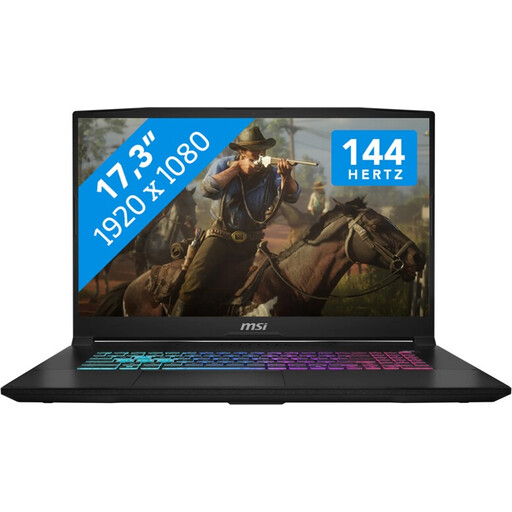 No image available
Worth considering for a Windows editing setup with dedicated graphics and a larger display.
The specifications list a 17.3-inch FHD display with 144 Hz, Intel Core i7-14650HX, 16 GB of RAM, a 1-TB NVMe SSD and an RTX 5060 with 8 GB.
 No image available
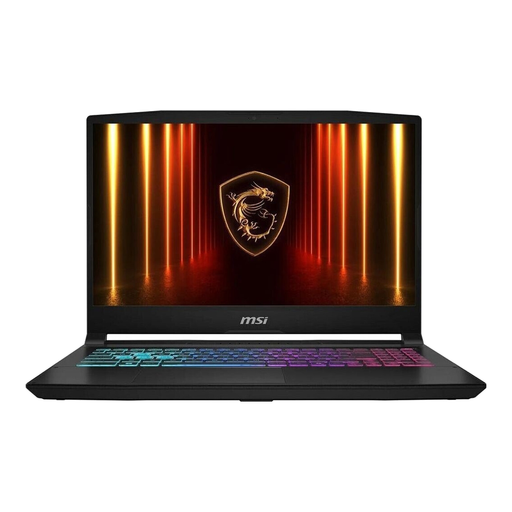
A more compact display may suit you if you prefer a smaller editing setup and plan your storage carefully.
The specifications list a 15.6-inch FHD display, Intel Core i7-14650HX, 16 GB of RAM, a 512-GB NVMe SSD and an RTX 5060. This configuration also has an additional M.2 slot.
Allow space for your original footage, project media and cache, and estimate what you’ll need based on your files and concurrent projects. Adobe recommends fast storage for media and cache in Premiere. Fast external drives can be an option if internal storage is limited.
If you use Premiere, check the media cache and proxy workflow. Proxies are lower-resolution working copies for editing; they don’t replace keeping your original footage.
No. Transcription depends on your editing software. Adobe lists German as a supported speech-to-text language for Premiere, so check that the feature you need is available in the specific programme you use.
For Premiere on Windows, Adobe recommends 32 GB of RAM or more for 4K and above. This is a recommendation for Premiere, not a general minimum requirement for every editing programme.
The German Federal Network Agency explains that retailers may only offer a relevant electrical or electronic device once they have ensured that it has the correct CE marking and the required accompanying information. Check these details for the specific device; a general model name alone doesn’t tell you what’s included in the particular unit on offer.