Who this selection is for

Designers creating large composites

If you’re combining high-resolution images and lots of layers to create a cover, having enough RAM and free temporary storage is important for your workflow. Adobe explains that Photoshop processes image data, layers and editing steps in RAM.

Designers creating print-ready covers

If you’re matching colours for a printed programme, you’ll need more than a suitable display: you’ll also need a reliable colour and PDF workflow. Adobe notes that colours on screen may look different from the printed output.

Mobile theatre designers

If you edit designs in different locations, you’ll need to weigh up screen space against portability. Manufacturer specifications for MacBook Pro and ProArt P16 models include different display sizes and configurations.

What to look for when buying

Priority What to check when buying Who it matters most to
Working with lots of layers Check the RAM and available SSD space on the specific configuration for project files and temporary data. Adobe recommends at least 16 GB of RAM for Photoshop; the actual amount you need depends on your files and workflow. When I’m working on large composites with lots of active layers, I want to avoid slowdowns caused by limited RAM or temporary storage. That’s why around 36% of consumers put layer performance first.
Matching colours for print Check the display on the specific model and confirm colour profiles and proofing requirements with the printer. When I’m assessing cover colours for a specific print run, I need a reliable colour workflow rather than relying on a screen alone. For around 29% of consumers, matching print colours is the top priority.
Workspace or portability Compare display size and resolution with the laptop’s weight and the ports you’ll need to connect an external monitor. When I’m revising designs in different locations, I want a device that’s easy to carry without losing sight of the workspace I need. Around 21% of consumers prioritise portability.
The right specification, not an overpowered one Compare complete configurations against the software you use, your file sizes and the ports you need. Check whether you’ll genuinely need extra graphics performance for other projects. When I’m mainly designing theatre programme covers, I want a specification that suits my actual workflow, without assuming I need extras I haven’t checked. Around 14% of consumers put the right specification, without unnecessary add-ons, first.

Common selection mistakes

  • Assuming a large advertised colour gamut guarantees accurate print colours

    A display and a printed output can reproduce colours differently. A colour gamut figure alone therefore doesn’t show how the cover will look on the intended paper or with the chosen printing process.

    Check the display version, ask the printer about their output requirements, and use suitable colour profiles or a proof.

    Working with the printer and requesting further proofs can take extra time.

  • Choosing an SSD based only on the size of your saved cover files

    Photoshop also uses temporary storage. If there isn’t enough space on the scratch disk, editing may slow down or be interrupted.

    Allow free space for project files and temporary data, and check whether you can use additional scratch disks if needed.

  • Assuming every model in a product range has the same specification

    RAM, SSD, processor and display specifications can vary between configurations in the same range.

    Before buying, compare the full model name and the specification of the exact version, rather than relying on details for a different model.

Manufacturers and product ranges at a glance

Apple

The MacBook Pro range is aimed at designers who want to use macOS; Apple says models are available with 14- and 16-inch displays.

  • Apple specifies a wide P3 colour gamut for the 14-inch display.
  • The display specification isn’t a print proof. Check the RAM and SSD on the specific configuration.

ASUS

According to the manufacturer, the ProArt P16 range offers Windows models with larger displays and tools for creative work.

  • ASUS lists a 16-inch OLED display, 64 GB of RAM and a 4-TB SSD for model H7606WP-RJ084X.
  • These specifications apply to the model listed, not the entire range. Suitable profiles are still important for print workflows.

Lenovo

The ThinkPad T1g range is a Windows option for designers who also handle demanding tasks beyond cover design.

  • Lenovo lists graphics options with GeForce RTX for the T1g Gen 8 range.
  • You can’t assume that a tested model’s specifications apply to other ThinkPad configurations without checking.

Dell

Dell describes the XPS 16 as a configurable Windows alternative with a larger display.

  • Dell lists different processor, RAM and SSD options for model DA16260.
  • Check the display specifications and whether they suit your needs on the specific configuration, rather than judging by the product range alone.

HP

HP positions the ZBook Studio G11 as a mobile workstation for demanding projects that may go beyond cover design.

  • The workstation range may be worth considering if you have additional processor-intensive tasks.
  • The manufacturer’s description doesn’t show that the extra specification is essential for theatre programme covers.

Laptops at Joybuy

This selection includes compact and larger laptops for designing covers with multiple layers and working on layouts. For each model, check that the specification, display and workflow suit your print process.

MSI Prestige N16 Flip AI+ C1XMT-027Y

MSI Prestige N16 Flip AI+ C1XMT-027Y

The listed specification may suit extensive image compositing and layout work on a larger workspace.

16 inches, 2-in-1, 128 GB DDR5 RAM, 2 TB SSD.

View at Joybuy

HP ProBook 4 G1a 16 with AMD Ryzen 5 230

HP ProBook 4 G1a 16, AMD Ryzen 5 230

The listed 16 GB of RAM meets Adobe’s recommendation of at least 16 GB for Photoshop; also check what your files and software require.

16 inches, 16 GB DDR5 RAM, 512 GB SSD, WUXGA IPS display, AMD Radeon 760M.

View at Joybuy
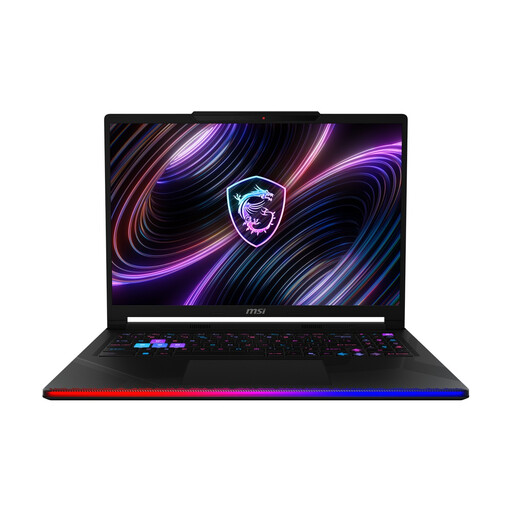
MSI Raider 16 Max HX B2WJ-071

MSI Raider 16 Max HX B2WJ-071

The combination of 32 GB of RAM and a 2-TB SSD may suit larger image composites and project files. For checking print colours, a suitable profile and proofing workflow is still important.

16 inches, OLED WQXGA display, Intel Core Ultra 9 290HX, 32 GB DDR5 RAM, 2 TB SSD.

View at Joybuy

Lenovo ThinkPad E16 Gen 3 21ST

Lenovo ThinkPad E16 Gen 3 21ST

The 16-inch workspace is useful for layout work; the listed 45% NTSC display coverage limits how accurately you can assess print colours on the built-in screen.

AMD Ryzen 7 250, 32 GB RAM, 1 TB SSD, 16-inch WUXGA IPS display.

View at Joybuy

Apple 13-inch MacBook Air with M5, 2026, 16 GB and 512 GB SSD

Apple 13-inch MacBook Air (M5, 2026), 16 GB, 512 GB SSD

The compact display may suit editing on the go; there’s less room to work on the cover and tool palettes at the same time than on a larger display.

13.6 inches, M5 with 10-core CPU and 8-core GPU, 16 GB, 512 GB SSD, German QWERTZ keyboard.

According to the product information, a USB-C power adapter is sold separately.

View at Joybuy

Frequently asked questions

Do I need a dedicated graphics card for a cover with lots of layers?

Not necessarily. First, check the requirements of your software, the RAM and the available SSD space. Adobe explains the memory requirements for image data and layers; some GPU features have their own requirements.

How do I prepare a cover for the printer?

Ask the printer about their output requirements, then set up your colour profiles and proof accordingly. When exporting PDFs, Adobe InDesign offers settings for PDF/X, including print marks and bleed. Your laptop display alone doesn’t determine the print specifications.

What can I do if Photoshop says my scratch disk is full?

Check the available space on the scratch disk you’re using and Photoshop’s settings for additional scratch disks. Adobe notes that not having enough temporary storage can interrupt your work.

What are my legal rights when buying a laptop in Germany?

When you buy as a consumer, the seller is generally responsible under statutory consumer rights if the goods are faulty; a voluntary manufacturer’s warranty doesn’t replace these rights. Your Europe, the European Union’s information service, distinguishes these statutory rights from additional commercial guarantees. If you’re buying for self-employed or business use, check the contract terms separately. The additional repair obligations in force since 31 July 2026 don’t apply automatically to every laptop: according to the European Commission, they cover the product groups specified by EU rules.