Writers with limited desk space
If you need room for notes and papers alongside your open laptop, consider the size of the chassis and the keyboard together.


A compact laptop is a sensible starting point for editing a theatre review at a small desk, especially if you want to leave room for notes. Windows models vary in their specific configurations, including screen finish and ports; Lenovo lists a matte display for the ThinkPad X13 Gen 6 21RK0042GE. A 13-inch MacBook Air is worth considering if your editorial software runs on macOS; Apple lists two Thunderbolt 4 ports for the model in question, which is supplied without a power adapter.
If you need room for notes and papers alongside your open laptop, consider the size of the chassis and the keyboard together.
If you refer to programmes and research materials while proofreading, weigh up screen readability and the ports you need against the space available.
If you need to edit and submit text using specific programmes or file formats, check compatibility before choosing an operating system.
Start by measuring the usable space and checking that the keyboard and software suit the way you work. Then compare the display and ports for the exact configuration.
| What to consider | What to check when buying | Who it matters most to |
|---|---|---|
| Space requirements | Measure the desk's usable surface and depth, then compare them with the dimensions of the specific model. | If you need space for notes alongside your laptop, the remaining work surface is crucial; this is the main concern for around 31% of consumers. |
| Typing comfort | Check the keyboard layout and, if possible, try the keyboard and touchpad on the device itself. | If you write and edit for extended periods, try out the controls before buying; around 25% of consumers put typing comfort first. |
| Readability | Compare the screen size and matte or glossy finish with your desk space and lighting conditions. | A screen that is easy to use makes a difference when reading and comparing longer passages; readability is the main concern for around 19% of consumers. |
| Software and ports | Check that your software is compatible and find out which ports your existing devices need. | If you have to use specific editorial software or peripherals, your laptop should fit into your existing workflow; around 13% of consumers prioritise this compatibility. |
| What’s included | Check whether a power adapter is included with the exact configuration and whether your existing accessories are compatible. | If you want to avoid having to buy essential charging accessories later, check what’s included; around 12% of consumers make this a priority. |
Any papers you need alongside the open laptop also affect whether your workspace works for you.
Measure the usable desk space and compare it with the dimensions of the exact model. Then decide whether the remaining screen area will be enough for you.
Manufacturers’ battery-life claims don’t tell you how long a laptop will last with your software and screen brightness settings.
Check how the battery life was tested and think about how you’ll charge the device when needed.
Apple doesn’t list a power adapter as included with the MacBook Air configuration in question. Nor is one listed with the Dell XPS 13 offers shown.
Check what’s included with the exact configuration and whether your existing charging accessories are suitable.
The ThinkPad X13 Gen 6 21RK0042GE is a compact Windows option with a matte display.
The XPS 13 DX13260 is a compact Windows option with a touchscreen.
The GeekBook X14 Pro U5-125U is a 14-inch Windows option for writers who need specific ports.
The 13-inch MacBook Air M5 is a compact macOS option, provided the software you need runs on it.
The OmniBook X Flip 14-kc0770ngx is a convertible alternative if you need touchscreen controls as well as a keyboard.
This selection includes compact 13- and 14-inch models, as well as a 16-inch laptop. Compare each size with the space you need for your laptop and notes.
 No image available
A compact macOS option if your writing and submission software runs on macOS.
German QWERTZ layout; the product description states that no power adapter is included.
 No image available
A 13-inch option with a German QWERTZ layout, if this size suits your workspace and writing routine.
No Touch ID; the product description states that no power adapter is included.
 No image available
A 14-inch Windows option if you’re looking for this screen size and a German keyboard layout for your writing.
Core U7 255H, Intel ARC and Windows 11.
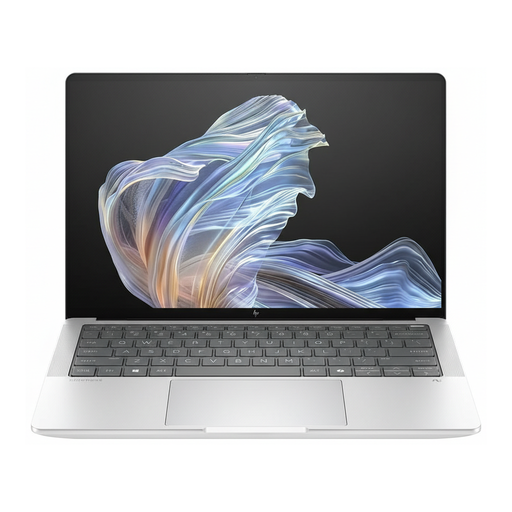 No image available
A 14-inch option with Windows 11 Pro if this operating system suits your editorial workflow.
Snapdragon® X Elite; USB-C Power Delivery.
 No image available
Take particular care to check that the 16-inch size will fit your available desk space.
AMD Ryzen 3 PRO 7335U, AMD Radeon 660M and Windows 11 Pro Education.
No. You can check the layout and model in the product details, but if possible, try the keyboard and touchpad on the device to see whether they suit you.
Check that your writing and submission software runs on the operating system you’ve chosen and that you can access your files. Also check whether your existing devices have compatible ports or whether you’ll need an adapter.
No. Apple doesn’t list a power adapter as included with the MacBook Air configuration in question, and neither is one listed with the Dell XPS 13 offers shown. Check the exact configuration and any charging accessories you already have.
The Verbraucherzentrale explains that online purchases by consumers generally come with a 14-day right to cancel; possible exceptions and the circumstances of the contract should be taken into account. Your statutory rights against the seller are separate from any voluntary guarantee.
The Bundesnetzagentur explains that CE marking applies to products covered by the relevant EU rules. It is a declaration by the manufacturer, not an independent quality assessment. The Umweltbundesamt advises that old electrical equipment should be collected separately and not disposed of with household waste.