Commuters without a guaranteed power socket
You want to keep working on longer journeys without relying on your own power supply. Deutsche Bahn generally provides one power socket per pair of seats in second class on ICE trains.


For practising questions on the train, a compact standard laptop is a good choice if you’ll mainly be reading, clicking or typing. A convertible may be more suitable if you need to write answers by hand. First, check that your specific exam platform runs on the operating system and can be used offline. Also, don’t count on having your own power socket or a consistently reliable Wi-Fi connection.
You want to keep working on longer journeys without relying on your own power supply. Deutsche Bahn generally provides one power socket per pair of seats in second class on ICE trains.
You need questions that are easy to read and a keyboard at your seat, without taking up more room than necessary. The Lenovo ThinkPad E14 Gen 7, variant 21SX000RGE, is listed with a matte 14-inch display and a backlit German keyboard.
Your exam questions depend on a particular app or online platform. So check its operating system and offline requirements before prioritising additional hardware features. Deutsche Bahn provides Wi-Fi on selected regional routes.
Deutsche Bahn generally provides one power socket per pair of seats in second class on ICE trains, while Wi-Fi is available on selected regional routes. Compare power options and platform access with your specific travel and study needs.
| Priority | What to check when buying | Who it matters most to |
|---|---|---|
| Working without a guaranteed power socket | Battery tests based on similar usage; the charging port and compatible charging options for the specific configuration. | When I travel longer distances, I want to keep working without relying on my own power supply. Around 33% of consumers put battery life first. |
| Space and ease of use at your seat | Chassis dimensions and weight; the screen finish and keyboard on the exact variant. | I want to read and answer questions at my seat without the device taking up too much room. Around 27% of consumers prioritise a compact workspace. |
| Platform access | Operating system and browser requirements; whether tasks are available offline and answers can be synced later. | If my practice questions are tied to a particular platform, I need to meet its requirements and keep working if the connection drops. Roughly 20% of consumers put platform access first. |
| Features that suit the task | Whether touch or pen input is needed for the tasks; what features the specific model variant actually offers. | I don’t want to pay for features my questions don’t require, but I do need suitable input options for drawings or handwritten solutions. Around 20% of consumers prioritise cost in relation to their actual needs. |
Figures may be based on specific types of use. Apple, for example, gives separate maximum figures for video streaming and wireless web browsing; these don’t tell you how long a device will run your exam software.
Compare battery-life tests based on similar usage, and don’t plan longer journeys around a manufacturer’s maximum figure alone.
Deutsche Bahn provides Wi-Fi across its ICE fleet, on parts of its Intercity fleet and on selected regional routes. Even when a connection is available, there’s no guarantee that an exam platform will always be accessible.
Check with your practice-question provider whether you can complete tasks offline and submit your answers later.
The specifications for the Lenovo ThinkPad E14 Gen 7 refer to variant 21SX000RGE. HP describes pens as optional accessories for certain OmniBook Flip devices, not as a feature of every model in the range.
Check the full model number, display, keyboard, operating system and included accessories for the specific offer.
The ThinkPad E14 is a standard 14-inch laptop range. Variant 21SX000RGE gives you a specific point of comparison for keyboard and browser-based tasks.
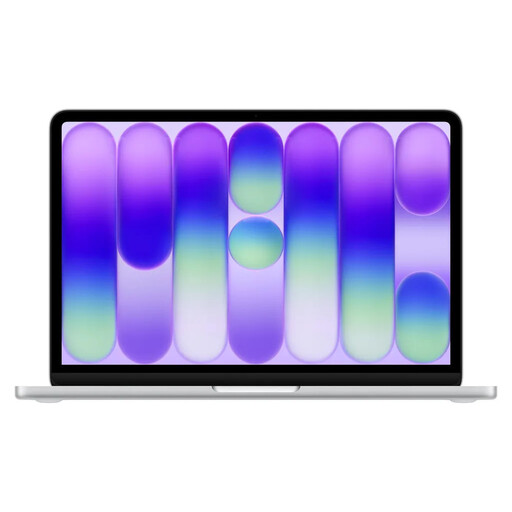
The 13-inch MacBook Air with M5 is an option if your tasks work with macOS and you want to work for longer without a power socket.
The OmniBook range includes standard laptops and Flip devices. The latter may be worth considering if your studies involve touch or pen input.
The following Joybuy picks include compact standard laptops and a 13-inch 2-in-1 for practising questions at your train seat.
 No image available
The 14-inch size and backlit German keyboard are useful features if you’ll mainly be reading and typing at your seat.
14 inches; 2.8K OLED; Intel Core Ultra 7 355; 16 GB RAM; 1 TB SSD; Windows 11; 1.14 kg.
 No image available
The 13-inch size is an option if you’re looking for a compact device for your train seat. Check that the English QWERTY keyboard layout suits the way you type.
13 inches; A18 Pro; 8 GB RAM; 256 GB SSD; macOS; 1.23 kg. Up to 11 hours of wireless web browsing is listed as a product specification.
 No image available
This standard 14-inch laptop with Windows 11 Pro is worth considering if your practice platform runs on this operating system.
14 inches; Intel Core Ultra 7 355; 32 GB LPDDR5X RAM; 512 GB NVMe SSD; Windows 11 Pro; chassis dimensions 31.3 × 22.1 × 1.5 cm.
 No image available
The 2-in-1 design may suit you if you want to use touch controls for some tasks. Check whether a compatible keyboard or pen is included for the way you plan to work.
13-inch OLED; Intel Core Ultra 7 266V; 16 GB RAM; 512 GB SSD; Windows 11 Pro; 0.872 kg.
 No image available
A 14-inch laptop described as suitable for Windows use and web browsing may work for simple browser-based tasks. Check your platform’s requirements first.
14 inches; N5095; 8 GB RAM; 256 GB SSD, expandable to 1 TB according to the title; FHD display; 1.39 kg. Up to 7 hours of battery life is listed as a product specification.
No, it’s best to plan for possible limitations. Deutsche Bahn lists Wi-Fi across its ICE fleet, on parts of its Intercity fleet and on selected regional routes, but the connection may fluctuate. Second class on ICE trains generally has one power socket per pair of seats, with one per seat in selected train series.
Check with your exam-question provider whether you can download tasks, complete them offline and sync them later. Download any permitted materials before your journey and test the process. Deutsche Bahn’s Wi-Fi information doesn’t tell you whether your platform has an offline mode.
Only compare figures based on similar usage, and don’t treat a manufacturer’s maximum claims as guaranteed study time. For the MacBook Air with M5 described, Apple lists up to 18 hours of video streaming or up to 15 hours of wireless web browsing. These are different usage scenarios, not a test using your exam software.
There’s no evidence that you need a touchscreen or pen for clickable questions and text entry. If you work with drawings or handwritten solutions, check the touchscreen functionality, pen support and what’s included with the specific configuration. HP lists pens as optional for OmniBook Flip devices.
Compare the chassis dimensions and keyboard with the space you’re most likely to use, and check that your exam platform runs on the device’s operating system. Screen size alone won’t tell you how well a laptop will fit on your train table.