What should you look for when buying?
First measure the space available on your desk, then weigh up readability, features and portability based on how you’ll actually use the laptop.
| Criteria |
What to look for |
Who is it important to? |
| Footprint |
Measure the desk space available and compare it with the width and depth of the specific configuration. ASUS Germany lists the dimensions of the ASUS Vivobook 14 X1407QA as 31,52 × 22,34 cm; remember to allow space for cables too. |
If I need room for a mouse or paperwork as well as my laptop, footprint is my main priority. Around 42% of consumers would put it first. |
| Readability |
Check timetable pages at your usual browser zoom level. Dell Germany and ASUS Germany list a resolution of 1.920 × 1.200 pixels for the respective configurations; this alone doesn’t determine what text size will suit you. |
If I want to compare several connections on the built-in display, a clear, easy-to-read view matters most to me. Around 33% of consumers would consider readability first. |
| Features and costs |
Compare the exact configuration selected, the operating system and what’s included in the box. Dell lists a power adapter for the DC14255 configuration considered here; details may vary for other configurations. |
If I mainly need the laptop to check timetables in a browser, I only want to pay for features I’ll actually use. Around 17% of consumers would prioritise weighing up the features they need and their overall cost. |
| Portability |
Check the dimensions, weight, ports and the conditions under which any quoted battery life was measured. Apple lists a 13,6-inch display for the MacBook Air M5; the German Federal Institute for Occupational Safety and Health notes that the total weight of work equipment matters when you frequently change your place of work. |
If I often compare timetables while travelling, being able to pack my laptop away easily matters more than having the largest possible display. Around 8% of consumers would prioritise portability. |
Devices on Joybuy
This selection includes compact 13-inch 2-in-1 devices and 14-inch laptops that may be worth comparing for their footprint, display and ports.
 No image available
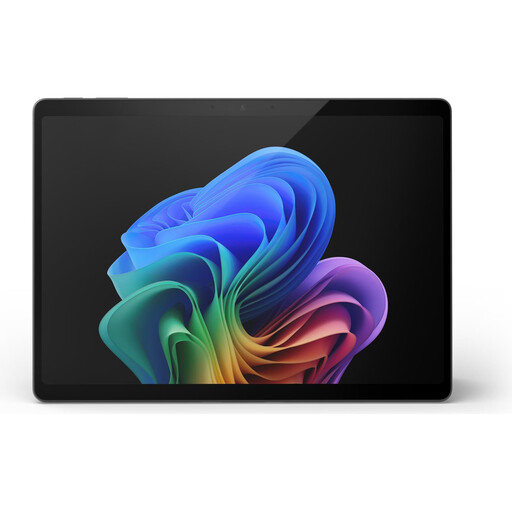
Microsoft Surface Pro 11 13-inch, Snapdragon X Plus, 16 GB, 512 GB
A 13-inch device may suit you if you want the laptop to take up as little space as possible on a small desk; check that any additional programmes you need are supported on Windows on Arm.
Snapdragon X Plus, 16 GB RAM, 512 GB SSD and Windows 11 Pro.
Described as a 2-in-1 device; check that it suits the way you want to use and control it.
View on Joybuy
 No image available
Microsoft Surface Pro 11 13-inch, Snapdragon X Elite, 16 GB, 512 GB
A 13-inch device may be a good option if desk space is limited; check that the additional programmes you need are supported on Windows on Arm.
Snapdragon X Elite, 16 GB RAM, 512 GB SSD and a 13-inch OLED touchscreen with a resolution of 2.880 × 1.920 pixels.
Described as a 2-in-1 device; check that it suits the way you want to use and control it.
View on Joybuy
 No image available
Dell Pro 14 Essential PV14255 Copilot+ PC
The 14-inch size may be a good fit for viewing timetable lists on the built-in display; compare the footprint of the specific version with the space available on your desk.
AMD Ryzen AI 7 350, 16 GB RAM, 1 TB SSD and Windows 11 Pro.
The 14-inch display is listed as having a 16:10 aspect ratio and a resolution of 1.920 × 1.200 pixels. USB-C, USB-A and HDMI are listed.
View on Joybuy
 No image available
Samsung Galaxy Book6 Enterprise Edition 14-inch, 32 GB, 512 GB
The listed case dimensions make it easier to check whether the laptop will fit on a small desk; before buying, make sure there’s enough room for the laptop and its cables.
Intel Core Ultra 7 355, 32 GB LPDDR5X RAM, 512 GB NVMe SSD and Windows 11 Pro.
Samsung lists a 14-inch WUXGA display with a resolution of 1.920 × 1.200 pixels and case dimensions of 31,3 × 22,1 cm.
View on Joybuy
 No image available
HP OmniBook Ultra Flip 14-fh0670ng, 14-inch 2-in-1
The specific dimensions make it easier to compare this laptop with a small desk; check whether there’s room for your accessories and cables too.
Intel Core Ultra 7 258V, 32 GB RAM, 1 TB SSD and Windows 11 Home.
The 14-inch OLED display is listed with a 16:10 aspect ratio and a resolution of 2.880 × 1.800 pixels. It has an anti-glare display and two Thunderbolt 4 ports, measures 313,7 × 216,2 mm and weighs 1,34 kg.
View on Joybuy
Frequently asked questions
What should I consider when setting up my laptop to compare train timetables?
Open the journey planner in your browser and check whether connections are displayed at a text size that’s easy for you to read. Deutsche Bahn says its journey planner can show up-to-date alternatives when services are disrupted.
Can I use a Windows laptop with a Snapdragon processor for other programmes and printers?
According to Microsoft, most Windows apps can be installed and run on Windows on Arm PCs, in some cases through emulation. Before deciding, check that the specific programmes and devices you need are supported on this Windows architecture.
What are my rights when buying online in Germany if I want to return a product or it’s faulty?
According to Verbraucherzentrale, online consumer purchases usually come with a 14-day right to cancel, which you must notify the retailer about. You also have statutory rights if goods are faulty. Your Europe explains that goods purchased in the EU are covered by at least two years of protection; this is separate from any additional manufacturer’s warranty.
What labelling should a laptop sold in Germany have?
The German Federal Network Agency lists correct CE marking among the obligations for retailers selling electrical and electronic equipment. If you’re unsure about a device version, check that the model being offered is clearly identified; CE marking doesn’t tell you whether the laptop meets your needs.
Do workplace rules for display screen equipment apply to my desk at home?
Not in every case. The German Federal Institute for Occupational Safety and Health explains that ASR A6 applies to display screen workstations in workplaces and teleworking locations; it doesn’t apply to use at home outside such teleworking arrangements. If your home workstation has been set up for work, check the requirements with your employer.


