If you often take your laptop to the library and mainly use it for writing, look for a portable size, a comfortable keyboard and battery life that reflects real-world use. If you regularly edit travel photos, compare the display specifications and storage of the exact configuration too. Whether macOS or Windows is right for you also depends on whether your software and files work with the system you choose.
Which priorities suit which users?
Writers on the go
If you regularly carry your laptop to the library, compare its size, charging options and the conditions behind its quoted battery life. Apple Support Germany says the 13-inch MacBook Air with M5 offers up to 15 hours of wireless web browsing under its own test conditions. That doesn’t guarantee the same result when you’re using writing and photo software.
Prolific writers who need Windows software
If you need Windows and spend long periods editing text, check the keyboard layout and display finish for the exact configuration. Lenovo Germany lists a backlit German keyboard and a matt display for the ThinkPad E14 Gen 7, part number 21SX003SGE.
Travel journals with lots of photos
If you regularly edit photos as well as writing, compare the display and storage specifications of the exact model. ASUS eShop Germany lists 100% DCI-P3 and a 1 TB SSD for the Zenbook 14 OLED UX3405CA-QL205W. These are manufacturer specifications, not independent colour measurements.
What should you look for when buying?
First, decide which software you need and whether your priority is carrying your laptop regularly, writing for long stretches or editing photos. Then compare only the features that really matter for your work.
| Priority |
What to check before buying |
Who is this important to? |
| Working on the go |
Device size and weight; battery-life conditions and charging ports. |
If I regularly carry my laptop to the library and can’t count on sitting near a socket, portability and charging options matter most to me. Around 36% of consumers put these factors first. |
| Writing long pieces |
Keyboard layout and backlighting; matt or glossy display finish. |
For long writing sessions, a comfortable keyboard and a clear, easy-to-read display matter more to me than features geared specifically towards photos. Around 29% of consumers prioritise writing and reading. |
| Editing travel photos |
Display specifications for the exact configuration; available storage. |
If photos are a regular part of my journal, I compare the display and storage rather than choosing based only on the size of the device. Around 21% of consumers put photo editing first. |
| Choosing the right specification |
Required software, file sizes and ports; check whether a power adapter is included. |
I don’t want to pay for features I don’t need for my software and files. Around 14% of consumers prioritise suitable specifications and keeping costs in check. |
Common misconceptions
-
Assuming “up to” battery life means guaranteed writing time
Manufacturers distinguish between usage scenarios such as wireless web browsing and video streaming. These figures don’t automatically tell you how long writing and photo software will run at your chosen screen brightness.
Compare battery-life figures only alongside their respective test conditions, and plan how you’ll charge your laptop during a library day.
-
Assuming every 14-inch display is equally good for photos
Lenovo Germany lists 45% NTSC for the ThinkPad E14 Gen 7, part number 21SX003SGE; ASUS eShop Germany lists 100% DCI-P3 for the Zenbook 14 OLED UX3405CA-QL205W. These are different specifications for specific displays, not directly comparable test results.
If accurate colour matters to you, check the exact display configuration and consult independent measurements if needed.
-
Confusing a warranty, statutory rights and the right to cancel
Germany’s consumer advice centre distinguishes voluntary warranties from statutory rights when goods are faulty. The right to cancel applies in a different situation from receiving a faulty device.
Check the seller, warranty terms and cancellation information for your contract separately.
Brands to consider
Apple
The 13-inch MacBook Air with M5 is a compact macOS option for writing and occasional photo editing.
- Apple Germany lists a 13.6-inch display, configurable storage and USB-C or Thunderbolt ports.
- Battery-life figures are based on Apple’s test conditions. Also check software compatibility, ports and whether you need a power adapter.
Lenovo
The ThinkPad E14 Gen 7, part number 21SX003SGE, is a Windows configuration with a matt display, designed for text-based work.
- For this configuration, Lenovo Germany lists a matt 14-inch WUXGA IPS display and a backlit German keyboard.
- The stated colour gamut coverage is 45% NTSC. The specific configuration was listed as sold out on the manufacturer’s website; other E14 configurations may differ.
ASUS
The Zenbook 14 OLED UX3405CA-QL205W is a Windows alternative to consider if displaying travel photos well is important to you.
- For this configuration, ASUS eShop Germany lists a 14-inch OLED touchscreen, 100% DCI-P3, 32 GB of RAM and a 1 TB SSD.
- The display specifications come from the manufacturer and are not independent colour measurements. An OLED touchscreen may not be your preferred finish for long writing sessions.
HP
HP says the OmniBook range includes different types of Windows laptops, which you can compare by specification and how you plan to use them.
- HP’s overview lists several ranges within the OmniBook family.
- The features of a product range don’t confirm the battery life, weight or suitability for photos of a particular configuration. Check the full specifications for the exact model.
Joybuy products
The Joybuy options below include compact MacBook Air models and Windows laptops with OLED or matt displays. Before choosing, check that the operating system, specifications and included power adapter suit your work.
 No image available
Apple MacBook Air 13-inch (M5, 2026), 10-core CPU, 10-core GPU, 16 GB, 1 TB SSD, Silver
This compact macOS model could suit regular trips to the library and long writing sessions.
According to the product details on Joybuy: 13.6-inch display, 1.23 kg and backlit German QWERTZ keyboard. This configuration has 16 GB of RAM and a 1 TB SSD. The description says a power adapter is not included.
View at Joybuy
 No image available
Apple MacBook Air 13-inch (M5, 2026), 10-core CPU, 8-core GPU, 16 GB, 512 GB SSD, Midnight
A compact macOS option for working on the go, provided your writing and photo software is compatible with the system.
According to the product details on Joybuy: 13.6-inch display, 1.23 kg and backlit German QWERTZ keyboard. This configuration has 16 GB of RAM and a 512 GB SSD. The description says a power adapter is not included.
View at Joybuy
 No image available
ASUS Zenbook 14 UX3405CA-QD1303W, 14-inch, WUXGA OLED, Core U7 255H, 16 GB, 1 TB
This Windows laptop could suit you if you’re looking for an OLED display and storage for journal entries and photos.
According to the product details on Joybuy: 14-inch OLED touchscreen, 1.22 kg, Intel ARC, 16 GB of RAM, 1 TB SSD, Windows 11 Home and a backlit German keyboard.
View at Joybuy
 No image available
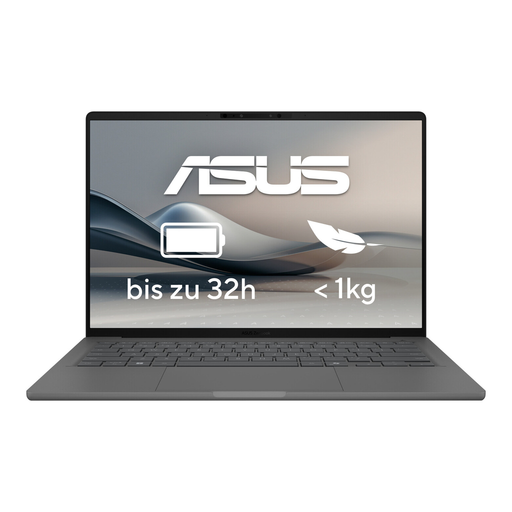
ASUS Zenbook A14 OLED UX3407RA-QD011W
The 14-inch size is worth considering if you regularly take your laptop with you and occasionally edit photos.
According to the product details on Joybuy: 1.20 kg, 16 GB of RAM and a 512 GB SSD. The display description lists OLED and 100% DCI-P3; this is a product specification, not an independent colour measurement.
View at Joybuy
 No image available
HP ZBook 8 G1i 16, Ultra 7 265H, 64 GB, 2 TB
This Windows laptop with a matt display could suit longer writing sessions, although its 16-inch size makes it less compact than smaller devices.
According to the product details on Joybuy: matt WUXGA display, 1.72 kg, 64 GB of RAM, 2 TB SSD and Windows 11 Pro. The description says a power adapter is included.
View at Joybuy
Frequently asked questions
How can I back up my writing and travel photos while I’m working on them?
Back up your documents and photos regularly, and occasionally check that you can open the files. Germany’s Federal Office for Information Security lists external storage devices and cloud storage as options, and highlights the importance of compatibility and encrypted transfer and storage.
Can I access confidential files or accounts on the library’s Wi-Fi?
Germany’s Federal Office for Information Security recommends avoiding access to confidential data over someone else’s Wi-Fi where possible. If you have no alternative, it recommends using a VPN connection if available. No particular laptop automatically makes public Wi-Fi safe to use.
What are my rights in Germany if my laptop is faulty or I return it after buying online?
Your statutory rights against the seller are separate from any voluntary warranty. According to Germany’s consumer advice centre, online purchases by consumers usually come with a 14-day right to cancel; the terms of the specific contract and the related information determine what applies. This is not a blanket guarantee for every contract.
What charger do I need for the 13-inch MacBook Air with M5?
Apple Support Germany says this model can be charged using a USB-C power adapter or another USB-PD power source of at least 30 W. Check what’s included with the exact configuration and the output of any power adapter you already own before relying on it.


