What should you look for when buying?
For long writing sessions, screen size isn’t the only thing that matters. The DGUV recommends an external keyboard and mouse, plus an external monitor if possible. So start by checking your workspace, then consider software, storage and portability.
| What matters |
What to check before buying |
Who it matters to |
| Readability and typing comfort |
Check the screen size, keyboard and ports for external devices. A large screen doesn’t automatically mean you can set up your workspace ergonomically. |
If I’m reading and editing long chapters at a desk, I want to be able to position the screen and input devices to suit my workspace. Around 36% of consumers would make writing ergonomics their top buying priority. |
| Writing and research workflow |
Check that the operating system and exact software version are compatible with your writing software. Compare the RAM and SSD on the specific model if you’ll have your manuscript, notes and research open at the same time. |
If I want to keep using my familiar software and work with several materials at once, I’ll check compatibility first. Around 29% of consumers would put a familiar workflow first. |
| Manuscript and travel materials |
Compare the SSD capacity with the size of your actual photo archive, and plan to back it up somewhere other than the laptop. The Federal Office for Information Security recommends backing up data to help prevent data loss. |
If I want to keep my own photos and drafts, a large internal SSD alone isn’t enough to protect them. Around 21% of consumers would prioritise storage and backing up their travel archive. |
| Portability and workspace |
Weigh the laptop’s dimensions against the space available on your desk. Check the ports and what’s included, including the power supply and any peripherals you may need. |
If I want to take my laptop with me and use it at a fully set-up workstation at home, I’ll want to know in advance what extra equipment I’ll need. Around 14% of consumers would put portability and a complete workstation first. |
Key brands at a glance
The details below relate to the specific model ranges and variants mentioned, rather than being a general assessment of the manufacturers.
Lenovo
The ThinkPad E16 Gen 3 is a larger Windows option, while the ThinkPad X9 15 Aura Edition is a differently specified range. Lenovo Germany lists different screens and storage configurations for the variants considered here.
- The ThinkPad E16 Gen 3 is listed with a 16-inch WUXGA screen, a German keyboard and 32 GB RAM.
- The ThinkPad X9 15 Aura Edition is listed with a 15.3-inch OLED screen and 16 GB RAM.
- These are different product ranges, not interchangeable variants. Compare the full model number and specifications.
HP
The HP OmniBook 5 16-bp0770ngx is a specific 16-inch Windows model for a desk-based set-up, with the option to connect a monitor.
- HP lists 16 GB RAM, a 512-GB SSD, USB-C, USB-A and HDMI for this model.
- According to HP’s German product page, the power adapter is sold separately, so check what’s included with the specific offer.
Apple
According to Apple, the MacBook Air with M5 comes in 13-inch and 15-inch sizes. It may be worth considering if your writing and archiving software works with macOS.
- Apple lists two Thunderbolt 4 ports for the model considered here.
- Storage options vary by configuration. Check that you can connect your existing peripherals. Apple’s battery life figures are manufacturer estimates and haven’t been measured for this writing workflow.
Joybuy products for your writing space
The Joybuy options below are laptops with 15.6- or 16-inch screens for your writing space, including one 2-in-1 model.
 No image available
Acer TravelMate TMP216-41-TCO, 16 inch
This model could suit a permanent Windows writing set-up with a large built-in workspace.
16-inch WUXGA screen, AMD Ryzen 3 PRO 7335U, 16 GB DDR5, 512 GB SSD and Windows 11 Pro Education. Listed ports include USB4, USB-A, HDMI and RJ-45.
View at Joybuy
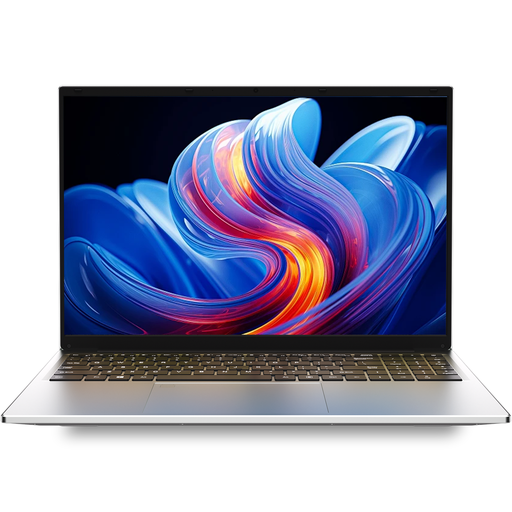 No image available
Auusda T161N, 16 GB DDR4, 1 TB SSD
The listed storage capacity could appeal to writers who want to keep their manuscript and travel photos on the device.
16-inch FHD IPS screen, Intel i3 1000NG4, 16 GB DDR4 and 1 TB SSD.
View at Joybuy
 No image available
Auusda T156A, 16 GB DDR4, 512 GB SSD
This model could suit writers looking for a built-in workspace and storage for their manuscript and photos.
15.6-inch FHD IPS screen, 16 GB DDR4 and 512 GB SSD. The product details also list USB-C and HDMI.
View at Joybuy
 No image available
16-inch laptop with Intel Core i5-8210Y
The listed screen size could suit a permanent writing set-up where you want your manuscript and research on one built-in workspace.
16-inch FHD screen, Intel Core i5-8210Y, 16 GB RAM, 512 GB SSD and Windows 11 Pro. RJ-45 is listed as a port.
View at Joybuy
 No image available
Ninkear YBook15, 2-in-1, 15.6 inch
The 2-in-1 design could suit you if you’re looking for a device with a touchscreen and a screen that rotates through 360°.
15.6-inch FHD touchscreen, 8 GB DDR4 and 512 GB SSD.
View at Joybuy
Frequently asked questions about laptops for travel memoirs
Does a laptop for writing a travel memoir need a dedicated graphics card?
For mainly text-based work, your writing software, screen readability and workspace come first. If you’re also planning demanding photo or video editing, check the requirements of the software you’ll use. Writing a memoir doesn’t in itself mean you need a particular graphics card.
How should I set up my laptop for longer editing sessions?
For longer work sessions, the DGUV recommends using an external keyboard and mouse, as well as an external monitor where possible. Check the ports and the space available on your desk. This isn’t a blanket requirement to buy accessories.
Is it enough to save my manuscript on the laptop’s SSD?
Not if you want to protect it from data loss. The Federal Office for Information Security describes backups as protection against issues such as hardware faults, accidental deletion and malware. Set up backups and check that you can restore important files from them.
What should I consider when comparing costs and service for an online purchase in Germany?
Check what’s included and add the cost of any accessories you need to the total price. When buying from a trader, distinguish the statutory rights you have if goods are faulty from any additional manufacturer’s warranty. According to the EU’s Your Europe consumer information, the minimum statutory period is two years from the date you receive the goods.
Can I return a laptop bought online in Germany without giving a reason?
For an eligible distance contract with a trader, you generally have a 14-day right to cancel from the date of delivery. The EU’s Your Europe consumer information lists some exceptions. This right doesn’t apply to purchases from private individuals.


