Long-form writers
If you write and edit longer drafts, check the keyboard and how text looks on screen before you buy. Apple and Lenovo list different display and configuration features for specific models.


Choose a laptop based on whether long writing sessions, frequent changes of location or connecting to a shared desk matters most to you. Check the keyboard, display, weight and ports on the exact configuration you’re considering. If you already have a monitor or dock, make sure the operating system and accessories are compatible too. A manufacturer’s battery-life figure isn’t a guarantee of how long it will last during your working day.
If you write and edit longer drafts, check the keyboard and how text looks on screen before you buy. Apple and Lenovo list different display and configuration features for specific models.
If you move between travel destinations and workspaces, the weight of your device and the accessories you need to carry matter. Apple notes that actual battery life depends on the conditions of use.
If you want to use the monitors and other accessories available at different desks, check that the ports on the exact configuration match the workspace. For one ThinkPad T14 Gen 6 Intel configuration, Lenovo lists HDMI, USB-A, USB-C/Thunderbolt and Ethernet, among other ports.
First, check which software and operating system you need. Then compare the keyboard and display for longer writing sessions, as well as the weight, power supply and ports for your changing workspaces.
| What matters to you | What to check before buying | Who should pay particular attention? |
|---|---|---|
| Writing and reading | Check the keyboard layout, key feel, display size and screen finish on the complete configuration. Lenovo lists the ThinkPad T14 Gen 6 Intel, model number 21QC005XGX, with a Russian keyboard. | When I write longer drafts, I want a familiar keyboard and a screen that’s easy to read. Around 33% of consumers put writing comfort first. |
| Portability and power | Include any essential accessories when calculating the total weight you’ll carry, and read the test conditions behind the stated battery life. Apple identifies its battery-life figure as a manufacturer estimate. | When I write on the move, I don’t want to carry more than I need, and I want to be able to plan my work away from a power socket. Around 25% of consumers prioritise portability. |
| Connecting to a shared desk | Check the laptop, monitor and dock individually. This includes display output, power delivery and the USB or network ports you need. For configuration 21QC005XGX, Lenovo lists HDMI, USB-A, USB-C/Thunderbolt and Ethernet. | When I want to use the monitors and accessories already available at a shared desk, the specific ports need to be compatible. Around 25% of consumers say connecting to their workspace is their top priority. |
| What’s included and the specification | Check the memory, SSD capacity and box contents against the full product number. HP lists 8 GB RAM and a 256 GB SSD for the OmniBook 5 14-mh0752ngx; according to HP, the power adapter is sold separately. | When I choose a device for the way I work, I want to know what’s included and which accessories I’ll need to budget for separately. Around 17% of consumers prioritise the box contents and specification. |
The Lenovo ThinkPad T14 Gen 6 Intel configuration with model number 21QC005XGX is specifically listed with a Russian keyboard.
Before ordering, check the full model number and the keyboard layout of the exact configuration.
Apple claims up to 18 hours for the MacBook Air. This manufacturer estimate doesn’t tell you how long the laptop will last while you write, research and work with images.
Read the test conditions and allow enough headroom for your actual working day.
According to HP, the power adapter for the OmniBook 5 14-mh0752ngx is sold separately.
Before you buy, check what’s included and which power adapter you’ll need for the exact configuration.
Having to source a power adapter separately could mean an extra step before you can use the laptop.
The MacBook Air is a compact macOS option for writing on the move, provided your software and accessories work with it.
The ThinkPad T14 Gen 6 Intel range includes configurations for Windows workspaces, with different ports and keyboard layouts.
The OmniBook 5 is a Windows range that includes configurations for writing and research.
The Zenbook 14 OLED (UX3405) is a compact Windows range with different display and specification configurations to compare.
This selection includes Windows laptops in different sizes, as well as a MacBook Air running macOS. Compare their keyboards, specifications and ports to find one that suits your writing sessions and changing workspaces.
 No image available
For longer writing sessions and a workspace with external accessories: this configuration is described as having a German QWERTZ keyboard and several ports.
16-inch WUXGA display with an anti-glare finish; 32 GB RAM and a 1 TB SSD. Stated weight: 1.71 kg. Ports: HDMI, USB4-C, USB-A and RJ45.
 No image available
For writing at a desk if you’re looking for a German keyboard and ports for external devices.
Anti-glare WUXGA IPS display; 16 GB RAM and a 512 GB SSD. Stated weight: 1.75 kg. Ports: HDMI, USB-A, USB-C and RJ45.
 No image available
For working on the move and connecting to external displays: this configuration is listed with a German keyboard and several useful ports.
14-inch WUXGA OLED touchscreen; 16 GB RAM and a 1 TB SSD. Stated weight: 1.22 kg. Ports: HDMI, USB-A and two Thunderbolt 4 ports.
 No image available
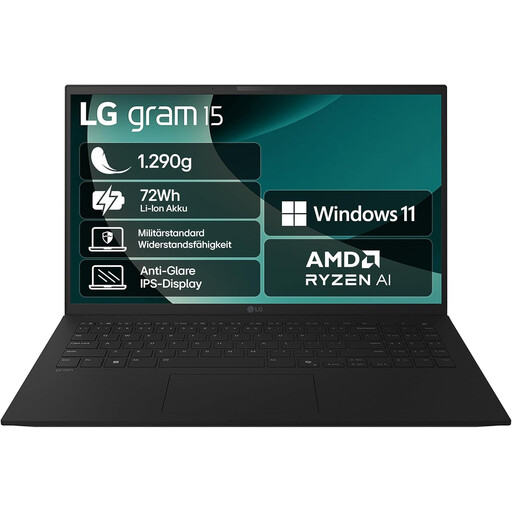
For longer writing sessions and research on the move: the product description lists a German keyboard and a weight of around 1.29 kg.
Anti-glare 15.6-inch Full HD display; 16 GB RAM and a 1 TB SSD. Ports: USB-C, USB-A and HDMI.
 No image available
For writing on the move if your software runs on macOS and the German QWERTZ keyboard suits the way you work.
13.6-inch display; 16 GB unified memory and a 512 GB SSD. Stated weight: 1.23 kg. Two Thunderbolt 4 ports; according to the product description, the power adapter isn’t included.
Not necessarily. First, compare the monitor, input devices, network and power supply at the desk with the ports on your laptop. Lenovo lists several direct connections on one ThinkPad T14 Gen 6 Intel configuration, but that doesn’t confirm compatibility with any particular dock already at the workspace.
Lock your device, even if you’re only stepping away for a moment. Germany’s Federal Office for Information Security recommends doing this at work.
Look for encrypted websites and turn off file or folder sharing before connecting to a hotspot. The consumer advice centre also recommends using a VPN client. This is general advice for using the internet, not a claim that any particular laptop model makes public networks safe.
According to the consumer advice centre, consumers buying online generally have a 14-day right to cancel. Separately, when you buy from a professional seller, European Union guidance says you’re entitled to a legal guarantee of at least two years from the date you receive the goods. A voluntary manufacturer’s warranty doesn’t replace this.