Choose a laptop based on whether you want to use its built-in display plus one external monitor, or add two external monitors as well. To use three independent screens, the specific model must support that configuration. Lenovo states that the ThinkPad E14 Gen 6 AMD supports up to three external monitors, while Apple says the MacBook Air M5 supports up to two external displays. Also check the ports, your monitors’ resolution and refresh rate, the requirements of your software and the specification of the exact laptop variant.
Who is this laptop workflow for?
Designers working with a design and live preview
You want to view your design tool and browser preview on separate screens. The key question is whether your set-up needs one or two external monitors. Figma describes its application as primarily browser-based; the display limits of a specific laptop variant are set out by its manufacturer.
Designers using several tools at once
You switch between your design, browser tabs and possibly other applications. Check the requirements of the software you actually use and the memory in the specific configuration, rather than assuming that a design-focused label guarantees a particular specification.
Designers who work on the move
You also create designs without an external monitor. In that case, the built-in display and portability matter more, but you still need to check the ports. ASUS and Lenovo list display features for specific Vivobook and ThinkPad variants; these details apply to the models in question.
What should you look for?
First, decide which displays need to work independently at the same time. Then compare the video outputs on the exact laptop variant with the inputs on your monitors, and check which applications you plan to use simultaneously.
| Buying priority |
What to check before buying |
Who it matters most to |
| Connecting separate workspaces |
Count built-in and external displays separately. Check the number of independent displays supported by the exact model, as well as the resolution and refresh rate. |
If I want to see my design and preview at the same time, the displays need to work independently. Around 36% of consumers prioritise display connectivity. |
| Using a design and preview side by side |
Check browser and software requirements, along with the memory in the specific configuration. |
If I have several tools and browser tabs open at once, I want to make sure their requirements match the laptop’s specification. Around 29% of consumers put using multiple tools at the same time first. |
| Image quality on the built-in display |
Compare the display specifications for the exact variant. Colour gamut coverage is no substitute for checking colour accuracy in your own set-up. |
If I design without an external monitor, the built-in display matters most to me. Around 21% of consumers prioritise its image quality. |
| Portability and a complete set-up |
Check the laptop’s weight and what’s included, as well as whether you already have the necessary cables, adapters, power supply and, if needed, dock. |
If I move between workspaces, I want to consider portability and the accessories I’ll need. Around 14% of consumers prioritise portability and a complete set-up. |
Avoid common buying mistakes
-
Assuming two screens means two external monitors
A laptop display plus one external monitor is a different set-up from adding two external monitors to the built-in display. Support depends on the specific model generation and the configuration you want.
Before comparing laptops, decide how many independent displays you want to use at once, then check that number against the manufacturer’s specifications for the exact model.
You may need a suitable adapter or a different cable set-up.
-
Checking only the laptop model, not what’s included
Dell does not list a power adapter as included with the German Dell Pro 14 offer we checked. What’s included and which accessories are supplied can vary by offer.
Before buying, check the contents and compare them with the accessories you already have for your workspace.
Depending on what you already own, you may also need a monitor, cable, adapter, dock or power adapter.
Brands to consider
Lenovo
The ThinkPad E14 Gen 6 AMD and X9-15 Gen 1 Aura Edition are different Windows options with documented support for external displays.
- Lenovo states that the E14 Gen 6 AMD supports up to three external monitors and the X9-15 Gen 1 Aura Edition up to two.
- Display specifications vary between variants. The X9 version we checked, 21Q6006AGE, was unavailable on Lenovo’s website.
Apple
The MacBook Air M5 is a macOS option for a set-up with external displays.
- Apple says the M5 model supports up to two external displays and has two Thunderbolt 4 ports.
- Display limits depend on resolution and refresh rate. Check the exact screen size and memory configuration, and make sure you have the right connection for monitors with HDMI inputs.
Dell
The Dell Pro 14 PC14250 is a Windows business laptop with documented USB-C video output.
- Dell lists USB-C video output for the PC14250.
- The two USB-C ports have different functions. The German offer we checked, with 16 GB of memory and a 512-GB SSD, did not list a power adapter.
ASUS
The Vivobook S 14 OLED M5406 is a compact option for buyers who value the built-in display.
- ASUS lists a 14-inch OLED display with 100% DCI-P3 coverage for the M5406KA-QD015W variant.
- Check the video output of this specific variant separately before choosing it for a two-screen set-up.
HP
The 14-inch ProBook 4 G2i is another Windows business laptop range. Be sure to check the exact variant.
- The German HP Store lists 16 GB of memory and a 512 GB SSD for the variant shown.
- Check that the external display support on the exact configuration matches your planned set-up.
Joybuy products for a two-screen workflow
The Joybuy products below are suited to using a laptop display with one external monitor, or to set-ups with two additional external monitors. Check the display support and ports on the exact configuration, especially if you want to use three workspaces at once.
 No image available
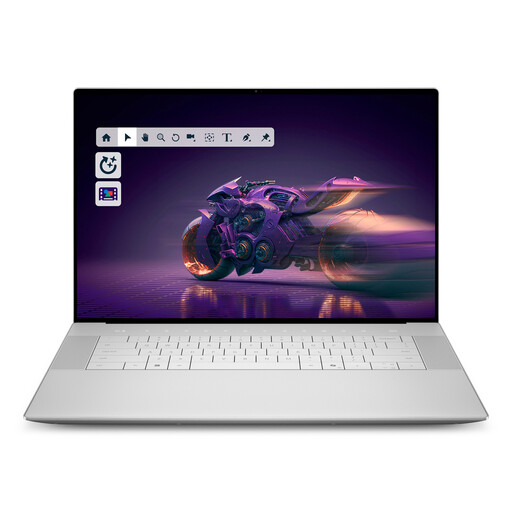
Dell 16 Premium DA16250 8N5N4
This variant is suited to a set-up with one external monitor, letting you keep your design and preview on separate screens. Check that your cabling matches your monitor connections.
16.3-inch OLED touchscreen, Intel Core Ultra 9-285H, 32 GB of memory, 1 TB SSD, RTX 5070 and Windows 11 Pro.
View at Joybuy
 No image available
MSI Prestige N16 Flip AI+ C1XMT-027Y
This variant is suited to a set-up with one external monitor, letting you keep your design and preview on separate screens. Check the video output and cabling required for the exact configuration.
16-inch, 2-in-1, 128 GB DDR5, 2 TB SSD and Windows 11 Pro.
View at Joybuy
 No image available
Apple 15-inch MacBook Air M5, 16 GB, 512 GB SSD
If you want to add two external monitors to the built-in display, Apple says the MacBook Air M5 supports up to two external displays. Check the resolution and refresh rate against the model’s limits.
15-inch, M5 with 10-core CPU and 10-core GPU, 16 GB of memory, 512-GB SSD, Midnight, German QWERTZ keyboard layout.
The product listing states that a power adapter is not included.
View at Joybuy
 No image available
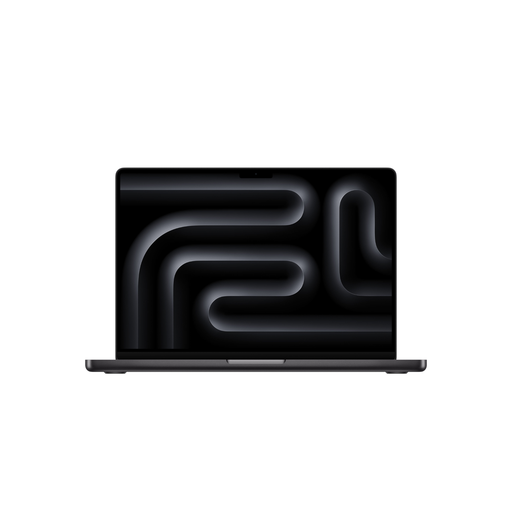
Apple 16-inch MacBook Pro M5 Pro, 48 GB, 1 TB SSD
If you want to connect two external monitors as well as the built-in display, make sure this exact configuration supports all three screens at once.
M5 Pro with 18-core CPU and 20-core GPU, 48 GB of memory, 1-TB SSD, Space Black, German QWERTZ keyboard layout.
The product listing states that a power adapter is not included.
View at Joybuy
 No image available
Apple 14-inch MacBook Pro M5 Pro, 24 GB, 2 TB SSD
If you want to add two external monitors to the built-in display, check that the display limits of this exact configuration suit your planned set-up before buying.
M5 Pro with 18-core CPU and 20-core GPU, 24 GB of memory, 2-TB SSD, Space Black, German QWERTZ keyboard layout.
The product listing states that a power adapter is not included.
View at Joybuy
Frequently asked questions
Do a laptop display and one external monitor count as two screens?
Yes. The laptop’s built-in display and one external monitor give you two screens. To use two external monitors as well as the laptop display, the specific model must support three independent displays. Lenovo says the ThinkPad E14 Gen 6 AMD supports up to three external monitors, while Apple says the MacBook Air M5 supports up to two.
How do I show different content on each screen instead of mirroring?
In Windows, you can identify and arrange detected screens in Display settings. Microsoft Support explains how to set up multiple monitors. According to Apple Support, macOS lets you choose an extended desktop instead of mirroring displays. If a monitor isn’t detected, check the cable and ports first.
Do I need a dedicated graphics card for Figma?
A dedicated graphics card isn’t a general requirement just because Figma is primarily a browser-based application. Figma lists browser and WebGL requirements; other software you use may have different requirements.
What are my rights when buying online in Germany?
For a typical online purchase by a consumer from a business seller, you generally have a 14-day right to cancel from the date of delivery, subject to statutory exceptions. Your Europe also explains that faulty goods are covered by a legal guarantee of at least two years. A voluntary manufacturer’s warranty is separate. These statements do not apply in the same way to private sales or every business purchase.


