If you mostly write at a desk, a standard laptop paired with a suitable external monitor is a sensible place to start. If you need two workspaces on the go, a laptop with two built-in displays may be worth considering. First, decide whether you mean the laptop screen plus one monitor, two external monitors or two built-in displays. Then check the display support for the exact model, as well as the keyboard, readability and the practicalities of connections, power and portability.
Who writes with two screens?
Writers with a permanent workspace
You want to view your chapters and research side by side on your laptop and an external monitor, and you can leave the monitor on your desk. Microsoft Support explains how to set up multiple displays in Windows, while Apple UK lists display support for the MacBook Air with M5.
Frequent writers who value comfort
You spend long sessions working on your writing and pay particular attention to the keyboard layout, screen finish and how easy it is to read text on screen. Lenovo UK lists a German keyboard and a matte display for the documented ThinkPad E14 Gen 7 configuration.
Writers on the move who need two workspaces
You want to view your draft and reference materials at the same time while you’re out and about, and are considering a built-in dual display as an alternative to a separate monitor. ASUS describes two displays and stand and Bluetooth keyboard modes for the Zenbook DUO models mentioned.
What should you look for when buying?
Laptop screen plus one monitor
Best for: You mainly write at a desk and want to show your draft and research separately.
Consider: An external monitor needs space and a suitable connection to your laptop.
Two built-in displays
Best for: You need two workspaces on the go, without a separate monitor.
Consider: You’ll need to carry the dual-display device and factor in its stand and keyboard modes.
Two external monitors
Best for: You mean two additional monitors when you say you need two screens.
Consider: Support depends on the exact laptop model and the resolution you want. Apple lists support for the MacBook Air with M5, subject to certain resolution requirements.
Count the laptop screen and external monitors separately. Then check the display specifications for the exact model and make sure you have the right ports before choosing cables or adapters.
| What you need |
What to check before buying |
Who is this particularly important to? |
| Two usable workspaces |
The number of internal and external displays you want; video output and a compatible monitor input. |
If I want to see my draft and research at the same time, it matters to me whether the exact laptop supports the combination I need. Around 33% of consumers put their screen setup first. |
| Writing comfort |
A German keyboard layout, plus the screen size and finish. |
For long writing sessions, I want a suitable layout and text that’s easy to read. Around 27% of consumers prioritise writing comfort. |
| Two screens on the go |
The stand mode, what’s included and the power supply for the specific variant. |
If I need my draft and reference materials side by side while I’m out, I want to know whether a built-in dual display suits the way I travel and work. Around 20% of consumers prioritise mobile use with two workspaces. |
| Files and workflow |
Whether your writing software is compatible with the operating system and whether you have an independent backup option. |
I want my manuscript workflow to remain easy to follow, even if I change where I write or switch devices. Around 20% of consumers put continuity between files first. |
Common pitfalls when buying a writing laptop
-
“Two screens” automatically means two external monitors
A laptop screen plus one external monitor is a different setup from two additional external monitors.
Before you buy, sketch out which displays you want to use at the same time and check that the exact model supports this setup.
Depending on your setup, you may need additional monitors and compatible cables or adapters.
-
All dual-display laptops come with the same accessories
Stand modes, keyboards and included accessories can vary by model and variant. ASUS says the UX8406CA-QL331W variant does not include a power adapter; this does not automatically apply to every Zenbook DUO variant.
Check the exact model number and what’s included rather than relying on a general description of the range.
The UX8406CA-QL331W variant mentioned may need a separate compatible power adapter.
-
A voluntary warranty is the same as your statutory rights
The Verbraucherzentrale distinguishes between your statutory rights against the seller and a voluntary warranty.
Keep your proof of purchase and the seller’s details, and read any additional warranty terms separately from information about your statutory rights.
Key brands at a glance
Lenovo
The documented ThinkPad E14 Gen 7 configuration is a traditional laptop option with a German keyboard layout.
- For the AMD configuration 21T0CTO1WWDE1, Lenovo UK lists a matte 14-inch display and a German keyboard.
- These details don’t tell you how the keyboard will feel to type on, or whether the laptop supports every external display setup you might want.
Apple
The MacBook Air with M5 is a macOS option for writers planning to use external displays.
- Apple UK lists Thunderbolt 4 and support for up to two external displays. The stated combination is subject to resolution limits, such as up to 6K at 60 Hz or 4K at 144 Hz.
- These details apply to the documented M5 model. Also check which ports or adapters you’ll need and whether your writing software is compatible.
ASUS
The Zenbook DUO range includes a laptop with two built-in displays.
- ASUS UK describes the UX8407 as having two built-in 14-inch displays. The DUO models mentioned have modes that use a stand and Bluetooth keyboard.
- Variants differ. The German ASUS shop says that the UX8406CA-QL331W does not include a power adapter.
Acer
The Swift Go 14 AI SFG14-I71-75DR is a documented, traditional 14-inch Windows option.
- Acer UK lists an OLED display, 16 GB of memory and a 512 GB SSD for this model.
- For the external monitor connection you want, the specifications for the exact configuration are what matter. Display features aren’t automatically an advantage if you’re only using the laptop to write.
Dell
The Inspiron 14 2-in-1, model 7440, is a Windows alternative with a touchscreen.
- Dell lists 16 GB of memory and a 512 GB SSD for the configuration shown.
- Dell notes that images may vary by configuration. Check the ports on the exact variant you choose to make sure it suits your screen setup.
Joybuy laptops for writing
The Joybuy products below are laptop options for writing. If you want to use an external monitor, check the video output and display support for the model you’re considering.
 No image available
ASUS Zenbook S16 UM5606GA-SS335W
This laptop may be worth considering for a permanent writing space with an additional monitor. Check the specifications for the exact variant against the display setup you want.
The product title lists a 16-inch WQXGA OLED display, Ryzen AI 9 465, 32 GB of memory, 1 TB of storage and Windows 11. According to the title, no power adapter is included.
View product
 No image available
Microsoft Surface Laptop 8 Core Ultra 5, 24 GB, 1 TB, Platinum
If manuscript files and research materials are part of your decision, compare the storage specifications in the product title with the way you work.
The product title lists Core Ultra 5, 24 GB of memory, 1 TB of storage and the colour Platinum.
View product
 No image available
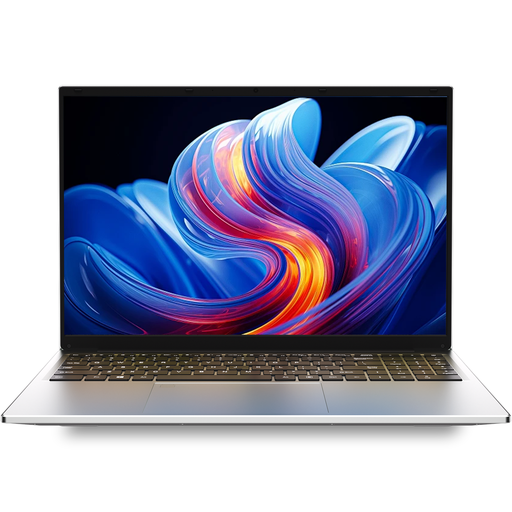
Auusda T161N Laptop, Intel i3 1000NG4, 16 GB DDR4, 1 TB SSD
If you want to work with your draft and research on separate screens, check before buying whether the ports on this variant support the display setup you have in mind.
The product title lists an i3 1000NG4 processor, 16 GB of DDR4 memory and a 1 TB SSD.
View product
 No image available
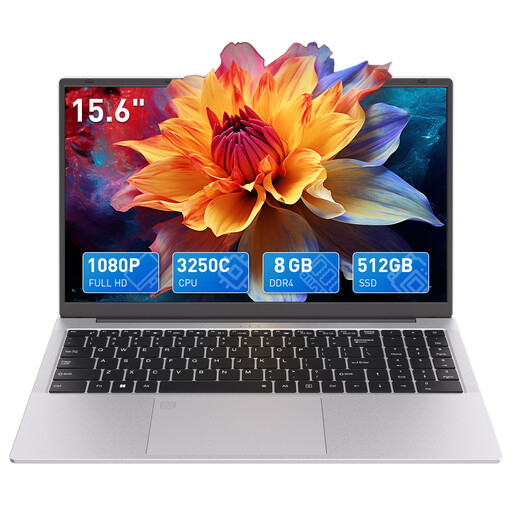
Auusda T156A Laptop, AMD 3250C, 8 GB DDR4, 512 GB SSD
If you’re setting up a writing space where a larger screen would be useful, compare the display and specification details in the product title with the space you have available.
The product title lists a 15.6-inch FHD display, 8 GB of DDR4 memory, a 512 GB SSD, a backlit keyboard, Wi-Fi 6 and a wired mouse included in the box.
View product
Frequently asked questions
Is one monitor port enough for two screens?
If you mean the laptop screen and exactly one external monitor, check the video output on the exact model and the monitor’s input. Two additional monitors are a different requirement; Apple lists support for up to two external displays on the MacBook Air with M5, subject to the stated resolution requirements.
How do I arrange my manuscript and research across two screens in Windows?
Once you’ve connected the displays, you can identify them in Windows display settings and move them to match their actual positions. If Windows doesn’t detect a display, Microsoft Support recommends checking the ports and cables.
Do I need an external keyboard with a laptop that has two built-in displays?
Not necessarily; check the stand mode and what’s included with the specific variant. ASUS describes a Bluetooth keyboard and different stand modes for the Zenbook DUO models mentioned. The German ASUS shop also lists the UX8406CA-QL331W as not including a power adapter.
What are your rights in Germany if your laptop is faulty or bought online?
If a product is faulty, your statutory rights generally apply against the seller and are separate from any voluntary warranty. For a consumer purchase made online, you generally have a 14-day right to cancel; you must notify the seller that you’re cancelling. The requirements for your specific purchase will apply.
Does German law require private novelists to use a particular laptop screen?
The Workplace Ordinance does not set general equipment requirements for writing novels in a private capacity. It applies to workplaces and employees; where an employee’s workplace has been set up accordingly, the specific scope of the rules must be assessed separately.


