Video callers with a busy background
You want to hide shelves, people walking past or other distractions from view. The key is whether the effect you want is available in your meeting app and work environment.


First, choose a laptop based on whether your specific meeting app supports the background effect you want on the device and with your work account. Check the processor and operating system configuration, as well as the camera, lighting and connections for your workspace. An effect is not a reliable way to protect confidential information, so check the preview and what’s visible in the room before your call.
You want to hide shelves, people walking past or other distractions from view. The key is whether the effect you want is available in your meeting app and work environment.
You also use your browser, documents and work apps during calls. So assess the specific device configuration, not just the camera or model name.
You work in different places and need to weigh up portability, connections and whether your work software is supported.
A good fit if: you don’t want to rearrange the room and the effect you want is available in your app and work environment.
Bear in mind: Zoom lists additional hardware requirements for blurring without a green screen. Google Meet and Microsoft Teams also list limitations that may depend on your account, settings or environment.
A good fit if: you want to control what’s visible in the room yourself, or the effect isn’t available on your work device.
Bear in mind: A physical setup takes up space and needs suitable lighting; a green screen doesn’t guarantee that every device will separate you cleanly from the background.
| What you need | What to check when buying | Who this matters most to |
|---|---|---|
| Background effects and privacy | Check the effect, app version and account or administrator settings, then preview it with your own background. Zoom, Google Meet Help and Microsoft Support explain the requirements and limitations. | If I want to hide distractions in the room, the effect must actually be available in my meeting app. Around 36% of consumers put background masking first. |
| Running work apps during calls | Check the processor variant and installed memory against the apps you use at the same time and their requirements. | If I work with a browser and documents during a call, the configuration needs to suit this kind of multitasking. Around 29% of consumers prioritise using work apps simultaneously. |
| The right overall specification | Check the exact model number, camera option, connections and power adapter included with the specific listing. | If I’m looking for a practical specification without unnecessary extras, I want to know what the specific variant includes before buying. Around 21% of consumers focus primarily on having the right specification and avoiding extra hassle. |
| Portability and workspace | Check that the operating system works with your work software, and that there are connections for your monitor, headset and charger. | If I work in different places, I need a device that suits my software and accessories. Around 14% of consumers prioritise workspace flexibility. |
Whether an effect is available depends on the meeting app and its requirements.
First, check that the effect you want is available in the exact app and work environment you use. Then check the specific device configuration.
Microsoft points out that confidential information may still be visible when you blur or replace the background.
Move sensitive documents out of the camera’s view and check the preview before your call.
The Dell Pro 14 is available with different camera options, and what’s included can also vary between configurations.
Compare the full model number, camera option, connections and what’s included with the specific listing.
The Dell configuration mentioned does not list a power adapter. Check whether you need a power supply or other accessories for the specific listing.
The ThinkPad T range includes business configurations that you can compare using their specific specifications.
The MacBook Air with M5 is a macOS option, as long as your work software is supported on it.
The Dell Pro 14 PC14250 is available with Windows business configurations and different camera options.
The EliteBook 8 G1i 14 is another Windows business range, designed by HP with collaboration in mind.
This selection includes Windows laptops for business and home working, as well as a portable macOS laptop. Whether the background effect you want works still depends on your specific meeting app and work environment.
 No image available
For video calls alongside work apps, the specific processor and memory configuration are worth considering. Also check the requirements of your meeting app.
Listed in the product name: Core Ultra 9 285H, 64 GB and 1 TB.
 No image available
This 2-in-1 is worth considering if you also want the flexibility to use your device in different ways, as well as for video calls. Check that your work software and meeting app are compatible with this specific configuration.
Listed in the product name: Core Ultra 7 258V, 32 GB RAM, 1 TB SSD and 2.8K OLED touchscreen.
 No image available
This 16-inch business model is worth considering if you have a dedicated workspace or use an external monitor. Check that its connections and the meeting effect you want suit your setup.
Listed in the product name: Ryzen 5 230, 16 GB DDR5 RAM, 512 GB SSD, WUXGA IPS display and Windows 11 Pro.
 No image available
This portable macOS laptop is worth considering if your work software supports macOS. Before buying, also check that your meeting app offers the effect you want on this specific configuration.
Listed in the product name: M5, 10-core CPU, 8-core GPU, 16 GB, 512 GB SSD and German QWERTZ keyboard.
A power adapter must be purchased separately for this listing.
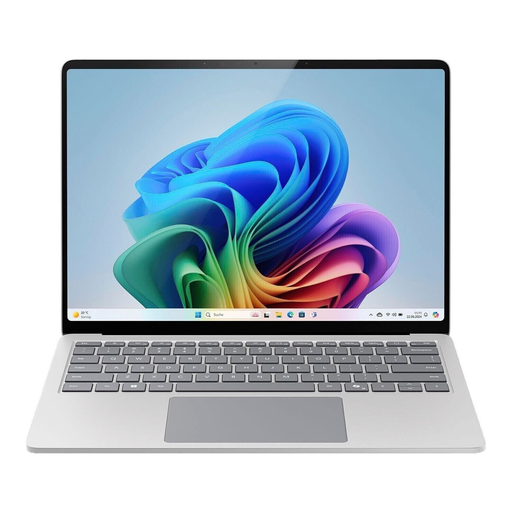 No image available
This business model may suit a Windows work environment. Check whether the background effect you want is available in your meeting app and with your work account settings.
No. For blur without a green screen, Zoom applies the requirements for a virtual background without a green screen. Check the specific processor and system configuration, as well as the version of Zoom you use.
Before joining, you can choose blur or a background image from the effects in the preview, then check how it looks. If the option isn’t there, it may not be available in your environment; Microsoft specifically lists a limitation for optimised VDI.
No. According to Google Meet Help, the client type, account type and Workspace administrator settings can all affect availability. Check your work account and the app or browser version you use before buying hardware for this effect.
No. Microsoft points out that blurring or replacing the background doesn’t necessarily make confidential information invisible. Move sensitive items out of the camera’s view and check the preview before your call.
Distance sales contracts generally come with a statutory right to cancel, although exceptions may apply. The Verbraucherzentrale usually gives a 14-day period for goods, starting from the date of receipt. Your statutory rights if goods are faulty and a voluntary guarantee are separate claims. Check the terms of the specific purchase, especially if you’re not buying as a consumer.