The right laptop for running virtual machines at home depends first on the guest operating system, processor architecture and hypervisor – not just the amount of RAM. For several VMs running at once, or workloads that may grow over time, a Windows laptop with enough built-in RAM and the option to upgrade it may be a good choice. A model with fixed memory is more suitable if you know what you need. You can’t simply carry x86 guests over to Apple silicon Macs: Oracle doesn’t support them in VirtualBox on Arm hosts, while Parallels describes its x86 emulation as slow and limited.
Who should consider these options?
People running several VMs at once
If you run several virtual machines simultaneously, allow for the memory needed by both the host and the active guests, and check whether the RAM is soldered or can be upgraded later. Microsoft Learn and Lenovo outline requirements and memory configurations that can help you plan.
People using specific VM images
If you want to keep using existing x86 images or a particular guest operating system, check that the host architecture is compatible with your chosen hypervisor. Oracle and Parallels outline different limitations for x86 guests on Arm systems.
People with a dedicated home office
If you connect a monitor, network and other devices at your desk, check that the ports you need are available on the laptop’s full configuration. Lenovo, for example, lists ports and specifications by model.
What should you look for when buying?
First, check that the guest architecture and hypervisor work with your images. Then choose RAM, CPU and SSD capacity to suit your planned simultaneous workload, and make sure the ports meet your desk setup’s needs.
| Consideration |
What to check when buying |
Especially important if |
| RAM for multiple VMs |
Plan memory for the host and guests running at the same time, using the same GB basis; check the installed capacity and available slots for the full model number. |
I want to plan memory for the host and VMs together when running several guests at once. Around 36% of consumers prioritise the RAM needs of parallel VMs. |
| Guest and hypervisor compatibility |
Check the guest architecture, virtualisation software and required features; for Client Hyper-V, also check the Windows edition and hardware requirements. |
I need to keep using existing x86 images on my chosen host before committing to a platform. Around 29% of consumers prioritise guest and hypervisor compatibility. |
| Processing power and VM storage |
Note your planned simultaneous workload and the space needed for VM files, updates and backups; compare the CPU and SSD specifications for the exact configuration. |
For larger or more demanding VM projects, I want to match CPU resources and SSD space to the images I plan to use. Around 21% of consumers prioritise processing power and storage space for VM files. |
| Ports for your workspace |
Check that the ports on the full model number meet your needs for a monitor, USB devices, networking and power. |
I want my monitor, network and input devices to work with the ports available at my dedicated desk. Around 14% of consumers prioritise ports for their home office. |
Avoid common buying mistakes
-
Confusing maximum RAM capacity with the RAM installed
Lenovo lists up to 64 GB and two SO-DIMM slots for the ThinkPad T14 Gen 6 AMD series. The specified ThinkPad T14s Gen 6 21TB003MGE, on the other hand, has 32 GB of soldered RAM.
For the full model number, check both the installed memory and the actual upgrade options.
An upgrade later on requires compatible memory modules, so remember to factor in installation too.
-
Assuming Apple silicon and x86 VMs are interchangeable
Oracle doesn’t support x86 guests on Arm hosts in VirtualBox. Parallels describes an x86 emulation option for certain editions, but notes that it is slow and limited.
Before choosing a host, check that your images and required features are compatible with the virtualisation software you plan to use.
Changing your host or virtualisation software may require a migration and a check that your software licence is suitable.
-
Assuming every model in a range has the same configuration
The listed Dell Pro 14 Plus PB14250 configurations differ in processor and memory. You can’t automatically apply the specifications of one version to another.
Compare the full model and configuration details, especially the CPU, RAM and operating system.
-
Confusing the host operating system, guest licence and warranty
Microsoft’s virtualisation rights depend on the licence model. Your statutory rights against the seller are separate from any voluntary warranty.
Check the licence terms for the host and guests separately, as well as the warranty cover on offer.
Depending on the guest operating system and licence model, you may need a separate licence.
Key brands at a glance
Lenovo
Lenovo offers both upgradeable ThinkPad configurations and slimmer models with fixed memory.
- Lenovo lists two SO-DIMM slots and up to 64 GB for the ThinkPad T14 Gen 6 AMD series; available configurations may vary by region.
- The German ThinkPad T14s Gen 6 AMD 21TB003MGE has 32 GB of soldered RAM. This applies to this model, not all ThinkPads.
HP
The specific business laptop configuration is what matters when choosing a VM-ready model.
- For the EliteBook 8 G1a 14-inch AD3F2ET#ABD, HP lists Windows 11 Pro, 64 GB RAM and a 1 TB SSD.
- These manufacturer specifications describe the configuration listed; they are not an independent VM performance test and don’t automatically apply to every EliteBook model.
Dell
The Dell Pro 14 Plus PB14250 is worth considering as a Windows business laptop available in different configurations.
- Dell lists a configuration of this model with 32 GB of DDR5, among others.
- The variants differ in processor and memory type. Dell’s 32 GB configuration shouldn’t be confused with a listing from the same model range with different specifications.
Apple
A MacBook Air with M5 may suit you if you want macOS as your host and your guest systems are compatible with your chosen software.
- Apple lists MacBook Air M5 configurations with 16, 24 or 32 GB of unified memory.
- Oracle doesn’t support x86 guests on Arm hosts with VirtualBox. Parallels describes its x86 emulation preview as limited and slow.
Joybuy products for VM workloads
This selection includes Windows laptops listed with 32 or 64 GB of RAM; the Lenovo ThinkBook is also described as upgradeable to up to 64 GB. Check the specific configuration and the requirements of your VM software before choosing.
 No image available
HP ZBook Fury 16 G1i Mobile Workstation
This configuration may suit consumers planning for 64 GB of RAM and plenty of local storage for the host and VM files.
Joybuy lists an Intel Core Ultra 9 285HX, Windows 11 Pro, 64 GB RAM and a 2 TB SSD. The product name also specifies an RTX PRO 4000 Blackwell and a 16-inch display.
Joybuy
 No image available
HP ZBook 8 G1i 16 Ultra 7 265H
This configuration may appeal to consumers looking for a Windows workstation listed with 64 GB RAM and a 2 TB SSD as standard.
Joybuy lists an Intel Core Ultra 7 265H, 64 GB DDR5, a 2 TB SSD and Windows 11 Professional. The product description also lists Thunderbolt 4, USB 4.0 and Wi-Fi 7.
Joybuy
 No image available
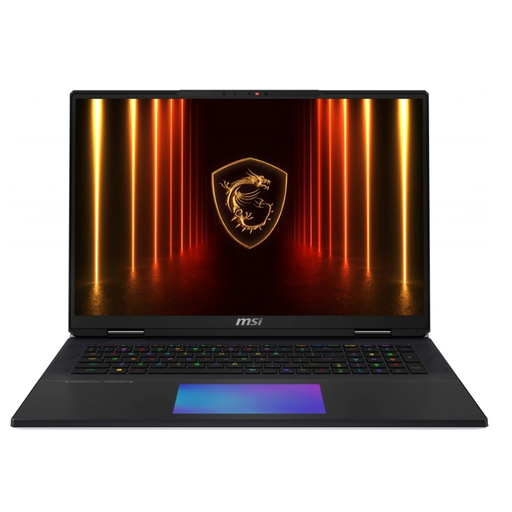
MSI Titan 18 HX AI A2XWJG-656
The listed specification offers plenty of local SSD storage for consumers planning to use several or larger VM files.
Joybuy lists an Intel Core Ultra 9 285HX, 64 GB DDR5, a 6 TB SSD and Windows 11 Pro. The product name also specifies an NVIDIA GeForce RTX 5090 and an 18-inch display.
Joybuy
 No image available
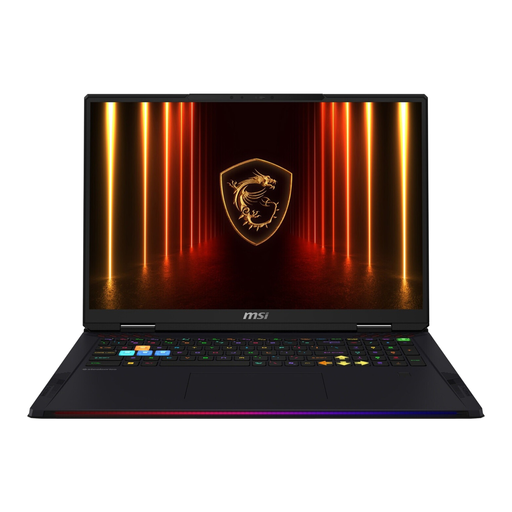
MSI Raider 18 HX AI A2XWJG-074
This configuration may suit consumers looking to check whether 64 GB RAM and a 4 TB SSD will meet their VM storage needs.
Joybuy lists an Intel Core Ultra 9 285HX with 24 cores, 64 GB RAM, a 4 TB SSD and Windows 11 Home. The product name also specifies an 18-inch UHD+ display and an RTX 5090. Microsoft Learn lists Windows 11 Professional or Enterprise for Hyper-V. If you need Hyper-V, check that you have the right Windows edition before buying.
Joybuy
 No image available
Lenovo ThinkBook 16 G9 AHP 21UT
This configuration may suit consumers whose RAM needs could grow and who want to check the listed upgrade options.
Joybuy lists an AMD Ryzen 5 220, Windows 11 Pro, 32 GB RAM and a 1 TB SSD. The product description specifies two SO-DIMM slots and a possible upgrade to up to 64 GB; listed ports include RJ45 Ethernet and USB4-C.
Joybuy
Frequently asked questions
Is 16 GB of RAM enough for my virtual machines?
The amount of RAM alone doesn’t tell you how many VMs you can run reliably. Plan for the combined needs of the host and all active guests. A Windows 11 guest also has its own minimum requirements, which don’t guarantee a particular level of performance when running several guests at once.
Which Windows edition do I need for Hyper-V?
Microsoft Learn lists Windows 11 Professional or Enterprise for Hyper-V. Also check for SLAT support and that hardware virtualisation is enabled in the UEFI or BIOS.
Can I keep using an existing x86 VM on an Apple silicon MacBook?
Don’t assume it will work: Oracle doesn’t support x86 guests on Arm hosts with VirtualBox. Parallels describes an emulation option for certain editions, but notes that it runs slowly and has feature limitations. Check your specific image and workflow.
Does my laptop licence automatically cover Windows guests too?
Not necessarily. Microsoft’s guide covers commercial licensing programmes and makes clear that virtualisation rights depend on the licence model and programme. Check the applicable terms for the host and guest separately.
What happens if a laptop is faulty in Germany?
For a consumer purchase, statutory rights apply against the seller and are separate from any voluntary manufacturer’s warranty. European Union information states a minimum period of two years from receipt of the goods. The type of contract and the specific requirements still matter.


