For mainly text-based vocabulary flashcards, a compact standard laptop is a sensible place to start, provided your chosen design software runs on the configuration you select. A convertible is more suitable if you want to edit cards directly using the touchscreen; however, a touchscreen alone doesn’t guarantee stylus support. At a shared desk, you should also check the space available, the monitor and printer connections you need, and how you’ll print your cards.
Which device is right for you?
Designing cards at a shared desk
If you need to keep words and layouts in view at the same time, while sharing a desk with others, both usable screen space and the room the laptop takes up matter. The Federal Institute for Occupational Safety and Health highlights the overall weight of work equipment, particularly when you often change where you work.
Working with a monitor and printer
If you switch between designing, checking your work on a monitor and printing, check the ports on the specific laptop and how you’ll connect to the printer. Canva points out that not every home printer supports bleed or crop marks.
Editing cards directly on screen
If you want to sketch cards on screen or move elements around using touch, a convertible could be a good fit. HP lists a touchscreen for the OmniBook 5 Flip 14-fp0760ng; specifications for the Lenovo IdeaPad 5 2-in-1 range vary by configuration.
What should you look for when buying?
First, decide how you want to create your cards. Then check the available ports and the exact route from design to print.
| Priority |
What to check before buying |
Who is it important to? |
| Readability and space |
Compare the display size and resolution of the specific configuration with the space available; make sure it has a usable monitor connection. |
If I want to keep words and layouts in view at the same time on a small desk, usable screen space is essential. Around 33% of consumers put readability and space first. |
| Ports for a flexible workspace |
Make a note of the ports available and check that they include the connections you need for video output, data transfer and charging. |
If I connect a monitor and other devices at different workspaces, I don’t want to have to hunt for the right cables every time. Around 27% of consumers prioritise flexible connectivity. |
| From design to print |
Check that your planned printing method and paper size work with the features of your existing printer. |
If I want to print finished cards on my existing printer, I want to check the paper size and settings in advance. Around 20% of consumers put the printing process first. |
| Software compatibility |
Check the design software, operating system and, if needed, printer driver against the full model number. |
If I need a particular design programme or printer driver, I want to make sure in advance that the software works with that exact device configuration. Around 20% of consumers consider software compatibility their top priority. |
Common buying mistakes
-
Assuming a touchscreen means you can start drawing straight away
A touchscreen alone doesn’t confirm stylus support or mean that a stylus is included.
Check the full model number, stylus compatibility and what’s included before relying on stylus input.
Depending on the configuration, you may need to buy a compatible stylus separately.
-
Assuming every USB-C port supports monitors and charging
The shape of a port alone doesn’t tell you whether it supports video output or charging. ASUS lists these features for the USB-C ports on the Vivobook 14 X1407QA; you can’t assume the same applies to other models.
Check that each port supports the features you need for your monitor and charging setup.
If the ports aren’t compatible, you may need a suitable adapter or charger.
-
Assuming the laptop screen is an accurate preview of the printed result
Canva points out that not every home printer supports bleed or crop marks. Print settings and paper size can therefore affect the result.
Print a test page using the printer you plan to use before printing a full set of cards.
Test prints can use up extra paper and ink or toner.
-
Looking only at the laptop, not what’s included
Dell states that the specified configuration of the Dell 14 DC14250 does not include a power adapter.
Check whether a power adapter is included with the specific configuration and what charging power it requires.
If the right power adapter isn’t included, you’ll need to budget for one separately.
Brands to consider
Dell
The Dell 14 DC14250 is a traditional 14-inch laptop without a touchscreen, suited to designing vocabulary flashcards mainly with a keyboard and mouse.
- For the configuration described, Dell Germany lists 16 GB RAM and a 14-inch display with a resolution of 1,920 × 1,200 pixels.
- Dell Germany says this configuration doesn’t include a power adapter. Check the specific version and what’s included.
HP
The HP OmniBook 5 Flip 14-fp0760ng is a touchscreen convertible option if you want to edit cards directly on screen.
- The HP Store Germany lists a 14-inch touchscreen and 16 GB RAM for this configuration.
- A touchscreen alone doesn’t confirm stylus support or that a stylus is included. Check both against the full model number.
ASUS
The Vivobook 14 X1407QA could be worth considering for a workspace where you switch between a monitor and USB peripherals.
- ASUS Germany lists HDMI, two USB-A ports and two USB-C ports for the X1407QA. According to ASUS, the USB-C ports support video output and charging.
- Check that the programmes and drivers you need work with the specific configuration and its Snapdragon processor.
Lenovo
The IdeaPad 5 2-in-1 14AKP10 is an example of a convertible option if you’re looking for a touchscreen configuration for editing cards.
- Lenovo lists different specifications and touchscreen options across the IdeaPad range, depending on the configuration.
- RAM can also vary by configuration and may be soldered in place. Check the full model number and specifications before buying.
Joybuy laptops for vocabulary flashcards
These 14-inch Joybuy laptops offer a range of specifications for creating flashcards at a shared desk.
 No image available
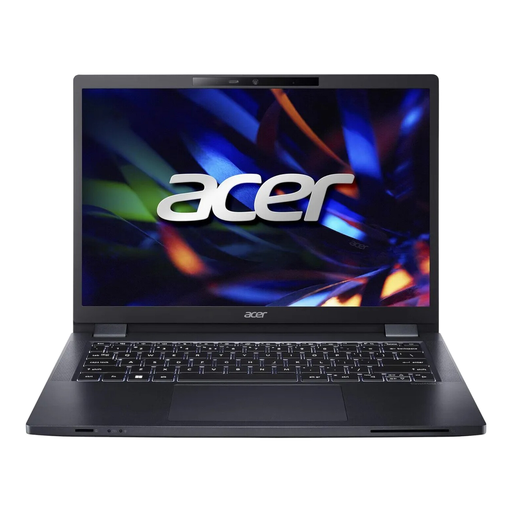
Acer 14-inch WUXGA laptop, Core i5-1335U
The 14-inch WUXGA display provides a specified workspace for text and card layouts.
Intel Core i5-1335U (13th Gen), 16 GB DDR4, 512 GB SSD, Intel Iris Xe Graphics, Windows 11 Pro, Wi-Fi 6, HDMI, USB-A and USB-C; stated weight: 1.41 kg.
Joybuy
 No image available
HP OmniBook Ultra 14-kd0072ngx
If you want to edit cards directly using touch, this configuration has a touchscreen. Check stylus support and what’s included for this specific model.
14-inch 3K OLED touchscreen, Intel Core Ultra 7 356H, 16 GB RAM, 1 TB SSD and Windows 11 Home.
Joybuy
 No image available
Ruzava 14-inch laptop, N5095
This 14-inch FHD configuration could be an option if its display and ports suit your card-design software and existing peripherals.
N5095 processor, 8 GB RAM, 256 GB SSD, expandable up to 1 TB according to the product name, USB 3.0, Type-C and Mini-HDMI.
Joybuy
 No image available
ASUS Zenbook 14 UX3405CA-QD1303W
The specified 14-inch WUXGA OLED configuration offers a defined screen area for words and card layouts.
Core U7 255H, Intel ARC, 16 GB RAM, 1 TB SSD, Windows 11, HDMI and two Thunderbolt 4 ports.
Joybuy
 No image available
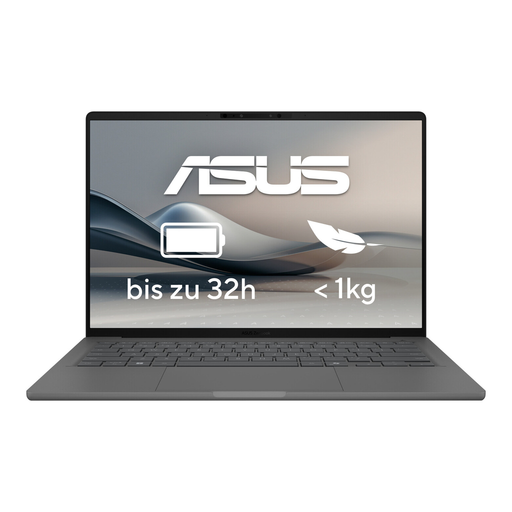
ASUS Zenbook A14 OLED UX3407RA-QD011W
If you’re looking for a laptop for designing cards with a range of connection options, check that the listed ports suit your workspace equipment.
14-inch OLED display, 16 GB RAM, 512 GB SSD, two USB-A ports, two USB-C ports and one HDMI port.
Joybuy
Frequently asked questions
Do I need a dedicated graphics card for vocabulary flashcards?
The Canva Help Center’s information doesn’t indicate that the Canva desktop app generally requires a dedicated graphics card. What matters is whether your chosen design software is supported by the operating system and device configuration; Canva’s guidance doesn’t automatically apply to other programmes.
How can I print cards at a shared desk?
If you use Canva, you can print to a connected printer via the print dialogue or download your design as a PDF Print file. Check the paper size and printer settings first: the Canva Help Center points out that not every home printer supports bleed or crop marks.
What should I check about the power adapter, returns and faults?
Check what’s included with the specific configuration: Dell says the specified version of the Dell 14 DC14250 doesn’t include a power adapter. In Germany, online consumer purchases generally come with a 14-day right of withdrawal, although exceptions may apply. The consumer advice centre also distinguishes the statutory guarantee against the seller from a voluntary manufacturer’s warranty.
Are CE marking and USB-C mandatory for laptops sold in Germany?
For products covered by relevant harmonised EU rules, the manufacturer uses the CE mark to declare conformity; it isn’t a quality mark issued by a central EU body. The European Commission says that EU requirements for a common USB-C charging port have applied to laptops since 28 April 2026. Whether a specific device is covered depends on its type and when it was first made available on the market.


