Daily commuters learning vocabulary
You regularly open learning lists in a cramped seat and want a laptop that’s easy to put away.


If you mainly read vocabulary lists and type answers on the train, a portable laptop with a screen and keyboard that feel comfortable to you is a sensible place to start. Extra processing power has no proven benefit for this. A larger screen may be worthwhile if more display space matters to you and you have room to carry it. Before buying, check that your learning app and lists work offline, and factor in battery life: Deutsche Bahn says Wi-Fi is not available on every train, and power sockets may be shared.
You regularly open learning lists in a cramped seat and want a laptop that’s easy to put away.
You want to study on trains without Wi-Fi, so your chosen learning app should make the lists you need available offline.
You want entries to be easy to read and input to feel comfortable, so you weigh screen space against portability.
First, check that your learning app works on the go and that the device suits your seat. Then decide whether longer battery life, more screen space or specific features matter most to you.
| What matters | What to check before buying | Who should consider it? |
|---|---|---|
| Portability and space | Check the dimensions and weight of the exact variant, as well as the space available at your seat. | If I have little room on the train, I want the laptop to fit in my bag and be easy to use at my seat. Around 26% of consumers rate portability and space as their top priority. |
| Learning without train Wi-Fi | Check that the learning app is compatible with the operating system and works offline; test downloading and syncing later. | If I want to study without train Wi-Fi, my lists must be available offline in the specific app. Around 21% of consumers prioritise offline access. |
| Battery life during your journey | Read the manufacturer’s claims, including the test conditions, and assess battery life using your own app. | On longer journeys, I want to keep studying even if there isn’t a free power socket at my seat. Around 21% of consumers prioritise battery life. |
| Readability and input | Check the text size, reflections and keyboard; only consider touchscreen controls if they’re useful for your app. | With long lists, I want to be able to adjust the display and input to suit my eyesight and how I work. Around 16% of consumers prioritise readability and input. |
| What's included and features | Check that the exact variant has the app features and accessories you need, and review what’s included. | I only want to consider features and accessories that I actually need for my learning app. Around 16% of consumers prioritise suitable features and what’s included. |
Deutsche Bahn says Wi-Fi is available across its entire ICE fleet, but only on some Intercity trains and selected regional services.
Before travelling, test that you can access your actual lists offline with Wi-Fi switched off.
Apple’s claim of up to 18 hours for the MacBook Air is a manufacturer figure, not a measurement using your learning app. ICE power sockets may also be shared, as Deutsche Bahn explains.
Read the test conditions behind the battery-life claim and plan to rely on battery power during a typical journey.
For the ASUS Zenbook 14 configuration reviewed, ASUS lists no power adapter in the box and recommends a compatible 45 to 65 W USB-C power adapter.
Check what’s included and the charging requirements for the exact variant you’re ordering.
If your chosen configuration doesn’t include a power adapter, you’ll need a compatible one to charge it.
The ThinkPad X13 Gen 6 is a compact Windows option for typing and a matt screen.
The 13-inch MacBook Air with M5 is a macOS option, provided your learning app is compatible.
In the configuration reviewed, the Zenbook 14 offers a touchscreen and more screen space, which you’ll need to weigh against the room it takes up.
The Swift Go 14 range includes different display options for using Windows on the go.
The EliteBook 8 Flip G1i 13 is a business convertible for learners who want touchscreen or tablet use as well as working with lists.
This selection includes compact laptops and models with more screen space for studying vocabulary lists on the go. Make sure your chosen learning app is compatible with the operating system of the exact variant, and that the lists you need are available offline.
 No image available
An option to consider if you’re looking at a Surface Laptop for your vocabulary lists. Check that your learning app is compatible with the operating system of the specific variant.
Core Ultra 5; 24 GB RAM; 1 TB storage; colour: Platinum.
 No image available
This macOS option may suit you if your learning app is compatible with the operating system.
M5; 10-core CPU; 8-core GPU; 16 GB RAM; 512 GB SSD; German QWERTZ keyboard.
Check what’s included with the exact variant: according to the product information, this model doesn’t include a power adapter.
 No image available
This could work as a laptop for studying lists if your learning app runs on the operating system of the variant you choose.
A18 Pro; 6-core CPU; 5-core GPU; 8 GB RAM; 512 GB SSD; German QWERTZ keyboard.
Check what’s included before buying; according to the product information, this model doesn’t include a power adapter.
 No image available
The 14-inch format may be useful for longer lists if you can make good use of the extra screen space at your seat.
WUXGA OLED; Core U7 255H; Intel ARC; 16 GB RAM; 1 TB SSD; Windows 11.
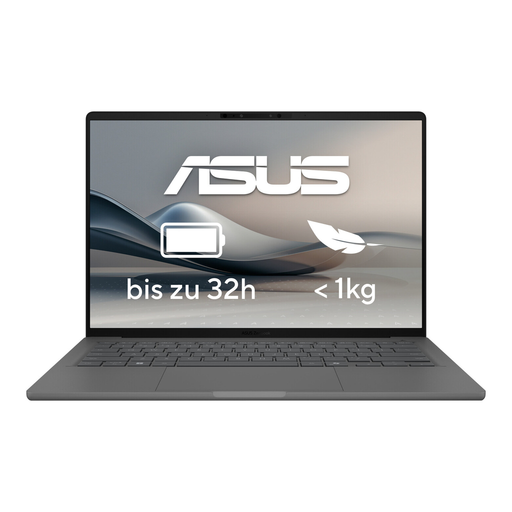 No image available
This OLED variant may suit you if you prefer this type of display for your lists.
OLED display; model variant UX3407RA-QD011W.
Yes, if your chosen learning app makes the lists you need available offline. Test this before travelling with Wi-Fi switched off: Deutsche Bahn says Wi-Fi is available across its entire ICE fleet, but only on some Intercity trains and selected regional services.
Don’t assume there’ll be a free power socket on every journey. Deutsche Bahn says there’s generally one socket per pair of seats in second class; selected train types have one per seat. So, if you want to study without interruption, you should also consider battery life.
Download the lists you need and test opening them, entering answers and syncing later, all without an internet connection. The offline features available depend on the app you choose.
In general, consumers buying remotely in Germany have a statutory right to cancel. Section 355 of the German Civil Code (BGB) sets a 14-day period, while Section 312g of the BGB provides for exceptions. As the Verbraucherzentrale explains, claims against the seller for faulty goods are separate from this right.