Students working at a small desk
You spend long periods switching between your editor and browser preview, and want to keep both in view on a comfortably sized display.


When designing a web contact form in your student room, choose a laptop that suits the way you work. A clear, spacious display makes it easier to keep your code and browser preview in view, but it needs more desk space. If you often take your laptop with you or need to run course software, also check its size and portability, operating system, ports and exact configuration.
You spend long periods switching between your editor and browser preview, and want to keep both in view on a comfortably sized display.
You want to complete your web project and everyday coursework without paying for features you don’t need.
You use your laptop at a fixed desk but also take it to university, so you need to balance screen space with portability.
A good fit if: You have limited desk space and regularly take your laptop with you.
The trade-off: The smaller built-in display leaves less room for your code and browser preview. For longer sessions, an external monitor may be worth considering.
A good fit if: You mostly work in your room and want to see your code and preview side by side on your laptop.
The trade-off: Check the laptop’s dimensions and allow space for your keyboard and mouse, not just the screen.
A good fit if: You can set up a monitor at your desk but prefer a smaller laptop when you’re out and about.
The trade-off: Check that the specific laptop configuration supports your monitor through the connection you need. The monitor and, if necessary, an adapter will add to your setup.
| Purchasing priority | What to look for | Who is it most relevant to? |
|---|---|---|
| Screen space for code and preview | Check the display size and resolution of the specific configuration, as well as the space available on your desk. | If I want to keep my code and browser preview in view at the same time, usable screen space is essential. Around 31% of consumers prioritise screen space. |
| Upfront cost | Consider the configuration and any accessories you need together; first check the requirements of your course software. | If my budget is tight, I don’t want to pay for features my web project doesn’t need. Around 31% of consumers put upfront cost first. |
| Software and peripherals | Check the operating system and course software requirements, as well as the monitor connections you need, against the exact configuration. | If a course programme or planned monitor has specific requirements, I want to check compatibility before buying. Around 23% of consumers prioritise software and peripheral compatibility. |
| Travelling between your room and university | Check the weight and size of the specific configuration; consider the manufacturer’s battery-life figures in light of the conditions they were measured under. | If I regularly carry my laptop between my room and campus, I want to stay mobile without compromising on a suitable workspace at my desk. Around 15% of consumers put portability first. |
The Dell 14 range includes different RAM configurations, and Lenovo also notes that ports and other features vary by model.
Before you buy, check the full model or order code against the memory, display and ports listed.
For longer work sessions, the DGUV recommends using an external keyboard and mouse and, where possible, an external monitor. You’ll need enough desk space for them.
Measure the space available and check the video connection before planning a setup with an external monitor.
A power adapter is not listed as included with the 13-inch MacBook Air with M5, 16 GB memory and 512 GB SSD listed on Joybuy. This applies to this configuration and not necessarily to other models.
Check what’s included with the specific offer and the manufacturer’s charging information. If you don’t have a suitable power adapter, factor in buying one separately.
The OmniBook 3 16-bu0752ngx is an option with a larger built-in display.
The Dell 14 DC14250 is a more compact Windows option available in several configurations.
The 13-inch MacBook Air with M5 is a compact macOS option, provided the course software you need runs on macOS.
The ThinkPad E14 Gen 7 Intel range is another 14-inch Windows option for a workspace with peripherals.
This selection features laptops suited to working at a desk with a larger built-in display. Compare the specifications of each configuration with your available space and course software requirements.
 Image unavailable
As a 16-inch laptop, it’s an option if you want to work using the built-in display at your desk.
AMD Ryzen 5 220 at 3.2 GHz; Radeon 740M; 32 GB RAM; 1 TB NVMe SSD; Windows 11 Pro.
 Image unavailable
This 16-inch laptop is worth considering if you’re looking for a larger built-in display for your code and browser preview.
Intel Core Ultra 5 325; 32 GB DDR5 RAM; 512 GB PCIe SSD; Windows 11 Pro.
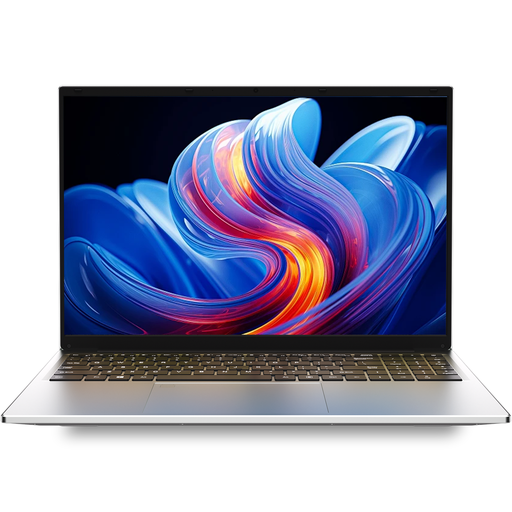 Image unavailable
This laptop is worth considering for a fixed layout workspace. Before buying, check that the display and ports suit your setup.
16 GB DDR4 RAM; 1 TB SSD.
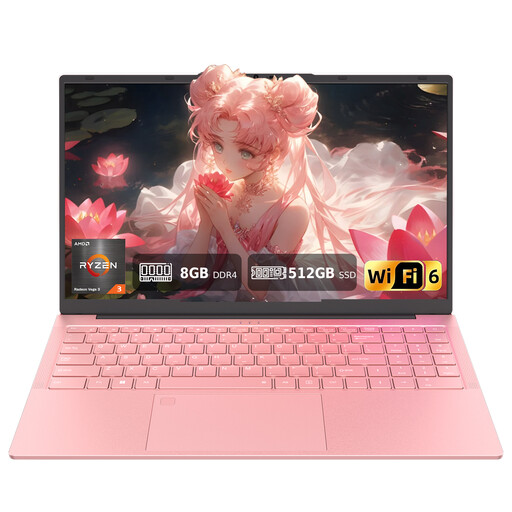 Image unavailable
The stated 15.6-inch display gives you a built-in workspace for your layout work.
15.6-inch FHD display; 8 GB DDR4 RAM; 512 GB SSD; Type-C with video output and HDTV connection; fingerprint unlock; backlit keyboard; wired mouse included.
 Image unavailable
The 16-inch display is well suited to working at a fixed desk if you prefer a larger built-in screen.
AMD R5 6600H; 16 GB RAM; 512 GB storage; Cloud Gray; German keyboard.
The HTML and CSS work described here doesn’t require a specific class of processor, memory or graphics card. First check what other programmes your course requires and whether you can work comfortably with the browser preview at the sizes you need. MDN Web Docs explains responsive web design for different screen sizes.
For longer sessions using mobile devices, the DGUV recommends an external keyboard and mouse and, where possible, an external monitor. Measure the space available and check that the connection on your specific laptop configuration works with the monitor you have in mind.
No. Choosing a laptop doesn’t automatically make a contact form GDPR-compliant. If a published form collects personal data, the obligations of the data controller need to be considered separately. The Datenschutzkonferenz explains, among other things, information requirements when data is collected directly.