What should you consider when buying?
First, work out which requirement has the biggest impact on your working day. Then compare operating systems and specific device configurations.
Windows laptop
A good fit if: your editorial workflow depends on Windows software or you want to choose between specific business configurations.
Consider: specifications and displays can vary even within the same model range. Compare the full product number, keyboard layout and the ports you need.
MacBook Air
A good fit if: the software you need runs on macOS and you want a portable device for writing and reviewing images.
Consider: check the ports and the exact screen and storage configuration. Apple’s battery-life figures apply to specific types of use and aren’t a guarantee of how long it will last during your working day.
Chromebook
A good fit if: the web applications you’ve checked meet your needs for writing, image storage and publishing.
Consider: not every application works offline. Check your CMS and image tools using the software you actually rely on.
| Buying criterion |
What to check |
Who it matters most to |
| Typing comfort and readability |
Check the keyboard layout, screen size, resolution and anti-glare finish. If possible, try the device before buying. |
When I’m writing long drafts, I want to type comfortably and read the text easily. Around 26 % of consumers prioritise typing comfort. |
| Reviewing reference images |
Compare the resolution, brightness and stated colour-gamut coverage of the exact variant. Don’t assume that viewing images is the same as colour-accurate editing. |
When I’m checking image details, I want to know which display specifications apply to the exact configuration on offer. Around 21 % of consumers prioritise viewing reference images. |
| Software compatibility |
Check the software you actually use, browser requirements, file formats and any tasks you need to do offline. |
If my text editor, image tool or CMS depends on specific software, I want to check that it’s compatible in advance. Around 21 % of consumers prioritise software compatibility. |
| Working in different locations |
Check the weight and charging ports of the specific variant. Consider battery-life figures only alongside the conditions under which they were measured. |
When I’m writing in different locations, I want a good balance between screen space and portability. Around 16 % of consumers prioritise portability. |
| Choosing the right specifications for your needs |
Match the software, local storage and ports to your workflow instead of considering individual specifications in isolation. |
If my workflow mainly involves writing and browser-based publishing, I don’t want to pay for features I won’t use. Around 16 % of consumers prioritise choosing specifications that meet their needs. |
Joybuy products for your workflow
This selection includes Windows laptops for longer writing sessions and viewing reference images, as well as a MacBook Air running macOS. Before buying, check that the software you need works with the relevant operating system.
 No image available
Acer TravelMate TMP216-41-TCO
For longer writing sessions with a Windows-based publishing workflow, provided the software you need works with Windows 11 Pro Education.
16-inch WUXGA IPS display in a 16:10 format, 16 GB DDR5, 512 GB SSD and AMD Radeon 660M.
Windows 11 Pro Education; USB4, HDMI 2.1 and RJ-45 are listed. The stated weight is 1,80 kg.
Joybuy
 No image available
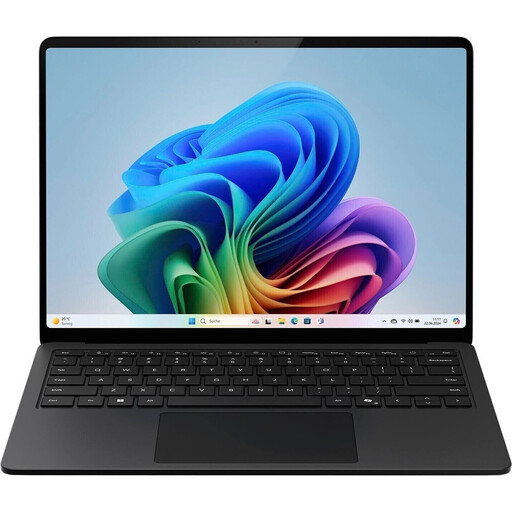
Microsoft Surface Laptop for Business, 7th Edition
A Windows configuration for writing and publishing software, provided it’s compatible with Windows 11 Pro.
15-inch display in a 3:2 format with 2.496 × 1.664 pixels and 600 cd/m², Intel Core Ultra 7 266V, 16 GB RAM and a 512 GB SSD.
Windows 11 Pro, German keyboard and microSDXC card reader are listed. It weighs 1,66 kg.
Joybuy
 No image available
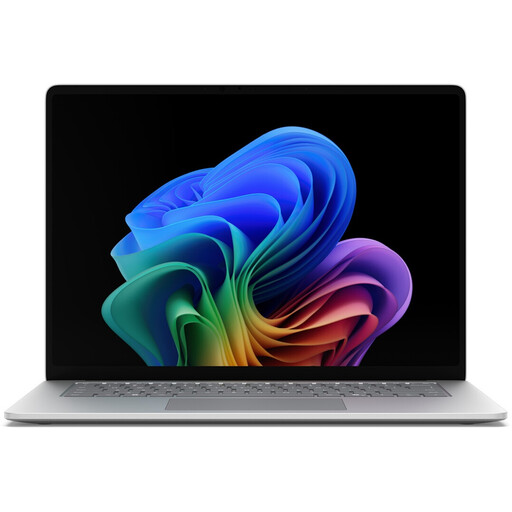
Microsoft Surface for Business, 8th Edition
For writing with Windows software, provided the applications you need run on Windows 11 Pro.
15-inch touchscreen in a 3:2 format with 3.270 × 2.180 pixels and 120 Hz, Intel Core Ultra 5 335, 16 GB RAM and a 512 GB SSD.
Windows 11 Pro and a German keyboard are listed. It weighs 1,67 kg.
Joybuy
 No image available
HP OmniBook Ultra Flip 14-fh0670ng
A Windows 2-in-1 configuration for writing and viewing reference images, provided the software you need works with Windows 11 Home.
14-inch OLED touchscreen with 2.880 × 1.800 pixels and 100 % DCI-P3, Intel Core Ultra 7 258V, 32 GB RAM and a 1 TB SSD.
Can be used as a laptop, tablet, stand or tent; the stated weight is 1,34 kg.
Joybuy
 No image available
Apple 13-inch MacBook Air with M5 (2026)
For writing and viewing images with macOS, provided the software you need is compatible with this operating system.
13,6-inch display with 2.560 × 1.664 pixels and P3, 16 GB of unified memory and a 512 GB SSD.
German QWERTZ keyboard and two Thunderbolt 4 ports are listed; it weighs 1,23 kg. According to the product description, a power adapter isn’t included.
Joybuy
Frequently asked questions
Is a Chromebook enough if I sometimes write without an internet connection?
You can work offline with certain Google Drive files, including Docs, if you set up offline access in advance and make the files available. Google notes that some apps won’t work offline, so check your specific CMS and image tool separately.
What should I check when setting up my image and text archive?
Decide which reference images you need to store locally and which files need to be synchronised. According to Google, Drive files used offline on a Chromebook need enough free storage on the device. They’ll synchronise once you’re back online.
Is a manufacturer’s warranty the same as my statutory rights?
No. According to Your Europe, consumer purchases from traders in the EU generally come with a statutory minimum two-year legal guarantee from the date you receive the goods. Any claims under this guarantee are made against the seller. An additional commercial guarantee cannot reduce these rights.
Can I return a laptop bought online?
For an online distance contract with a trader, you generally have 14 days from delivery to withdraw from the purchase in the EU, as Your Europe explains. Exceptions and return costs may apply, and this right of withdrawal doesn’t apply when you buy from a private individual. The right of withdrawal is separate from claims relating to faulty goods.
Can I simply use reference images in a guide I publish?
Not just because the images are available online. Check the relevant exceptions and licence terms, or get permission. The European Commission describes this as rights clearance, not a feature of any particular laptop.


