Choose a laptop based on the browsers and tools you actually need to test, as well as the connections available at your shared workstation. For troubleshooting in native Safari, you’ll need its own developer tools, while Playwright runs tests for Chromium, Firefox and WebKit on Windows, Linux and macOS. If you move desks often, check that the dock, monitor and charging connection work with the exact device configuration you’re considering; no single port on its own proves compatibility with a particular dock.
Which laptop is right for you?
Browser testers who move between desks
If you work at different desks, first check that the laptop, monitor, dock and power supply are compatible at each workstation. For hot-desking, the DGUV recommends adjusting your chair, screen and desk to suit your needs before you start work.
Native Safari testers
If your brief involves troubleshooting directly in Safari, you’ll need access to its developer tools. Apple Developer describes tools including Web Inspector and Responsive Design Mode.
Browser test automation specialists
If you want to test multiple browser engines automatically, Playwright documents support for Chromium, WebKit and Firefox on Windows, Linux and macOS. MDN Web Docs describes cross-browser testing as checking that a website works across different browsers and devices.
What should you look for when buying?
First, decide whether your testing requires native Safari or cross-browser automation. Then check that the specific laptop configuration works with your dock and monitor, and suits the way you work at different desks.
| Buying priority |
What to check |
Who it matters most to |
| Connections at a shared desk |
Check the ports and features of the specific dock, monitor and laptop, as well as the cables and power supply. |
If I want to use a monitor, peripherals and charging at different desks, I check how all the devices connect. Around 36% of consumers prioritise connection compatibility. |
| Native Safari testing |
Check whether your test plan requires Safari itself and its developer tools, or whether browser engine testing with Playwright is enough. |
If I need to investigate issues directly in native Safari, I need its tools. Around 29% of consumers make this type of Safari testing their main priority. |
| Running test tools in parallel |
Check the RAM and SSD configuration of the specific model against the browsers, tools and projects you’ll use at the same time. |
If I want to use several browsers and developer tools at once, I compare the specifications with my workflow. Around 21% of consumers prioritise running tests in parallel. |
| Working without an external monitor |
Check the screen size and resolution, and, if you move desks often, the weight and dimensions of the version you’ve chosen. |
If I need to view a website and testing tools without an additional screen, I need enough workspace on the laptop itself. Around 14% of consumers make this their main priority. |
Common buying misconceptions
-
Assuming WebKit automation is the same as testing fully in Safari
Playwright supports WebKit on several operating systems, while Safari has its own tools for inspecting websites in the native browser. The right choice depends on what your test brief requires.
Before you buy, decide whether engine automation is enough or whether you need to test directly in Safari.
Depending on your test brief, you may need to do extra testing in the specific browser and device environment required.
-
Assuming USB-C automatically means dock compatibility
The presence of a port doesn’t prove that the specific dock will support charging and monitor use as you expect.
Check the specifications for the laptop, dock, monitor and cables for the exact configuration you’re planning to buy.
-
Confusing a manufacturer’s warranty with your statutory rights
For consumer purchases, a warranty is voluntary; your statutory rights in the event of a fault are against the seller. The Verbraucherzentrale explicitly distinguishes between these rights.
Check the warranty terms separately and confirm whether you’re buying as a private individual or for a business.
Brands to consider
Lenovo
The ThinkPad T14 is a family of business laptops with specifications that vary by configuration.
- For configuration 21QC0042GE, Lenovo Germany lists 32 GB RAM, a 1-TB SSD and a matte 14-inch display.
- These specifications apply to the configuration listed and not automatically to other T14 variants.
Apple
MacBooks are a good option if you specifically need to test in native Safari using its developer tools.
- Apple Developer describes Safari tools such as Web Inspector. For a base configuration of the 13-inch MacBook Air M5, Apple Germany lists 16 GB of unified memory, a 512-GB SSD, MagSafe 3 and two Thunderbolt 4 ports.
- The ports listed don’t include built-in HDMI. Also check that the specific MacBook configuration is compatible with your dock.
Acer
The TravelMate P4 is another family of Windows business laptops. Compare specifications using the exact part number.
- For NX.BC2EG.002, Acer lists a matte 14-inch WUXGA display, 32 GB RAM and a 1-TB SSD.
- These specifications apply to this variant and can’t be assumed to apply to other TravelMate P4 configurations.
Dell
The Latitude range includes different processor, display and storage configurations.
- Dell Germany lists several configuration options for the Latitude 5450.
- Dell lists the Latitude 5450 as no longer available. A model family name alone doesn’t confirm that a specific configuration is available to buy or suitable for a particular dock.
Joybuy products for website testing
The devices below include Windows laptops for cross-browser testing and a MacBook for testing in native Safari. To check whether a model will work with your shared dock, compare the ports on the specific devices.
 No image available
Lenovo Yoga Slim 7i Aura Edition, 14-inch, Core Ultra 7 355, 16 GB/1 TB SSD, Windows 11 Evo
For automated browser testing on Windows; Playwright supports Chromium, Firefox and WebKit on Windows too.
Specifications listed include a 14-inch 2.8K OLED display, 16 GB RAM and a 1-TB SSD.
View at Joybuy
 No image available
Samsung Galaxy Book6 Enterprise Edition, 14-inch, Core Ultra 7 355, 32 GB/512 GB SSD, Windows 11 Pro, Mocha Gray, RJ45
This Windows 11 Pro configuration is worth considering for cross-browser automation if its operating system and specifications suit your testing workflow.
The product name lists 32 GB RAM, a 512-GB SSD and an RJ45 port.
View at Joybuy
 No image available
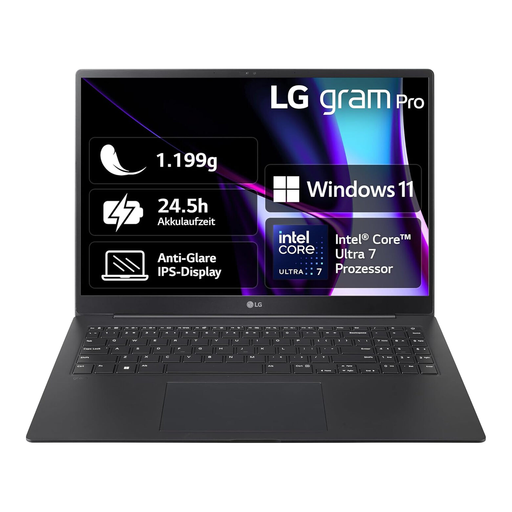
LG gram 16 Pro, Core Ultra 7 155H, 16 GB/1 TB SSD, Windows 11, 6Z90SP-G.AA78G
This Windows laptop is an option for cross-browser testing. If you move desks often, weigh the larger screen against the portability of the 16-inch format.
This variant is listed with 16 GB RAM and a 1-TB SSD.
View at Joybuy
 No image available
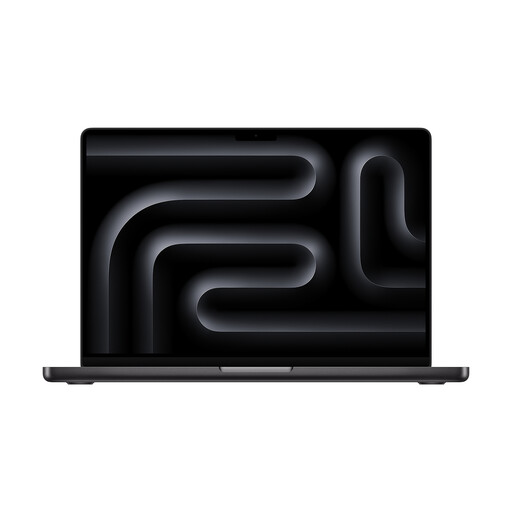
Apple MacBook Pro, 14-inch, M5, 24 GB, 1 TB SSD, Space Black
A MacBook is a good option if your brief specifically involves testing or troubleshooting in native Safari; Apple Developer describes Safari tools such as Web Inspector.
The product name lists a 14-inch display, the M5 chip, 24 GB and a 1-TB SSD.
View at Joybuy
 No image available
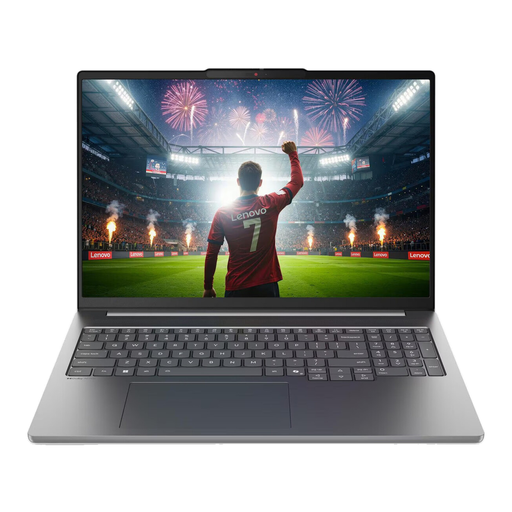
Lenovo IdeaPad Pro 5i 16IPH11, 16-inch, 2.8K, Ultra 9 386H, 32 GB/1 TB SSD, RTX5060, Windows 11 Pro
For cross-browser testing on Windows, the 16-inch format gives you more screen space, but may be less convenient if you move desks often.
The product name lists 32 GB RAM and a 1-TB SSD.
View at Joybuy
Frequently asked questions
Do I need a Mac for Chromium, Firefox and WebKit testing?
No, not if you’re testing these engines with Playwright: Playwright documents support for Windows, Linux and macOS. If your brief instead requires troubleshooting in native Safari, its own developer tools are a separate reason to choose a Mac.
What should I set up after moving to a different shared desk?
Check the connection between your laptop, dock and monitor, then adjust your chair, screen and desk to suit your needs. The DGUV recommends making these adjustments before starting work at a flexible workstation. Check dock compatibility against the specific devices you’re using.
Do employers in Germany have to follow rules for screen-based work at shared desks?
If an employer sets up and operates a workplace as a place of work, the Workplace Ordinance applies to the employer and sets out requirements for workplaces, as explained by Germany’s Federal Ministry of Labour and Social Affairs. This does not establish a general minimum technical specification for every laptop bought privately.
Are a warranty, statutory rights and the right to cancel the same thing?
No. For consumer purchases, statutory rights in the event of a fault are distinct from a voluntary warranty; the right to cancel an online consumer purchase is separate again. The Verbraucherzentrale gives a general 14-day period and notes that exceptions apply. If you’re buying for a business, don’t assume that consumer rights apply without checking.


