People reviewing changes in Word
You share the booklet as a Word file and need to review, accept or reject suggested changes. Microsoft Support explains these tracked changes features in Word.


If contributors are sharing Word files with tracked changes and you need to check the page layout and PDF, a Windows laptop or MacBook with the right desktop version of Word is a natural choice. Check the licence and the features you need. A Chromebook may also work for browser-based collaboration if Word for the web or Google Docs suits your workflow and you’ve checked a sample file and its layout. Microsoft Support highlights differences between the browser and desktop versions of Word.
You share the booklet as a Word file and need to review, accept or reject suggested changes. Microsoft Support explains these tracked changes features in Word.
You combine instructions and images, and want to check the page layout as a PDF before printing. Microsoft Support explains how to save or convert Office files to PDF.
You work on the go and weigh up the keyboard, screen and portability against your needs. The specifications and keyboard layout of the exact configuration are what matter.
First, check that the device supports your actual file and review workflow. Then consider layout checks, writing on the go and whether you’ll need additional software.
| Requirement | What to check before buying | Who is this most important for? |
|---|---|---|
| Track changes | Test the Word version, file format and review features you need with a sample file. | If I review changes with other people, I need to be able to check them in the actual Word file and accept or reject them. Around 36% of consumers prioritise reviewing changes. |
| Check pages and print-ready PDFs | Open a sample page with images, page breaks and comments, then check the resulting PDF. | If I’m putting text and illustrations together for printing, I want to check the pages and finished PDF before sharing them. Around 29% of consumers focus on booklet layout. |
| Write on the go | Check the keyboard layout, weight, ports and battery specifications of the exact model. | If I write in different places, a suitable keyboard and a screen that’s comfortable to use matter as much as portability. Around 21% of consumers prioritise writing on the go. |
| Understand your software needs | Check whether the Word version you need is included or if you’ll need an account or additional licence. | If I need to plan for both a device and a writing programme, I want to know in advance which features are available without additional software. Around 14% of consumers focus on the costs and effort involved in choosing a device and writing software. |
Microsoft Support explains that features and formatting can differ. This may affect how you check a document containing images, comments or tracked changes.
Before choosing a device, open a typical booklet page in the programme you plan to use and check that you can share it with your contributors.
Depending on the features you need, you may need additional desktop software or a suitable licence.
Microsoft Support notes that Word’s ‘No Markup’ view only hides tracked changes; it doesn’t remove them.
Accept or reject the changes, then check the file you plan to share.
Lenovo describes the stylus for the Yoga 7 variant mentioned here as optional and sold separately.
Check whether a stylus is included with the exact model and whether it’s compatible with the device.
You may need to buy an additional stylus for handwritten notes.
The ThinkPad and Yoga models mentioned offer different ways to write and interact with your device. The following features apply to each specific configuration.
The HP ProBook 4 G1a 14, AD2M8ET#ABD, is a Windows configuration for writing and collaboration.
The MacBook Air M5 is a macOS option if the writing app you need suits your workflow.
The Surface Laptop is a range of Windows devices. Check the software and specifications of the exact model you’re considering.
The Joybuy models below include Windows laptops and convertibles, as well as MacBook configurations for writing and editing booklet files.
 No image available
Could suit a Windows workflow if you’d like touchscreen controls and a folding screen.
Intel Pentium Gold 6500Y, 8 GB RAM, 256 GB SSD and Windows 11 Pro.
 No image available
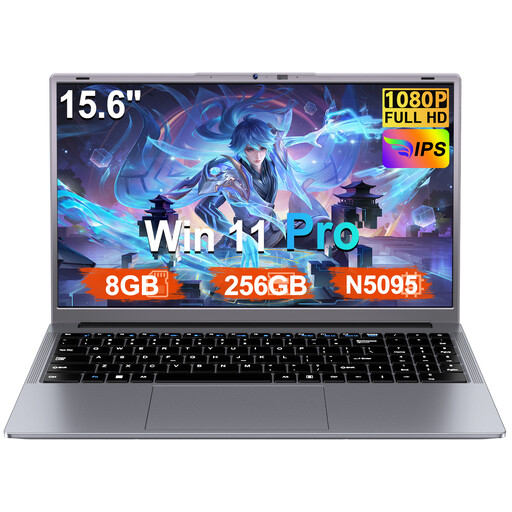
A Windows configuration with a larger display, if you’d prefer more screen space for writing and checking illustrations.
Windows 11 Pro, 8 GB RAM, 256 GB SSD and FHD display. The product title states that the SSD storage can be expanded to up to 1 TB.
 No image available
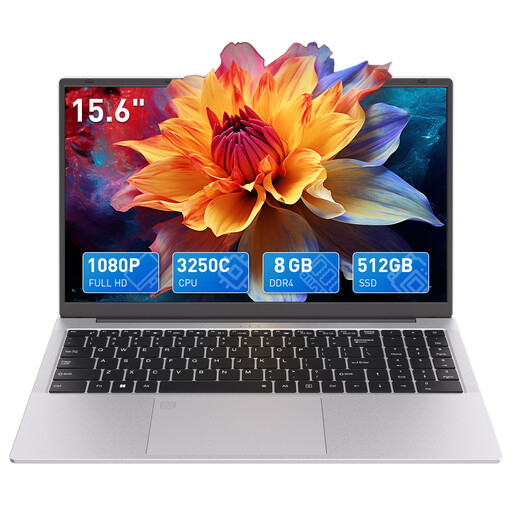
The backlit keyboard mentioned in the product title is a feature to consider if you spend a lot of time typing.
AMD 3250C, 8 GB DDR4 RAM, 512 GB SSD and 15.6-inch FHD display.
 No image available
A macOS option if you want to use the Mac version of Word you need and require a German QWERTZ keyboard.
10-core CPU, 8-core GPU and 13.6-inch display.
A power adapter isn’t included and must be bought separately.
No image available
A macOS option if you want to use the Mac version of Word you need and require a German QWERTZ keyboard.
10-core CPU, 10-core GPU and 13.6-inch display.
A power adapter isn’t included and must be bought separately.
A Chromebook may be enough if Word for the web or suggestions in Google Docs cover your workflow. According to Microsoft Support, you can’t install the Windows or Mac desktop versions of Office on a Chromebook. So test the features you need and file-sharing with a typical document.
In Word, you need to accept or reject changes; ‘No Markup’ only hides them. Then check the file and the PDF you’ve created, and decide whether comments should appear in them.
Yes, if you’ve set up offline access beforehand and the files you need are available offline. Google Docs Help lists requirements including a supported browser, an enabled offline extension and enough storage space on your device.
When you buy as a consumer, your statutory rights are against the seller. EU consumer information sets out a minimum period of two years from receipt of the goods; this is separate from any voluntary manufacturer’s guarantee. This information doesn’t apply to purchases from private individuals.
Electrical and electronic waste shouldn’t go in your household rubbish. The German Environment Agency lists options such as a recycling centre or retailer; removable batteries should be handed in separately where possible.