Start by checking that your writing software and its licences are compatible with the operating system. Then consider the keyboard, screen size and space on your desk. A compact Windows laptop takes up less room, while a larger display gives you more screen space for text and research. A MacBook is a good fit if your software works with macOS. For longer writing sessions, the German Social Accident Insurance recommends using an external keyboard and mouse, and an external monitor where possible.
Which laptop is right for you?
For regular writers with a dedicated desk
If you write or edit for long periods, consider the keyboard layout and typing feel, as well as whether there’s room on your desk for external input devices. For longer work sessions, the German Social Accident Insurance recommends using an external keyboard and mouse, and an external monitor where possible.
For writers who work with lots of research sources
If you often switch between your draft, notes and sources while writing, the built-in screen size can be an important factor. A larger display also takes up more space on your desk.
For writers with an established software workflow
If you want to keep using your existing writing software and documents, check the operating system, licence and backup options before buying. According to Literature & Latte, a Scrivener licence for Windows doesn’t unlock the macOS version.
What should you look for when buying?
First, check that your writing software and existing licence work with the operating system. Then compare the keyboard and screen with your workspace, and plan for external input devices if needed.
| What matters |
What to check before buying |
Who is this important to? |
| Typing comfort |
Check the keyboard layout and typing feel of the specific model; allow space and connections for an external keyboard and mouse. |
If you spend a long time working on a piece of writing, you’ll want to set up the layout and input devices to suit you. Around 33% of consumers prioritise typing comfort. |
| Screen space |
Check the display size and whether its finish is matte or glossy against the space available on your desk; check for monitor connections if needed. |
If you want to read your draft and sources side by side, the available screen space matters. Around 27% of consumers focus mainly on screen space. |
| Software and data backups |
Check that your writing software’s operating system and licence are compatible; set up a storage location, automatic saving and recoverable backups. |
If you want to keep using your existing software, licences and drafts, your workflow needs to suit the device. Around 20% of consumers put this first. |
| Upfront cost and extras |
Compare only models with a suitable operating system, keyboard and screen; factor in the connections, accessories and software licence you’ll need. |
If you want to avoid unnecessary purchases, consider everything you’ll need rather than looking at individual features in isolation. Around 20% of consumers pay particular attention to the upfront cost and any extras they may need. |
Which buying mistakes should you avoid?
-
Judging a laptop on its processor or RAM alone
These specifications alone don’t tell you whether the keyboard is suitable for long writing sessions or whether the laptop will fit comfortably on your desk.
Check the keyboard layout and plan where you’ll position the laptop, including the connections you’ll need, before comparing configurations.
For longer work sessions, the German Social Accident Insurance recommends using a separate keyboard and mouse, and an external monitor where possible. Make sure you have room for them on your desk.
-
Assuming automatic saving is the same as backing up your data
Microsoft describes AutoSave in Microsoft 365 as applying to files on OneDrive or SharePoint. It isn’t a substitute for a separate backup that lets you recover drafts after data loss.
Set up additional backups and check that you can restore your files from them. The German Federal Office for Information Security recommends keeping backups to protect against data loss.
-
Overlooking software licences and what’s included
According to Literature & Latte, a Scrivener licence for Windows doesn’t unlock the macOS version. What’s included can also vary between specific models.
Check the licence terms and what’s included with the exact device you plan to buy.
Switching platforms may mean you need to buy another software licence. With some models, you may also need to purchase accessories separately.
Which brands are worth considering?
Lenovo
The ThinkPad E14 Gen 7 (Intel) 21SX000RGE is a compact Windows option for a desk with limited space.
- Lenovo lists a backlit German keyboard, a matte 14-inch display, 16 GB RAM and a 512 GB SSD for this model.
- These specifications apply to the model listed; they don’t independently demonstrate how comfortable the keyboard is to type on. Try it for yourself.
Acer
The Aspire Go 15 AG15-21P NX.J3DEG.00F is a Windows option with a larger built-in display.
- For this specific model, Acer lists a matte 15.6-inch IPS display, a German keyboard, 16 GB RAM and a 512 GB SSD.
- According to Acer, the keyboard isn’t backlit. The larger chassis takes up more desk space than a compact model.
Apple
The 13-inch MacBook Air with M5 is worth considering if your writing software and licences work with macOS.
- For the base configuration listed, Apple specifies a 13.6-inch display, 16 GB unified memory and a 512 GB SSD.
- Check the connections and what’s included with the specific model. According to the developer, a Windows licence for Scrivener doesn’t unlock the macOS version.
HP
The HP Laptop 15-fd0058ng is another 15.6-inch Windows option suited to mainly desk-based use.
- For model 876Z2EA#ABD, HP lists Windows 11 Home, 16 GB RAM, a 512 GB SSD and a 15.6-inch FHD display.
- These specifications don’t demonstrate any advantage in comfort or performance over the other devices listed here.
Joybuy laptops for writing at home
The Joybuy models below include larger-screen Windows laptops and MacBook Air models for writing and research at your desk.
 No image available
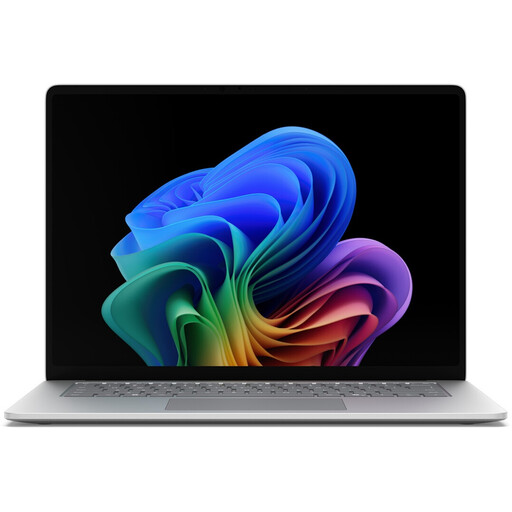
Microsoft Surface for Business, 8th Edition, Intel Core Ultra 5 335
The larger screen size may be useful if you want to work with text and research on the built-in display.
15-inch touchscreen, 3270 × 2180, 120 Hz, Windows 11 Pro, 16 GB RAM, 512 GB SSD, Wi-Fi 7 and German keyboard.
View at Joybuy
 No image available
HONOR MagicBook X16 AMD 2025
The 16-inch model is an option if you prefer a larger screen for writing and research.
AMD R5 6600H, 16 GB RAM, 512 GB SSD and German keyboard; colour: Cloud Gray.
View at Joybuy
 No image available
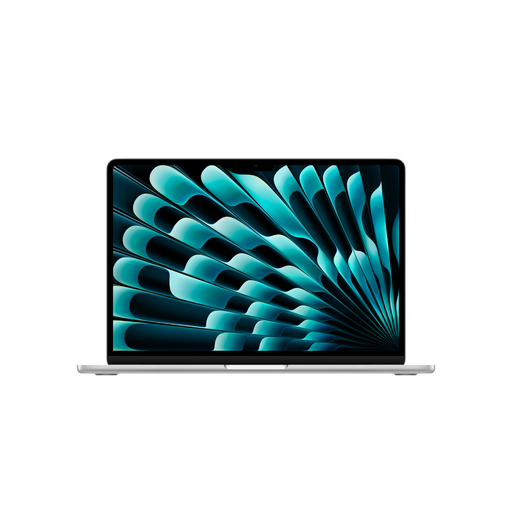
Apple 15-inch MacBook Air with M5, 16 GB, 1 TB SSD
This MacBook Air model is worth considering if your writing software and licences work with macOS.
15.3-inch display, 10-core CPU, 10-core GPU, 16 GB memory, 1 TB SSD and German QWERTZ keyboard; colour: Silver.
According to the product information, a power adapter isn’t included and must be purchased separately.
View at Joybuy
 No image available
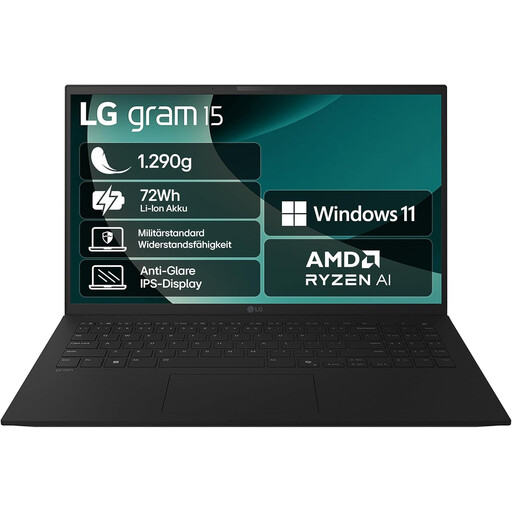
LG Gram Notebook 15-inch, 2025, AMD Ryzen AI 7 350
A 15.6-inch display can give you more screen space for writing and research at your desk.
16 GB RAM, 1 TB dual SSD, AMD Radeon 860M Graphics, Windows 11 Home, Bluetooth 5.3 and Thunderbolt 4.
View at Joybuy
 No image available
Apple 13-inch MacBook Air with M5, 16 GB, 512 GB SSD
The smaller screen size may suit you if you want your laptop to take up less room on your desk and your software works with macOS.
13.6-inch display, 10-core CPU, 8-core GPU, 16 GB memory, 512 GB SSD and German QWERTZ keyboard; colour: Silver.
According to the product information, a power adapter isn’t included and must be purchased separately.
View at Joybuy
Frequently asked questions
What should I change for longer writing sessions on a laptop?
For longer work sessions, the German Social Accident Insurance recommends using an external keyboard and mouse, and an external monitor where possible. This is ergonomic advice, not a blanket requirement to buy extra equipment for personal writing.
Will Word save my short story automatically as soon as I get a new laptop?
No, getting a new laptop doesn’t automatically turn on AutoSave. Microsoft says the feature in Microsoft 365 applies to files on OneDrive or SharePoint. The German Federal Office for Information Security also recommends keeping backups so you can restore your data if it’s lost.
Can I transfer my Scrivener licence from Windows to macOS?
According to the developer, a Scrivener licence bought for Windows doesn’t unlock the macOS version. Check the licence terms and factor in the cost of any additional software you may need before switching operating systems.
What rights do I have when buying a laptop online from a retailer for personal use?
For goods bought from a trader in the EU, EU consumer information states that you’re generally entitled to a minimum two-year legal guarantee from the date you receive the goods. Online purchases generally come with a 14-day right to cancel, subject to legal exceptions; this is separate from any voluntary manufacturer’s warranty. These rules don’t apply in the same way to purchases from private individuals.


