If you carry your laptop around often and mainly use it for writing, prioritise a portable size, a comfortable keyboard and clear information about battery life—not maximum processing power. For a photo diary, the display and storage matter more. Also check whether your software works offline and whether a suitable power adapter is included.
Which device is right for you?
Travellers packing light
If you carry your laptop around often and can’t always count on finding a free power socket in the library, weight and realistic expectations of battery life are important. Apple quotes up to 18 hours for the 13-inch MacBook Air M5. That’s the manufacturer’s figure, not a measurement for a library session.
Writers who type a lot
For longer entries and researching at the same time, a comfortable keyboard and enough usable screen space are key. Lenovo lists a matte 14-inch WUXGA IPS display and a German keyboard for a specific IdeaPad Slim 5i Gen 10 configuration.
Travellers keeping a photo diary
If you regularly add or edit photos, check how much storage you need and the exact display specification. Details for one particular configuration don’t automatically apply to other models in the same range.
What should you look for when buying?
Start by comparing the features that shape your library routine: portability and power, typing comfort, image files, software and what’s included in the box.
| What matters |
What to check before buying |
Who will find this useful? |
| Portability and battery |
Weight of the specific configuration; test conditions for published battery-life figures and whether a power adapter is included. |
If I often carry my laptop and want to write even when there isn’t a free socket, the combination of weight and reliable planning matters to me. Around 29% of consumers are likely to prioritise portability and battery life. |
| Writing and reading |
Keyboard layout; screen size and display finish. |
For long entries and researching at the same time, I want to type comfortably and see the text clearly. Around 29% of consumers are likely to prioritise typing and reading comfort. |
| Photos and files |
Storage needs based on your own photos; SSD capacity and exact display specification. |
If I add or edit photos in my diary, I want to choose storage and a display that suit my files, and plan for a separate backup. Around 21% of consumers are likely to focus on photos and file storage. |
| Software and overall cost |
Compatibility with the programmes you need; offline features, power adapter and what’s included with the specific configuration. |
I want to know that my writing software will work at my library desk and that I won’t need to make unexpected accessory purchases. Around 21% of consumers are likely to prioritise software compatibility and overall cost. |
Buying mistakes to avoid
-
Assuming “up to” means guaranteed writing time
Apple’s claim of up to 18 hours for the MacBook Air M5 isn’t a measured figure for your programmes, display settings or a library session.
Only compare battery-life figures alongside their respective test conditions, and consider whether you’ll be able to charge your laptop where you plan to use it.
-
Assuming a power adapter is included
ASUS explicitly states that no power adapter is included with the Zenbook 14 OLED UX3405CA-QL205W. The MacBook Air M5 listing at Joybuy also says that a power adapter is not included.
Before buying, check what’s included with the exact configuration and what charging power it requires. If a suitable adapter isn’t included, you’ll need to budget for a compatible one separately.
-
Confusing cloud storage with offline access
On Chromebooks, supported Google Drive files can be used offline once set up. Google notes that some apps don’t work offline.
Set up offline access before your library visit, and test your files and programmes without an internet connection.
-
Relying on synchronisation as your only backup
A separate backup provides a different kind of protection from your only working copy. The Federal Office for Information Security covers both backing up and restoring data.
Make a separate backup of your entries, and check from time to time that you can restore a file from it.
Brands to consider
Lenovo
IdeaPad Slim models include documented 14-inch configurations. The features on offer depend on the generation and bundle.
- Lenovo lists the IdeaPad Slim 5 Gen 9 as weighing 1,46 kg. This is a manufacturer’s figure for a different generation from the Slim 5i Gen 10.
- The matte WUXGA IPS display and German keyboard are specified for the particular Slim 5i Gen 10 configuration described; these details don’t necessarily apply to other versions.
Apple
The 13-inch MacBook Air M5 is a compact macOS option, provided the programmes you need are compatible with macOS.
- Apple lists a 13,6-inch display and up to 18 hours of battery life for this model.
- The battery-life figure is from the manufacturer, not a measurement for a library session. For a specific listing, also check the keyboard layout and power adapter.
ASUS
The Zenbook 14 OLED UX3405CA-QL205W is a specific option if you regularly work with images.
- ASUS lists a 14-inch OLED touchscreen, 32 GB RAM and a 1 TB SSD for this configuration.
- According to ASUS, no power adapter is included. These specifications don’t apply to every Zenbook 14.
HP
The Pavilion Aero 13-bg0780ng is a documented 13,3-inch option for frequent travel.
- HP advertises this model as weighing less than 1 kg.
- The weight is a manufacturer’s figure and doesn’t tell you how long the battery lasts in independent tests during library use.
Acer
The Swift Go 14 AI SFG14-75-95TV is a specific 14-inch Windows configuration with an OLED display and a 1 TB SSD.
- For this exact configuration, Acer lists a resolution of 1920 × 1200 pixels, 32 GB RAM and a 1 TB SSD.
- These specifications apply to model number SFG14-75-95TV and don’t indicate what other Swift models offer.
Suitable laptops at Joybuy
The Joybuy models below include compact Windows and macOS laptops, as well as larger devices for writing and managing diary files. For macOS models, check that your writing software is compatible.
 No image available
Microsoft Surface Laptop 8 Core Ultra 5, 24 GB, 1 TB, Platinum
A compact Windows option if you want to write on the go and store diary files locally.
As stated in the product name: 24 GB RAM and 1 TB SSD.
View at Joybuy
 No image available
Ruzava 14-inch laptop, N5095, 8 GB RAM, 256 GB SSD, Red
The 14-inch format is worth considering if you want to balance screen space for writing with the weight of a laptop you’ll carry around.
As stated in the product name: 8 GB RAM, 256 GB SSD and N5095 processor.
View at Joybuy
 No image available
Apple 13-inch MacBook Air M5, 24 GB, 1 TB, Silver, German QWERTZ keyboard layout
A compact option for writing on the go, provided the software you need is compatible with macOS.
As stated in the product name: 24 GB RAM, 1 TB SSD and German QWERTZ keyboard layout. The product description says that no power adapter is included.
View at Joybuy
 No image available
Apple 13-inch MacBook Neo A18 Pro, 8 GB, 256 GB, Silver, German QWERTZ keyboard layout
A compact macOS option for travelling, as long as your writing software works with the operating system.
As stated in the product name: 8 GB RAM, 256 GB SSD and German QWERTZ keyboard layout. The product description quotes up to 11 hours of wireless web browsing as a manufacturer’s figure and doesn’t list a power adapter.
View at Joybuy
 No image available
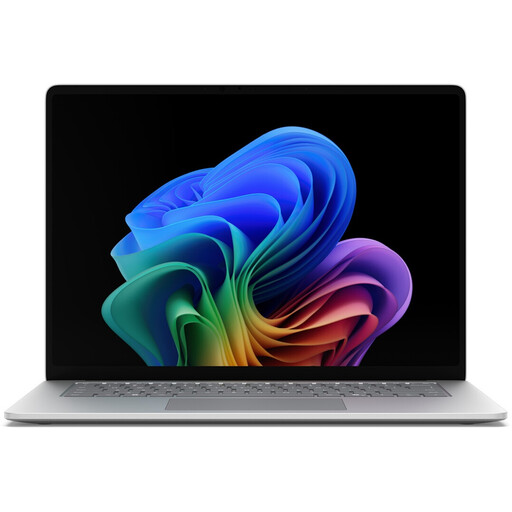
Microsoft Surface for Business, 8th Edition, Core Ultra 5, 16 GB, 512 GB, 15 inch, Platinum
The larger format could be a good fit if screen space for reading matters more to you than keeping the weight of your travel bag to a minimum.
As stated in the product name: 16 GB RAM, 512 GB SSD and a 15-inch touchscreen. The product lists a weight of 1,67 kg and up to 14 hours of battery life. These are product claims, not independent measurements for a library session.
View at Joybuy
Frequently asked questions
Can I work on my diary without the library’s Wi-Fi?
Yes, if you set up the files and programmes you need for offline use beforehand. On Chromebooks, supported Google Drive files can be used offline; Google notes that some apps don’t work offline. Test your workflow before your library visit.
How can I protect my diary entries from data loss?
As well as keeping your working copy, make a separate backup and check that you can restore files from it. The Federal Office for Information Security covers backups and recovery together; the guidance cited there is aimed at organisations and doesn’t establish a legal requirement for personal diaries.
How long do I have to cancel an online laptop order in Germany?
Consumers generally have a right to cancel a standard distance purchase; Section 355 of the German Civil Code (BGB) sets a 14-day period. When the period starts and what exceptions apply depend on the contract. You must notify the seller that you wish to cancel.
Is a manufacturer’s warranty the same as your statutory rights?
No. According to information from the European Union, when you buy goods from a trader, you generally have a legal guarantee of at least two years from the date you receive them. The seller is responsible for this. Any additional manufacturer’s warranty doesn’t replace that right.


