When you’re writing a play in the library, a comfortable keyboard, a clear display and suitable power for your particular workspace matter more than maximum processing power. If you want to use Final Draft 13, your operating system and processor must meet the software’s requirements; other writing programmes have their own requirements. Manufacturers’ battery-life figures are based on specific test scenarios and don’t guarantee how long you’ll be able to write for.
Which priorities suit different writers?
Writers who spend hours in the reading room
If you spend a long time working on dialogue and stage directions, try the keyboard layout and feel for yourself. SLUB Dresden describes both quiet study areas and rooms for discussion, so how noisy your device is still matters in the space you choose.
Writers without a guaranteed power socket
If you move between spaces or plan to work for a long session, check the battery life, charger and facilities at the library desk you’ll be using. SLUB Dresden’s study-space overview also highlights the need to check whether there’s a socket at your particular desk.
Writers with a specific submission format
If you need a particular programme or an agreed manuscript format, check the requirements before buying a laptop. Final Draft Support lists play templates, but recommends confirming the required format with the recipient if necessary.
What should you look for when buying?
First, check which writing programme and submission format you need. Then compare keyboards and displays to suit the way you write, and find out whether you’ll need a power socket at your library desk.
| Priority |
What to look for when buying |
Who is this most relevant to? |
| Long, uninterrupted typing |
Check for a German keyboard layout and key arrangement; try the typing feel and listen to how noisy it is. |
If I write lots of dialogue, I want to judge the key layout and noise level in the reading room for myself; around 33% of consumers put uninterrupted typing first. |
| Working without a power socket |
Check for a socket at your particular desk, whether a charger is included and how long the battery lasts with your writing programme. |
If I move desks or plan a longer session, I don’t want to rely on a socket without checking first; around 27% of consumers prioritise battery life. |
| Software and submission format |
Check the required format and the programme, operating system and processor requirements before buying. |
If I write or submit a play using a particular programme, my device needs to meet the requirements; around 20% of consumers consider format compatibility their main priority. |
| Total cost |
Factor in the writing programme you need and accessories such as a charger, which may not be included. |
If I only want to pay for features I actually need, I check what’s included and what software I’ll need together; around 20% of consumers focus primarily on the total cost. |
Which buying mistakes should you avoid?
-
Assuming advertised battery hours guarantee writing time
Apple gives test figures for video streaming and wireless browsing for the MacBook Air. These activities don’t show how long your writing programme will run with your settings.
Compare battery-life figures only with the relevant test scenario, and check whether there’s a power socket at your library desk.
-
Choosing your writing programme after buying a laptop
According to Final Draft Support, Final Draft 13 doesn’t support Chromebooks or Linux. A play template also doesn’t automatically tell you which format the recipient requires.
Before buying, check the requirements of the programme you want to use and ask the recipient which manuscript format you need.
-
Confusing what’s included and the warranty with your statutory rights
A charger may not be included, depending on the offer. A voluntary warranty is also different from your statutory rights against the seller.
Check what’s included on the product page for the specific offer, and read the warranty terms separately from your statutory rights.
Brands to consider
Lenovo
The ThinkPad E14 Gen 7 may appeal to writers looking for a German keyboard and a matte 14-inch display. These details apply to configuration 21T0CTO1WWDE5.
- For this configuration, Lenovo lists a backlit German keyboard and a matte WUXGA IPS display.
- These specifications don’t tell you how the keyboard feels, whether the keys are quiet, how much noise the fan makes or how long the battery lasts while writing.
Apple
The 13-inch MacBook Air with M5 is a compact macOS option if you need to work without a reliably available power socket.
- Apple quotes up to 18 hours of video streaming and up to 15 hours of wireless browsing. These manufacturer figures aren’t based on writing a play.
- The Joybuy listing checked for the MacBook Air M5 in Midnight says that a charger isn’t included; check what comes with the specific offer.
HP
The ProBook 4 G1a 14 may suit you if you want to use several built-in ports as well as working with text. These details apply to AD2M8ET#ABD.
- For this configuration, HP lists a 14-inch WUXGA display, HDMI, USB-A, two USB-C ports and an included charger.
- The ports don’t mean the laptop is especially quiet or better suited to writing.
Laptops for writing in the library
This Joybuy selection includes laptops for general writing, with a range of display sizes, processors and features. Before buying, check that the specific configuration suits your writing programme, space requirements and library use.
 No image available
Acer TravelMate TMP216-41-TCO, 16-inch, Ryzen 3 PRO 7335U
The 16-inch display gives you more room to view text if you prefer to work on manuscript pages with a larger screen.
16-inch WUXGA display, AMD Ryzen 3 PRO 7335U, 16 GB DDR5 and 512 GB SSD.
Windows 11 Pro Education is listed in the product name; check that it’s compatible with your writing programme.
View at Joybuy
 No image available
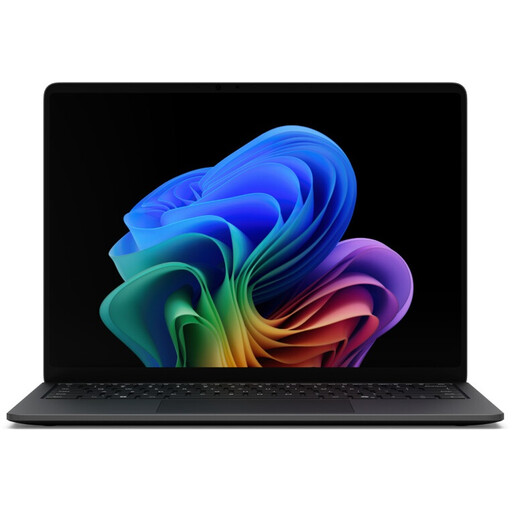
Microsoft Surface Laptop 8, Core Ultra 5, 16 GB, 512 GB, Black
The compact display may suit manuscript work if you prefer a 13.8-inch touchscreen with a 3:2 aspect ratio.
13.8-inch 3:2 touchscreen, Core Ultra 5, 16 GB RAM and 512 GB SSD.
Windows 11 Pro is listed in the product description.
View at Joybuy
 No image available
Microsoft Surface Laptop 7, Snapdragon X Plus, 16 GB, 512 GB, Black
If you’re looking for a compact touchscreen for manuscript work, the 13.8-inch format is a good starting point to consider.
13.8-inch 3:2 touchscreen, Snapdragon X Plus, 16 GB RAM and 512 GB SSD.
Windows 11 Professional is listed in the product description; check it against your software requirements.
View at Joybuy
 No image available
Auusda T156A, AMD 3050e, 16 GB DDR4, 512 GB SSD
A backlit keyboard may be useful for longer writing sessions in different lighting conditions; try the typing feel for yourself.
FHD IPS display, 16 GB DDR4, 512 GB SSD and backlit keyboard.
The description also lists a full-size keyboard with a separate number pad.
View at Joybuy
 No image available
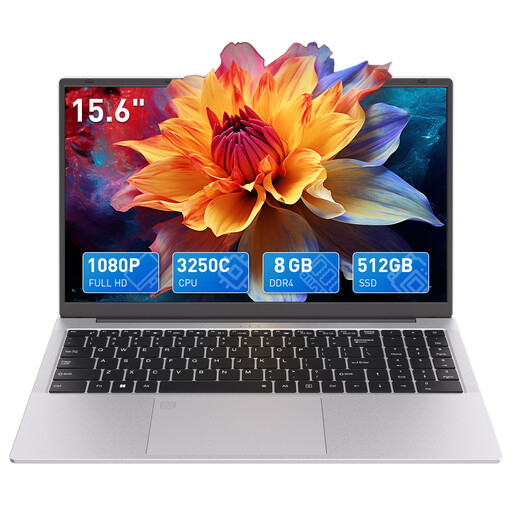
Auusda T156A, AMD 3250C, 8 GB DDR4, 512 GB SSD
The 15.6-inch FHD display and backlit keyboard are useful features to consider if you want a larger text view and illuminated keys.
AMD 3250C, 8 GB DDR4, 512 GB SSD, 15.6-inch FHD display and backlit keyboard.
The product description lists a keyboard with a number pad; check that the specific software is compatible with the features and operating system.
View at Joybuy
Frequently asked questions
Do I need special screenwriting software to write a play?
No. What matters is the format you need to create or submit. Final Draft offers play templates, and Final Draft Support recommends checking the recipient’s requirements if necessary.
Does Final Draft 13 run on a Chromebook?
No. According to Final Draft Support, Final Draft 13 isn’t supported on Chromebooks or Linux. The listed requirements are macOS 12 or later, or Windows 10 or later with an Intel or AMD processor. These requirements apply to the programme, not to all laptops used for writing.
What should I set up before my first library session?
Install your writing programme, test a document in the format you need and set up a file backup. The Document Foundation recommends backing up your system and data before installing software; also check the power-socket information for the specific library you’ll be using.
What are my rights when buying online as a private customer in Germany?
Where the statutory right to cancel applies, the period under § 355 BGB is generally 14 days; when it starts and any exceptions depend on the contract. For ordinary claims relating to defects, § 438 BGB generally sets a period of two years from delivery. Your statutory rights against the seller are separate from any voluntary warranty.


