Choose a laptop to suit the way you work. For writing for long periods while you’re out and about, the right operating system and a portable format are important. If you regularly compare images, look at the usable screen space and the specifications of the exact display variant. Also check the ports, file backup and encryption. Manufacturer claims about battery life or security features don’t replace checking your own needs and settings.
Which features are useful for different users?
Prolific writers working with image sources
If you write longer pieces and keep reference images or sources open alongside your work, look for a suitable keyboard, a screen that works well for your workflow and enough storage for your files. Lenovo lists a backlit German keyboard for the ThinkPad E14 Gen 7 21SX000RGE, while Apple and HP provide specific display and storage details for their respective configurations.
Authors who research on the move
If you regularly change where you work, you’ll need to balance your preferred screen size against portability. Apple quotes a maximum battery life of up to 18 hours for the MacBook Air in question. This is a manufacturer’s claim, not a guarantee of how long it will last while you write and research images.
Authors with sensitive files
If you store unpublished drafts or image files that could identify people, plan for encryption and recoverable backups. The German Federal Office for Information Security explains how encryption can help prevent unauthorised access if a device is lost, while backups support recovery.
What should you look for when buying?
First decide whether your priority is space for writing and research, assessing images, protecting your files or working on the move with the devices you already own.
| Priority |
What to look for when buying |
Who it matters most to |
| Space for writing and research |
Compare the keyboard layout, screen size and resolution. Check whether you often use a second monitor. |
If you write long pieces and keep reference images open alongside them, you need a workspace that suits your eyesight and working habits. Around 31% of consumers put space for writing and research first. |
| Assessing reference images |
Check the brightness and screen finish. If colour accuracy matters for your work, check the colour gamut specified for the exact display variant. |
If you need to assess fine image details or colours, compare the display specifications for the exact model. Around 23% of consumers put image viewing first. |
| Protecting and recovering files |
Find out how to set up and check drive encryption, and how to restore separate backups. |
If you need to prevent drafts or image files from being lost or accessed if your device goes missing, plan for protection and backups separately. Around 23% of consumers prioritise file security. |
| Portability and ports |
Check the ports and what’s included against your monitor, existing devices and charging accessories. |
If you work in different locations and want to connect your existing devices directly, consider portability and suitable ports. Around 23% of consumers make portability and ports their top priority. |
Avoiding common buying mistakes
-
Assuming the maximum claimed battery life is how long you can write for
A claim such as “up to 18 hours” from Apple isn’t a measure of how long the battery will last in everyday use with documents and images open.
Treat battery life as a manufacturer’s claim. Check your needs for working on the move and any charging accessories you’ll need separately.
-
Assuming every configuration in a model range is the same
Display and storage specifications apply to the particular variant. Lenovo explicitly lists 45% NTSC for the ThinkPad E14 Gen 7 21SX000RGE; you can’t automatically apply this specification to other configurations.
Check the full model number, display and storage for the specific product you’re considering.
-
Confusing security claims with file protection that’s already set up
A laptop advertised as secure doesn’t prove that your files are encrypted or backed up. The German Federal Office for Information Security treats encryption and data backups as measures with different purposes.
Decide how you’ll check encryption and recover important files.
-
Leaving ports and included accessories until after you buy
Ports and included accessories can vary depending on the specific model and offer.
Check the port layout against your monitor and devices, and confirm whether a charger is included.
Depending on the offer, extra power supply or connection accessories could make your workflow more complicated.
Relevant brands at a glance
Apple
If the writing and image software you use runs on macOS, the MacBook Air with M5 featured here could be a compact 13.6-inch option.
- Apple lists 16 GB of unified memory and a 512-GB SSD for this configuration. The display is specified as 2560 × 1664 pixels, P3 and 500 nits.
- The “up to 18 hours” figure is a manufacturer’s claim, not a guaranteed writing time. Check software compatibility, ports and the accessories you need for the exact variant.
Lenovo
The ThinkPad E14 Gen 7 21SX000RGE is a Windows option to compare if you’re looking for a matt 14-inch display and a German keyboard.
- For this exact product number, Lenovo lists Windows 11 Pro, 16 GB RAM and a 512-GB SSD.
- Lenovo specifies 45% NTSC and 300 cd/m² for this variant’s display. Check the display specifications if assessing image colours matters to you; other E14 configurations won’t necessarily have the same features.
HP
The ProBook 4 G1a 14 CB4M5EA#ABD is a business configuration to compare for Windows 11 Pro, storage and built-in ports.
- HP lists a 1-TB SSD, HDMI, USB-A and two USB-C ports for this variant. HP states that a power supply is included.
- Manufacturer claims about security features don’t prove that your files are already encrypted or backed up. Check the settings yourself.
Related products at Joybuy
The Joybuy laptops below are suited to writing and viewing reference images side by side. They vary in screen size and design, among other things, so check each configuration against your software and workflow.
 No image available
Lenovo Yoga Slim 7i Aura Edition 14" 2.8K OLED, Core Ultra 7 355, 16 GB/1 TB SSD, Win11 Evo
The 14-inch format is worth considering if you write longer pieces and keep reference images open alongside them.
Specifications in the product name: 2.8K OLED, Core Ultra 7 355, 16 GB RAM, 1 TB SSD and Win11 Evo.
View at Joybuy
 No image available
Lenovo ThinkPad E16 Gen 3 21ST, AMD Ryzen 7 250, 32 GB RAM, 1 TB SSD
The 16-inch format could be useful for writing longer pieces and viewing content side by side. Bear it in mind if you work in different locations.
Specifications in the product name: AMD Ryzen 7 250 at 3.3 GHz, Windows 11 Pro, Radeon 780M, 32 GB RAM and 1 TB SSD. The display is listed as 45% NTSC.
View at Joybuy
 No image available
HP OmniBook Ultra Flip 14-fh0670ng, 14-inch 2-in-1 touchscreen
If you’re considering a 2-in-1 for writing and viewing images, check that this type of device suits the way you work.
Specifications in the product name: Intel Core Ultra 7 258V, 32 GB RAM, 1 TB SSD, 2.8K OLED and Windows 11 Home.
View at Joybuy
 No image available
Apple 15-Inch MacBook Air (M5, 2026), 10-Core CPU, 10-Core GPU, 16 GB, 512 GB SSD, Midnight, German QWERTZ keyboard layout
The 15-inch format is worth considering if you’d like a larger screen for writing and viewing reference images.
Specifications in the product name: M5, 10-Core CPU, 10-Core GPU, 16 GB and 512 GB SSD. The listing states that no power supply is included; check whether you need a compatible USB-C power supply.
View at Joybuy
 No image available
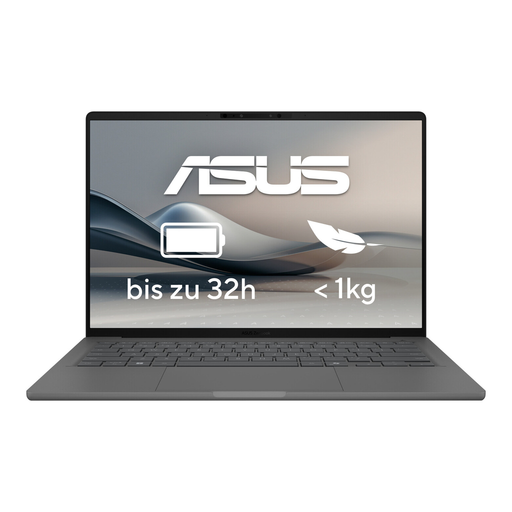
ASUS Zenbook A14 OLED UX3407RA-QD011W
This Zenbook is a relevant option for writing and working with reference images; the model name identifies it as an OLED variant.
View at Joybuy
Frequently asked questions
Do I need a particular graphics card for reference images?
Writing and viewing images alone doesn’t mean you need a particular graphics card. What matters is the image software you use and the kind of editing you do. Check the software requirements before buying.
How should I set up my laptop for drafts and sensitive images?
Plan to encrypt stored files and keep separate backups. The German Federal Office for Information Security explains that encryption can help prevent unauthorised access if a laptop is lost, while backups can help you recover files after data loss.
What are the rules on consumer guarantees and online cancellations in Germany?
According to consumer information from the European Union, when you buy as a consumer, the seller is legally responsible for a minimum two-year guarantee from the date you receive the goods. For eligible online distance sales, you generally have a 14-day right to cancel. Check the terms of your specific purchase, and distinguish the statutory guarantee from a voluntary manufacturer’s warranty.
Can I publish other people’s photos or images showing identifiable individuals?
Buying a laptop doesn’t give you the right to publish images. German copyright law also protects photographs; processing personal data also requires an applicable legal basis under Article 6 of the GDPR. Whether a particular image can be published depends on factors including image rights, content and intended use.


