Prolific writers
If you write and edit long passages, choose a keyboard layout and display that suit the way you work. Lenovo Germany lists a backlit German keyboard and a matt 14-inch display for the ThinkPad E14 configuration 21SX000RGE.


Start by choosing a keyboard and display that make writing and editing comfortable, then check the space available, the ports and your writing software. A compact Windows laptop and a MacBook Air differ in their operating systems and ports; a convertible is worth considering mainly if you’ll actually use the touchscreen to annotate drafts. Back up your writing and lock your device whenever you leave the desk.
If you write and edit long passages, choose a keyboard layout and display that suit the way you work. Lenovo Germany lists a backlit German keyboard and a matt 14-inch display for the ThinkPad E14 configuration 21SX000RGE.
If you often put your laptop away or share your desk with others, the right dimensions, a device lock and a reliable routine for saving and backing up your work all matter. Microsoft Support explains how to lock devices and automatically save certain Word files.
If you regularly annotate passages using touch, check whether a stylus is included or needs to be bought separately. Acer Store Germany lists a 14-inch touchscreen for the Aspire Go Spin 14 NX.J3UEG.008; this variant does not include a stylus.
A good fit if: You need Windows programmes or prefer a German keyboard and a matt 14-inch display. Lenovo Germany lists these features for the ThinkPad E14 configuration 21SX000RGE.
Keep in mind: Specifications can vary between configurations. If possible, try the specific device to assess the typing feel and keyboard noise.
A good fit if: Your writing software runs on macOS and the compact size suits your workspace. Apple lists a 13.6-inch display and two Thunderbolt 4 ports for the MacBook Air with M5.
Keep in mind: Check whether your existing devices need adapters. Apple’s stated battery life is based on specific test conditions and isn’t a guarantee of how long you can write for.
A good fit if: You regularly want to edit drafts using touch. Acer lists a 14-inch touchscreen for the Aspire Go Spin 14 NX.J3UEG.008.
Keep in mind: This variant doesn’t include a stylus and its keyboard isn’t backlit. If you’re only typing, touch functionality isn’t a necessary advantage.
| What matters to you | What to look for | Who is it especially relevant to? |
|---|---|---|
| Keyboard and screen space | Try the keyboard layout and typing feel for yourself; compare the display size and finish with the lighting at your workspace. | If I’m writing longer passages, I want to type comfortably and read my text clearly. Around 33 % of consumers put writing comfort first. |
| Desk space and storage | Compare the actual dimensions with the space available and check whether there are enough ports for your devices. | If I share a desk with others, I want my laptop to be easy to set up and put away. Around 27 % of consumers say limited workspace is their main concern. |
| Saving and protecting drafts | Check the device lock, storage location and save status; make an additional copy of your writing. | If other people use the same space, I want to restrict access to my device and make sure I don’t lose my story. Around 20 % of consumers put protecting and saving drafts first. |
| Features you need | Check that the writing software, touchscreen needs, included accessories and any adapters fit the way you actually work. | If I mainly type, I don’t want to plan for features or accessories I don’t need. Around 20 % of consumers put having the right features for their needs first. |
The display’s size and resolution don’t tell you whether the keyboard will feel comfortable or whether the screen will be easy to read at your workspace.
If possible, try the keyboard layout and typing feel for yourself, and compare display finishes in similar lighting.
Acer states that the Aspire Go Spin 14 NX.J3UEG.008 doesn’t include a stylus.
Check what’s included with the specific variant and choose touchscreen features only if they suit the way you write.
If you need a stylus for annotating, you may need to buy an extra accessory.
A voluntary guarantee and your statutory rights against the seller if goods are faulty are two different things.
Keep your proof of purchase and check the guarantee terms separately from your statutory rights. Your Europe, the European Union’s information portal, explains the rights that apply to goods bought in the EU.
The ThinkPad E14 is a Windows option; the specific features listed apply to variant 21SX000RGE.
The MacBook Air with M5 is a macOS option if it works with your writing software and other devices.
The Aspire Go Spin 14 could be a good fit if you want to edit drafts on a touchscreen.
The ProBook range offers Windows business laptops to compare against the programmes you need and the features you want.
This selection includes laptops with different operating systems and screen sizes. Choose based on the desk space available, the writing software you use and whether you need touchscreen functionality.
 No image available
A compact display option if you use touch and Windows 11 Pro works with your writing software.
11.6-inch display; 360° touchscreen; Intel® Pentium® Gold 6500Y; 8 GB RAM; 256 GB SSD; Windows 11 Pro.
 No image available
A compact macOS option if your writing software is compatible and the ports suit your devices.
13.6-inch display; backlit German QWERTZ keyboard; 16 GB memory; 512 GB SSD; two Thunderbolt 4 ports; 1.23 kg.
A power adapter isn’t included and must be purchased separately.
 No image available
A 13-inch macOS option if the German keyboard and the ports you need suit your workspace.
German QWERTZ keyboard; A18 Pro with 6-core CPU and 5-core GPU; 8 GB memory; 512 GB SSD; Touch ID.
A USB-C power adapter isn’t included. Charging requires a USB-C power source of at least 20 W.
 No image available
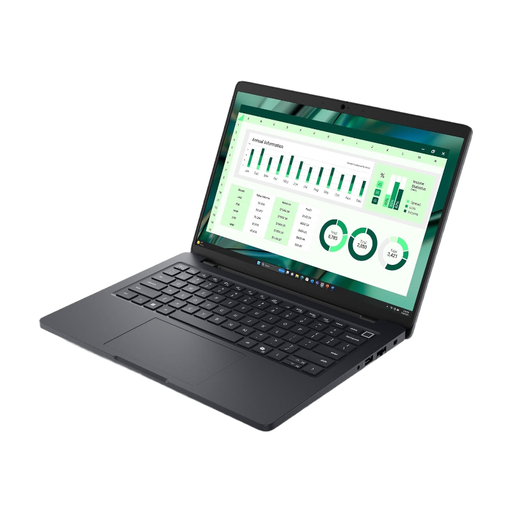
A Windows option with a 14-inch display. Check whether the stated weight is suitable if you’ll often be putting it away.
14-inch FHD+ display; Windows 11 Pro; 16 GB RAM; 512 GB SSD; backlit keyboard; stated weight: 2.94 kg.
 No image available
A larger screen for text could be a good fit if there’s enough space at the shared desk.
AMD Ryzen 3 PRO 7335U; 16 GB DDR5; 512 GB SSD; AMD Radeon 660M; Windows 11 Pro Education; 1.80 kg; 359.3 × 261.0 × 19.95 mm.
The 16-inch display is likely to take up more desk space than a smaller display option.
Set up a device lock with a secure password and lock your laptop whenever you leave your desk. Microsoft Support recommends locking Windows devices and Macs; this doesn’t replace keeping a backup copy of your writing.
Only rely on this if the feature applies to where your file is saved. Microsoft Support describes AutoSave for documents in OneDrive or SharePoint libraries, so check the file’s location and displayed save status.
For qualifying distance purchases, Your Europe, the European Union’s information portal, generally lists a 14-day right to cancel. If goods are faulty, you have a statutory guarantee of at least two years from receipt against the seller; a voluntary manufacturer’s guarantee doesn’t replace it. The terms and any exceptions in your specific contract apply.
For products covered by relevant EU harmonisation rules, the Federal Network Agency states that CE marking is a declaration by the manufacturer, not an independent quality mark. Take end-of-life electrical equipment to an authorised collection or return point. The Federal Ministry for the Environment provides information on disposing of waste electrical equipment.