Train travellers who write a lot
If you write longer sections of a speech during your journey, consider the keyboard and readable screen area alongside the space available at your seat.


For writing longer speeches on the train, a comfortable keyboard and a format that suits your usual seat are important. Then weigh up carry weight, battery life and the ports you need. Train Wi-Fi and power sockets aren’t always reliable, so keep your draft available offline and compare specific configurations rather than relying on manufacturers’ maximum battery-life claims.
If you write longer sections of a speech during your journey, consider the keyboard and readable screen area alongside the space available at your seat.
If you carry your laptop around frequently, weight and size may matter more than extra features. A built-in keyboard will still be part of your choice.
If the train’s Wi-Fi is unreliable, you should be able to open and edit your draft without an internet connection. Microsoft explains how to access files offline once they have been synced.
| What to look for | What to consider | Who it matters most to |
|---|---|---|
| Comfortable typing at your seat | Check the keyboard layout and typing feel. Compare the laptop’s dimensions with the space where you usually write. | When I’m writing longer passages, I want to type comfortably and read my text easily. Around 31% of consumers prioritise typing comfort at their seat. |
| Weight and footprint | Compare the weight and dimensions of the exact configuration, including the power adapter you plan to take with you. | When I change trains often, I want to be able to carry my laptop easily and fit it at my seat. Around 25% of consumers prioritise low travel weight and a compact footprint. |
| Working without your own power socket | Read the conditions attached to the manufacturer’s battery-life claims, and check the charging port and what’s included with the specific version. | If I don’t have my own power socket during the journey, I want to be able to plan my writing session properly. Around 25% of consumers prioritise battery use without access to their own power socket. |
| Offline access to your speech | Make the file available locally before your journey and check that you can open and save it without a connection. | If the Wi-Fi stops working during my journey, I still want to be able to edit my draft. Around 19% of consumers prioritise offline access to their speech. |
Manufacturers’ claims may be based on different usage scenarios. For example, Apple lists separate battery-life figures for video streaming and wireless browsing on the MacBook Air M5.
Read the test conditions and allow some extra battery time for your journey, rather than relying only on the highest number of hours quoted.
According to Deutsche Bahn, internet speeds on ICE trains depend in part on the connection to mobile networks and the number of other passengers.
Make your speech draft available locally before you travel, and check that you can open it offline and sync it later.
Features and what’s included can vary between versions. The described Dell 14 Plus configuration does not include a charger.
Check the exact model number, features and what’s included with the specific offer.
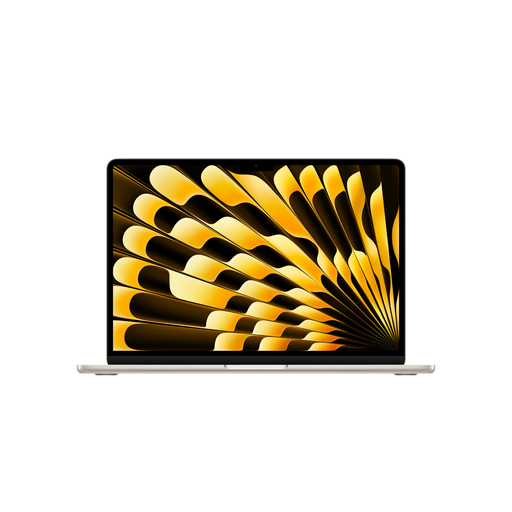
The MacBook Air is a classic macOS option for anyone looking for a compact laptop with a built-in keyboard.
The ThinkPad X1 Carbon Gen 13 is aimed at frequent travellers looking for a lightweight 14-inch business laptop with a built-in keyboard.
The OmniBook Ultra Flip 14 is a convertible option for writers who would also like to use touch or a pen to make notes.
The Dell 14 Plus DB14250 is a Windows option with a 14-inch screen; the configurations on offer vary in memory and features.
The Zenbook 14 OLED UX3405 is a classic 14-inch alternative. This assessment is based on the model tested, not all Zenbooks or versions currently on sale.
This selection features compact, traditional laptops for writing on the go, with built-in keyboards.
 No image available
A good option if you’re looking for a 14-inch laptop for writing longer passages; the product listing specifies a backlit keyboard with a German layout.
Display: 14-inch, 2.8K OLED. Memory: 16 GB. SSD: 1 TB.
 No image available
An option for anyone who prefers a 14-inch laptop with a built-in keyboard for writing on the go.
Display: 14-inch, 3K OLED. Memory: 16 GB. SSD: 1 TB.
 No image available
The 13.6-inch format may suit you if you’re looking for a German QWERTZ keyboard and a more compact display for writing.
Memory: 24 GB. SSD: 1 TB. If you’ll need to charge it on the go, remember to allow for a suitable power adapter.
 No image available
A 14-inch option for writing longer passages if you’re looking for a built-in keyboard and an OLED display.
Memory: 16 GB. SSD: 1 TB.
 No image available
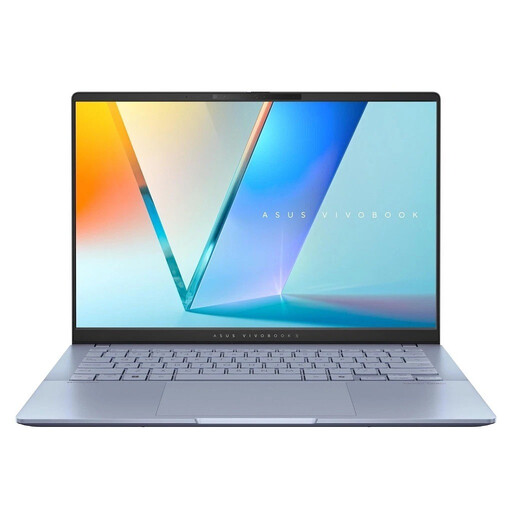
An option if you write longer passages on the go and want a compact laptop with a backlit keyboard.
Display: 14-inch, WUXGA OLED. Memory: 16 GB. SSD: 1 TB.
Yes, as long as the file and the application you need are set up for offline use before your journey. Microsoft explains how to access synced files offline. Before you set off, check that you can open and save your specific draft without a connection.
No, not as a general rule. Deutsche Bahn says there is one power socket per pair of seats in second class, and only selected train series have one socket per seat. You can’t assume that other types of train have the same facilities.
The Federal Office for Information Security recommends not sending confidential data over public Wi-Fi without protection. It suggests local encryption or a VPN as ways to protect it. This is security advice, not a requirement when buying every laptop.
A distance-selling contract generally comes with a statutory right of withdrawal, subject to legal exceptions, such as for certain made-to-order goods. The standard withdrawal period is 14 days and, for an ordinary purchase of goods, generally starts when you receive them. Your statutory rights against the seller in respect of faulty goods are separate from any voluntary guarantee.
It depends on the specific offer: the described Dell 14 Plus configuration does not include a charger, while the HP OmniBook Ultra Flip configuration mentioned includes a power adapter. Check what’s included and the charging power required for the exact version.