Writing at your desk
If you’re editing longer chapters in your student room, you’ll want to be able to read your draft and sources clearly and type comfortably. Choose a laptop to suit your actual workspace and the writing software you use.


If you’ll mainly be editing chapters in your student room and want to keep your sources open alongside them, start by comparing the keyboard, usable screen space and compatibility with your writing software. You won’t necessarily need high-end graphics performance for this. If you often take your laptop with you or manage lots of travel photos, weight, ports and storage become more important. Check the exact configuration and plan a separate backup for your manuscript.
If you’re editing longer chapters in your student room, you’ll want to be able to read your draft and sources clearly and type comfortably. Choose a laptop to suit your actual workspace and the writing software you use.
If you’re organising your own photos, check before buying how files from your camera or memory card will transfer to the laptop, and where you’ll keep your manuscript and backups. Lenovo lists an SD card reader for model 83K7008VGE. You should plan how to protect important files independently of your device.
If you regularly take your manuscript with you, you’ll need to weigh up a more compact device against screen space and ports. Compare battery life claims only in light of the manufacturer’s stated usage conditions.
Your workspace, the software you need and how you handle photos are the main things to consider. The three options below differ in areas such as display, operating system and the accessories you may need.
A good fit if: you mainly write in your room, want to see your draft and sources on the built-in display, and use existing Windows programmes.
The trade-off: A larger device takes up more room on your desk and in your bag. Specifications can vary between exact model configurations.
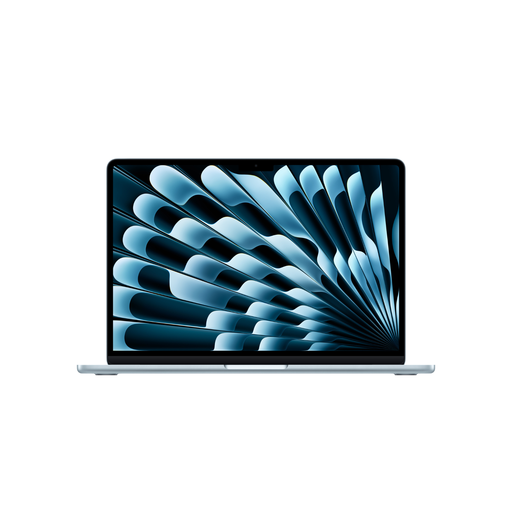
A good fit if: you often change where you write, the software you need works with macOS and the smaller built-in display is large enough for you.
The trade-off: Apple lists two Thunderbolt 4/USB-C ports on the 13-inch MacBook Air with M5. You may need additional accessories for existing USB-A devices or SD cards.
A good fit if: keeping the upfront cost down is your priority and you check the operating system, memory, storage and what’s included separately.
The trade-off: HP lists FreeDOS 3.0 and a separately available power adapter for the HP 15-fd1750ngx. These details don’t automatically apply to other HP 15 models.
| Buying priority | What should you look for? | Who should pay particular attention? |
|---|---|---|
| Screen and keyboard | Check the display size, resolution and finish against the space on your desk. If possible, try the keyboard on the exact model you’re considering. Lenovo lists a matte 15.3-inch display and a backlit German keyboard for model 83K7008VGE. | When I’m editing long chapters, I want to read and type comfortably at my desk. Around 33 % of consumers prioritise a suitable writing setup. |
| Writing software and operating system | Check the system requirements for the writing programme you actually use, then confirm the operating system and any accessories you’ll need for the exact configuration. HP describes model 15-fd1750ngx as running FreeDOS 3.0. | If my manuscript depends on a particular programme or file format, I first check that it works with the operating system I’ve chosen. Around 25 % of consumers put software compatibility first. |
| Photos and file backups | Check that the ports or card reader work with your camera and memory card, and consider how much space your files will need. The German Federal Office for Information Security recommends regularly backing up important files. | If I’m managing travel photos alongside my manuscript, I want to transfer them easily and avoid keeping them only on my laptop. Around 25 % of consumers prioritise image files and backing them up. |
| Portability and screen space | Weigh up the dimensions and weight of the exact model against your preferred screen size. Apple’s battery life figures distinguish between activities such as video streaming and wireless browsing; they aren’t a guarantee of writing time. | If I often move between my room and other places to write, a laptop that’s easy to carry matters more to me than having the largest possible built-in screen. Around 17 % of consumers consider portability their top priority. |
Apple gives separate battery life figures for video streaming and wireless browsing on the 13-inch MacBook Air with M5. These don’t directly tell you how long the battery will last during your own writing and research routine.
Only compare battery figures when the test conditions are clear, and think about how often you’ll actually work away from a power socket.
HP describes model 15-fd1750ngx as running FreeDOS 3.0, and the power adapter is available separately. If you need Windows or a power adapter, factor in buying them separately.
Before ordering, check the full model numbers and find out what else you’ll need to get a laptop ready for writing.
Recovery information within an application isn’t the same as a separate backup of your manuscript files and travel photos. The German Federal Office for Information Security recommends regularly backing up important files.
Keep a separate backup in addition to your laptop, and update it regularly.
The IdeaPad Slim 3 15ARP10, 83K7008VGE, is a specific Windows option for viewing your manuscript and sources on the built-in display.
The 13-inch MacBook Air with M5 is a macOS option if the software you need is compatible and you’re happy with a more compact built-in display.
The HP 15 range includes different configurations and items in the box, so the full model number matters when comparing options.
This selection includes laptops for writing at a desk and in different locations. Some configurations list storage specifications that may be relevant when managing your own travel photos.
 No image available
The listed 512 GB SSD is relevant for manuscript files and your own photos. Whether it offers enough space depends on your file archive.
Listed in the product name: 16 GB DDR4, 512 GB SSD, 3050E processor, fingerprint sensor and backlit keyboard.
 No image available
The 16-inch screen size and German keyboard listed in the product name are worth considering if built-in workspace and keyboard layout matter to you.
Listed in the product name: AMD R5 6600H, 16 GB of memory, 512 GB SSD and German keyboard.
 No image available
The 15-inch model is an option if you’re looking for a MacBook Air with a larger display and the software you need works with macOS.
Listed in the product name: M5, 10-core CPU, 10-core GPU, 16 GB of memory and 512 GB SSD. According to the product listing, a power adapter isn’t included and must be bought separately.
 No image available
The 16-inch screen and 1 TB SSD listed in the product name are worth considering if you’re looking for a larger built-in display and storage for your manuscript files.
Listed in the product name: WUXGA, Core Ultra 5 322, 16 GB of memory, 1 TB SSD and Windows 11.
 No image available
The 13-inch size listed in the product name is an option if you’re looking for a MacBook Air to use in different places and are comfortable with the smaller built-in display.
Listed in the product name: M5, 10-core CPU, 10-core GPU, 16 GB of memory and 1 TB SSD. According to the product listing, a power adapter isn’t included and must be bought separately.
No. The writing you’ve described doesn’t automatically mean you need 16 GB of RAM. Microsoft Support lists 4 GB of RAM among the requirements for Microsoft 365 for personal use; this doesn’t cover the needs of other programmes or extensive image editing.
Save your work regularly and keep an additional backup of important files somewhere other than your laptop’s only storage. LibreOffice offers settings for backup copies and automatic recovery information. The German Federal Office for Information Security recommends regularly backing up important files to protect against data loss.
Check the operating system, writing software, power adapter and, if needed, how you’ll transfer photos. HP lists FreeDOS and a separately available power adapter for model 15-fd1750ngx. You may need an adapter to connect certain existing devices to the USB-C ports described by Apple. What else you need depends on the deal and the accessories you already have.
The Verbraucherzentrale explains that online consumer contracts generally include a right to cancel, usually within 14 days of entering into the contract or receiving the goods ordered. Your statutory rights against the seller are separate from any voluntary guarantee. Check the terms of your specific purchase.
The Bundesnetzagentur lists CE marking, product traceability and accurate manufacturer details among the checks carried out as part of market surveillance. These general checks alone don’t prove that any individual device on offer meets all the requirements.