What to look for when buying
First decide whether you want to draw directly on the display. Then choose a device format that suits the way you work: are you often on the move, or do you need more screen space for scans and layouts?
| Priority |
What to check when buying |
Who it matters most to |
| Editing scan files |
Check the RAM and SSD on the specific configuration against the requirements of your software. Also check your scanner’s plug and the connection you’ll need. |
If I’m editing several scans and project files, I want enough memory and storage to work comfortably. Around 26% of consumers are likely to put scan files first. |
| Assessing colours and details |
Don’t treat display specifications as a guarantee of print results. Adobe notes that the printer profile, ink and paper all affect how colours are reproduced. Also compare the scan’s pixel dimensions with your planned print size. |
If I want to assess colours and fine details for the finished card, I also check how it will be printed. Around 26% of consumers are likely to make checking print quality and colours their top priority. |
| Creating a bilingual layout |
Check that the screen size and resolution suit your layouts, and whether image files are embedded in or linked to the project. Adobe explains that linked files must remain accessible when you move them. |
If I’m arranging an image and two versions of the text, and want to share the project, I need to keep the layout space and image files in mind. Around 21% of consumers are likely to make bilingual layouts their main priority. |
| Drawing directly on screen |
Check pen compatibility and what’s included with the specific convertible configuration. Lenovo marks the pen for the Yoga configuration researched as optional and sold separately. |
If I want to refine lines on the display, I need a suitable input method and want to know what comes with the device. Around 11% of consumers are likely to prioritise drawing directly on screen. |
| Working on the move |
Check the screen size, dimensions and connections on the specific variant against how you’ll carry it and the devices you’ll connect. |
If I often work in different places, I want a device that’s easy to carry without compromising on space for card layouts. Around 16% of consumers are likely to put portability first. |
Joybuy products for this project
The models below cover portable scan and card layout work, a touchscreen convertible and devices with larger displays.
 No image available
Lenovo Yoga Slim 7i Aura Edition 14-inch, Core Ultra 7 355
For editing scans and card layouts on the move. The product name lists a 14-inch 2.8K OLED display, 16 GB of RAM and a 1 TB SSD.
Also listed: Windows 11 Evo.
View at Joybuy
 No image available
Acer TravelMate TMP216-41-TCO 16-inch
For working with scans and layouts on a larger display. The product name lists a 16-inch WUXGA IPS display, 16 GB of RAM and a 512 GB SSD.
Also listed: AMD Ryzen 3 PRO 7335U, AMD Radeon 660M and Windows 11 Pro Education.
View at Joybuy
 No image available
HP OmniBook Ultra Flip 14-fh0670ng
A 2-in-1 touchscreen convertible for working on screen. If you want to draw directly on it, check pen compatibility and what’s included with the specific configuration.
The product name lists a 14-inch 2.8K OLED display, 32 GB of RAM, a 1 TB SSD and Windows 11 Home.
View at Joybuy
 No image available
HP ProBook 4 G1a 16-inch, Ryzen 5 230
For scans and bilingual layouts on a larger display. The product name lists a 16-inch WUXGA IPS display, 16 GB of RAM and a 512 GB SSD.
Also listed: AMD Radeon 760M and Windows 11 Pro.
View at Joybuy
 No image available
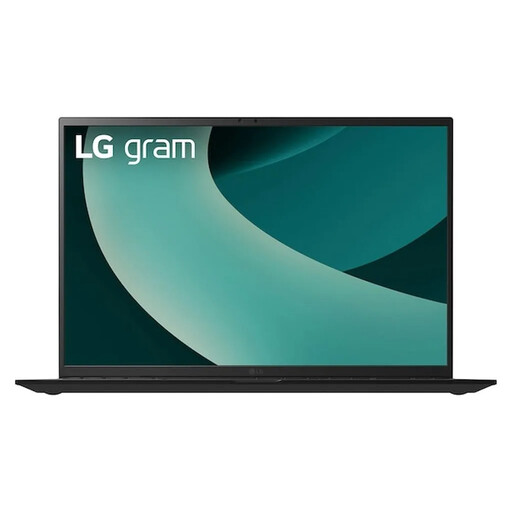
LG Gram 17Z90TL-G.AU78G 17-inch
For working with scans and layouts on a larger display. The product name lists a 17-inch WQXGA IPS display, 16 GB of RAM and a 1 TB SSD.
Also listed: Intel Core Ultra 7 256V, Intel Arc Graphics 140V and Windows 11 Home. A display specification alone doesn’t guarantee accurate print colours.
View at Joybuy
Frequently asked questions
How do I check a scan for a printed story card?
First decide on the print size you want, then check the pixel dimensions you have. Changing the ppi setting without resampling won’t add image detail to the scan. Match the resolution and colour profile to the intended print process; Adobe explains the role of image size and print profiles.
How can I stop drawings going missing when I share the layout?
Check whether the image files are embedded in or linked to the project. Linked files must remain accessible when you move or share the project, as Adobe explains in its guidance on linked and embedded files.
Does a touchscreen convertible come with a stylus?
Not necessarily. Lenovo lists the pen for the Yoga 7 2-in-1 configuration researched as optional and sold separately; Microsoft also marks the Surface Slim Pen 2 as sold separately. Always check the compatibility and included-items details for the exact variant.
Can I use any scanned drawing on a story card?
No. Owning a scan doesn’t automatically give you permission to reuse the work shown in it. The German Patent and Trade Mark Office notes that drawings may be protected by copyright, and that reproduction and distribution are among the rights reserved to the copyright holder. If you’re using someone else’s work, check that you have permission for your intended use. This is different from using drawings you created yourself.
What happens if a laptop bought online is faulty?
If a device is faulty, you may have statutory rights against the seller. These are separate from a voluntary guarantee, as explained by the Verbraucherzentrale. The right to cancel many online purchases is separate too and generally applies within 14 days of receiving the item. Check the requirements and exceptions for your specific purchase.


