Groups sharing documents
If you organise tasks, sources and drafts together, check that you can access your files without the café’s Wi-Fi. Google sets out specific requirements for offline access to Docs, Sheets and Slides.


When planning a group study session in a café, first check that your software and devices work with the laptop’s operating system and ports. Then consider its size and features: a compact laptop leaves more room on the table, while a larger or convertible touchscreen can make it easier to view content together – provided you’ll actually use that feature.
If you organise tasks, sources and drafts together, check that you can access your files without the café’s Wi-Fi. Google sets out specific requirements for offline access to Docs, Sheets and Slides.
If you move between cafés, study spaces and home, you’ll need to balance a compact device against a larger screen for reading together. The right size also depends on how much space you have at the table.
If your course or project software has specific requirements, check them before choosing an operating system. With Windows on Arm devices, check each application and driver you need; Microsoft says many, but not necessarily all, programmes can run through emulation.
| Key consideration | What to check before buying | Who should pay particular attention? |
|---|---|---|
| Shared access to files | Check your document platform and set up any files you’ll need offline before you meet. For Docs, Sheets and Slides, Google lists requirements including a supported browser, an enabled offline extension and available storage on your device. | When I share tasks and drafts with the group, I want to know whether the files will still be available without the café’s Wi-Fi. Around 33% of consumers say shared access to files is their top priority. |
| Portability and table space | Compare the weight, dimensions and screen size of the exact model you’re considering. Assess quoted battery life in light of the manufacturer’s test conditions. | If you regularly carry your laptop between a study space, café and home, you’ll want a size that’s practical to use at the table. Around 27% of consumers prioritise portability and the space a laptop takes up. |
| Software and accessory compatibility | Make a list of the programmes, file formats and devices you need. Microsoft says many applications can run through emulation on Windows on Arm PCs, but you should still check that each application and driver you need is compatible. | If your group work requires specialist software or specific devices, your chosen system must work with them. Around 20% of consumers prioritise compatibility. |
| Total cost of your chosen configuration | Check the exact variant, storage, ports and what’s included in the box. In particular, see whether a charger or adapter you need for your work is included. | When I’m on a limited budget, what matters is getting the features we’ll actually use, not just one claim in the product name. Around 20% of consumers put total cost first. |
You’ll need to prepare the files and enable offline access before you lose your connection.
Test the process with your documents before the meeting and set up offline access in good time.
Models in the same range can differ in keyboard layout, ports and what’s included in the box.
Check the model number, keyboard, memory, ports and included accessories on the product listing.
Depending on the exact variant, you may need to buy a suitable charger or adapter separately.
The fact that many applications run through emulation doesn’t mean that your specialist software and every device you need will work too.
Check the requirements for your software and devices before letting portability be the deciding factor.
The MacBook Neo and MacBook Air M5 are compact macOS options, provided the software you need works with them.
The ThinkPad E14 Gen 7 AMD is an example of a traditional 14-inch Windows laptop for writing and organising your work.
The OmniBook 5 Flip 14 is an option for groups who want to share content on a convertible touchscreen.
The 13-inch Surface Laptop 1st Edition with Snapdragon X Plus is a compact Windows on Arm option.
The Chromebook Plus 514 is a ChromeOS option if your group work can be done with the web and offline applications available.
The Joybuy options below include compact Windows laptops, a convertible and a compact MacBook. Check their software compatibility, ports and features against your specific needs.
 No image available
For group work involving files and video calls, if you’re looking for a compact Windows laptop.
14-inch display, 1.43 kg, Windows 11 Pro, USB 4 and HDMI.
 No image available
For groups who want to show or edit content on a convertible touchscreen.
14-inch 2.8K OLED touchscreen, 1.34 kg, Intel Core Ultra 7 258V, 32 GB RAM, 1 TB SSD and Windows 11 Home. The display can be positioned in tablet, stand and tent modes.
 No image available
For a compact macOS workstation, if your software and devices work with this configuration.
13.6-inch display, 1.23 kg, 10-core CPU, 8-core GPU, German QWERTZ keyboard and two Thunderbolt 4 ports. Power adapter not included.
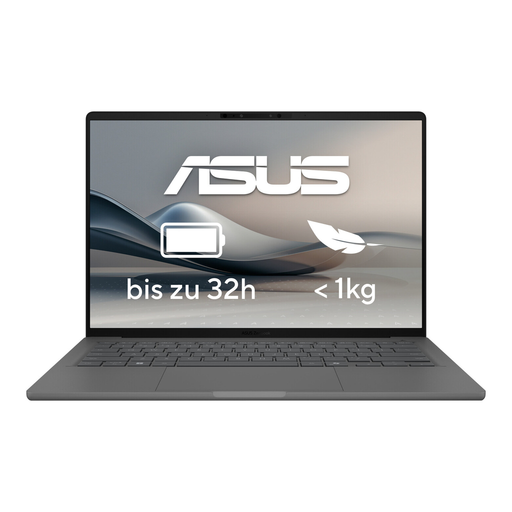 No image available
For working on the go from a café table, if you’re looking for a compact Windows laptop with an OLED display.
14-inch OLED display, 1.20 kg, 16 GB RAM, 512 GB SSD and Thunderbolt 4.
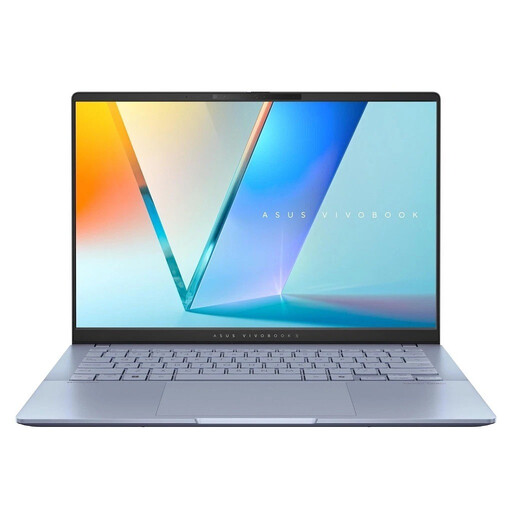 No image available
For working on the go as a group, if you’re looking for a 14-inch Windows laptop with a larger SSD configuration.
14-inch WUXGA OLED display, 1.3 kg, 16 GB RAM, 1 TB SSD and Windows 11 Home.
Test your sharing settings and open the files you’ll need in advance. For offline access to Google Docs, Sheets and Slides, Google lists requirements including an internet connection beforehand, a supported browser, an enabled offline extension and available storage on your device.
Germany’s Federal Office for Information Security advises against accessing confidential data over public Wi-Fi. If you have no alternative, it recommends using a VPN where possible. This is security advice, not a legal requirement specific to laptops.
For consumer purchases, the EU consumer portal states that you have a legal guarantee of at least two years from the date you receive the goods. This is a claim against the seller and is separate from a voluntary manufacturer’s warranty. If a product is faulty, repair or replacement may be available in the first instance.
No, that can’t be guaranteed across the board. Microsoft describes native Arm applications and emulation for many others, but you should still check the compatibility of each programme you need and, in particular, your device drivers.