If you often have your draft and sources open side by side on your laptop, a 15- to 16-inch model is worth considering. If you move around frequently, a more compact laptop paired with an extra screen at your regular workspace could be a better fit. You should also check that your specific editor and reference manager are compatible, and consider the keyboard, ports, operating system and what’s included with the configuration you choose.
Which setup is right for you?
Writers who need to refer to sources
If you regularly read your draft and sources side by side on your laptop, prioritise usable screen space over an especially compact design. Microsoft Support explains how to snap windows and view two documents side by side; ASUS Germany lists a 16-inch display for the Vivobook 16 X1607CA.
Writers who research on the move
If you often move between workspaces, weigh up a laptop that’s easier to carry against having more room for two views on the built-in display. Lenovo Germany lists a matte 14-inch display for the ThinkPad E14 Gen 7 21SX003SGE; ASUS Germany lists a 16-inch display for the Vivobook 16 X1607CA.
Writers with a citation workflow
If you rely on a particular combination of editor, word processor and reference manager, check that they work together before choosing an operating system. Zotero documents integrations for Microsoft Word, LibreOffice and Google Docs; this does not guarantee compatibility with every editor.
What should you look for when buying?
15- to 16-inch Windows laptop
A good fit if: You often open your draft and sources at the same time without an external monitor, and your software runs on Windows.
The trade-off: Specifications vary by model. Dell states that a charger is not included with the DB16250 configuration reviewed.
Compact Windows laptop plus a monitor
A good fit if: You often change workspaces, but want to view two larger panes at your regular writing desk.
The trade-off: On the documented 14-inch ThinkPad, there’s less room for two wide windows on the laptop display alone than on the documented 16-inch alternatives.
15-inch MacBook Air
A good fit if: The writing and citation software you need works on macOS.
The trade-off: Before switching, check that the specific features you need in your editor work, and that your existing peripherals are compatible. Apple’s advertised battery life is not a measurement of how long it will last during your research workflow.
| What matters |
What to check before buying |
Who is this important to? |
| Usable screen space |
Open two typical files side by side in your preferred editor and check they’re easy to read at your preferred scaling. |
If I want to read my draft and sources at the same time, the usable screen space matters most to me. Around 33% of consumers prioritise split-screen work. |
| Editor and citations |
Test the split-screen view in the editor you use, along with the integration you need for your word processor. |
If you rely on a particular combination of editor and reference manager, check they work together beforehand. Around 27% of consumers prioritise their writing and citation workflow. |
| Portability |
Weigh up where you’ll use the laptop and how you’ll charge it against your preferred screen size. |
If I often change where I write, a laptop that’s easy to carry matters more to me than having as much space as possible on the built-in display. Around 20% of consumers prioritise portability. |
| Keyboard and ports |
Check the German keyboard layout, the ports on the exact configuration, and the cables you have for your monitor or drives. |
If you write long documents and want to connect your existing devices, look for a suitable keyboard and the ports you need. Around 13% of consumers prioritise the keyboard and connectivity. |
| Ready-to-use setup |
Check the operating system, charger and any adapters you might need for the specific configuration. |
If I want to use my laptop without having to buy anything else, what’s included is essential. Around 7% of consumers prioritise a configuration that’s ready to use. |
Common buying and usage pitfalls
-
Focusing only on screen size
Resolution, scaling and the layout of your software also affect how easy it is to read two views at once.
Open your draft and sources in your preferred window arrangement, then check they’re readable at your usual font size.
-
Assuming every configuration in a range is the same
The HP A23HLEA#ABD configuration reviewed is listed with FreeDOS. Dell notes that the charger is not included with the DB16250 configuration reviewed.
Just before you buy, check the full model or part number and what’s included.
-
Assuming Zotero works with every split-screen editor
The integrations Zotero documents are for specific word processors and don’t confirm that the entire workflow will work in any editor.
Test your intended workflow in the software you actually use, with a draft, source view and an inserted citation.
Key brands at a glance
Lenovo
The ThinkPad E14 Gen 7 is a documented compact Windows option for writing on the move.
- Lenovo lists a matte 14-inch display and a backlit German keyboard for configuration 21SX003SGE.
- The smaller built-in display is a trade-off if you want to open two wide documents side by side.
ASUS
The Vivobook 16 X1607CA is a Windows laptop range with a larger built-in display.
- ASUS lists a matte 16-inch display, as well as HDMI, USB-A and USB-C ports, for this model.
- The operating system, storage and what’s included depend on the specific retailer’s configuration, so check these separately.
Dell
The Dell 16 Plus DB16250 configuration reviewed is designed around a large display and side-by-side views.
- Dell lists a 16-inch QHD+ display, 32 GB RAM and Windows 11 Pro for this configuration.
- Dell notes that the charger is not included with this specific configuration. Other DB16250 configurations may differ.
Apple
The 15-inch MacBook Air M5 is a macOS alternative if it’s compatible with the software you need.
- Apple lists a range of storage options and advertises up to 18 hours of battery life.
- The battery life is a manufacturer’s claim, not a measurement for the writing workflow described here. It also doesn’t confirm compatibility with any unspecified split-screen editor.
HP
The ProBook 460 G11 is another documented 16-inch option, where the exact configuration and installed software are key.
- HP lists 16 GB RAM, a 1 TB SSD and a 16-inch WUXGA display for configuration A23HLEA#ABD.
- This configuration is listed with FreeDOS rather than Windows, so check which operating system comes pre-installed on the configuration you choose.
Joybuy products for split-screen views
The models below include 16-inch Windows laptops and a 15-inch MacBook Air. Before choosing the Mac, check that your writing and citation software works on macOS.
 No image available
Lenovo ThinkBook 16 G9 AHP 21UT
The 16-inch display is worth considering if you want to open your draft and sources side by side on your laptop.
The product name lists an AMD Ryzen 5 220 at 3.2 GHz, 32 GB RAM, a 1 TB NVMe SSD and Windows 11 Pro.
View at Joybuy
 No image available
Lenovo ThinkBook 16 Gen 9
The 16-inch format gives you built-in room for side-by-side views, as long as your software runs on Windows.
The product name lists an Intel Core Ultra 5 325, 32 GB DDR5, a 512 GB PCIe SSD and Windows 11 Pro.
View at Joybuy
 No image available
Ninkear A15 Pro
The listed 16-inch display suits a workflow where you want to keep two views open on your laptop.
The product name lists 16 GB DDR4 RAM, a 1 TB SSD and Windows 11.
View at Joybuy
 No image available
HONOR MagicBook X16 AMD 2025
The 16-inch display and listed German keyboard may suit writers who want a larger built-in workspace and a German layout.
The product name lists an AMD Ryzen 5 6600H, 16 GB RAM, 512 GB storage and a German keyboard.
View at Joybuy
 No image available
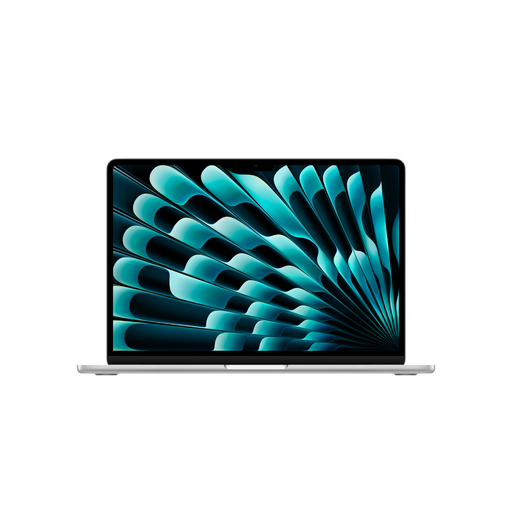
Apple MacBook Air M5, 15-inch
The 15-inch display provides built-in room for split-screen views. Before buying, check that your specific writing and citation workflow works on macOS.
The product name lists 16 GB memory, a 1 TB SSD and a German QWERTZ keyboard. A power adapter is not included with this configuration.
View at Joybuy
Frequently asked questions
Do I need a special split-screen editor to view two documents side by side?
No, if two standard program windows will do: Windows lets you snap windows into place, and Word offers a side-by-side view for two open documents. You’ll need to check whether your particular editor supports two panes within the same window.
Will my reference manager work with my writing software?
Zotero documents integrations for Microsoft Word, LibreOffice and Google Docs. This doesn’t confirm that another editor supports a plug-in or that it can handle your entire citation workflow.
What should I check when setting up an external writing workspace?
Check the monitor port and your existing cables against the exact laptop configuration. ASUS lists HDMI and USB-C with display support for the Vivobook 16 X1607CA; this doesn’t tell you what’s included with every Vivobook configuration.
Are a warranty and statutory consumer rights the same thing?
No. If a new consumer product bought in Germany is faulty, you generally have statutory rights against the seller. Verbraucherzentrale distinguishes these from an additional voluntary guarantee, which has its own terms and conditions.
Do laptops sold in Germany have to support USB-C charging?
The EU common charger rules have applied to covered laptops since 28 April 2026. This alone doesn’t tell you whether a particular device is covered, so check the ports and power specifications for the exact configuration.


