What should you look for when buying?
First check that your workflow is compatible, then consider how easy the laptop will be to use at your seat, and finally check the power supply and what’s included. Deutsche Bahn warns that mobile reception can vary during a journey.
| Consideration |
What to check before buying |
Who should pay particular attention |
| Working offline |
Check that you can install the programmes you need and access important files locally. |
If I need to work on materials during my journey, I don’t want to depend on a stable connection. Around 24% of consumers put offline working first. |
| Battery life |
Compare the conditions behind battery-life claims and check the power adapter, charging capacity and what’s included. |
If you’ll be working for a long time without guaranteed access to a socket, you’ll need enough power for your own mix of slides, browser tabs and files. Around 24% of consumers prioritise power. |
| Using it at your seat |
Compare the display size and actual weight of your chosen configuration with where you usually work. |
If I carry my laptop often and have little room at my seat, it needs to be easy to use there. Around 19% of consumers focus on space and portability first. |
| Software compatibility |
Confirm that the specific system is compatible with the programmes, file templates and peripherals you need. |
If my training requires specific programmes or devices, I need to check that they’ll work beforehand. Around 19% of consumers prioritise software compatibility. |
| What’s included |
Check whether a suitable power adapter is included and what charging capacity you need. |
If you want your laptop fully equipped for your journey, remember to account for any charging accessories that aren’t included. Around 14% of consumers put what’s included first. |
Laptops available at Joybuy
This selection includes compact Windows and macOS devices for planning training materials on the move. Check that each model is compatible with your software and consider its display size and power supply.
 No image available
Lenovo Yoga Slim 7i Aura Edition, 14-inch, Core Ultra 7 355
For working at your seat on the train, this version has a 14-inch display and weighs 1.14 kg.
2.8K OLED; Windows 11 Home; 16 GB RAM; 1 TB SSD.
View at Joybuy
 No image available
Apple 13-Inch MacBook Neo (A18 Pro, 2026), 8GB RAM, 256GB SSD – Indigo Blue
The 13-inch size is a compact option for working at your seat. Check beforehand that your training programmes are compatible with macOS.
8 GB RAM; 256 GB SSD; English QWERTY Keyboard. The product details say that no power adapter is included; a USB-C cable and a USB-C PD power source of at least 20 W are specified.
View at Joybuy
 No image available
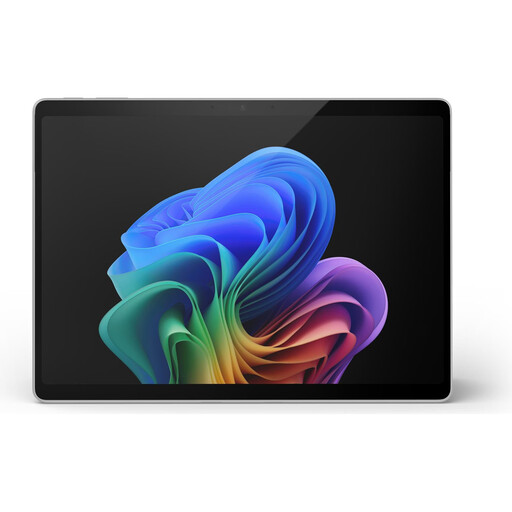
Microsoft Surface Pro 11, 13-inch, Snapdragon X Plus, 16 GB RAM, 512 GB SSD
At 13 inches and a stated weight of 0.90 kg, this version is designed for frequent travel and limited space at your seat.
Windows 11 Pro; 16 GB RAM; 512 GB SSD. If you need specialist software or peripherals, check they’re compatible with Windows on ARM. Microsoft says most, but not all, Windows apps will run.
View at Joybuy
 No image available
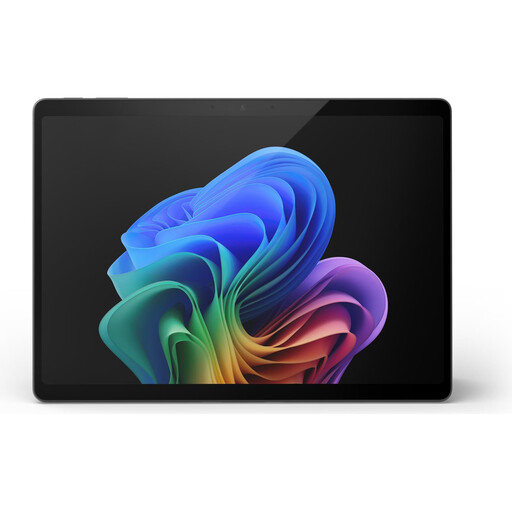
Microsoft Surface Pro 11, 13-inch, Snapdragon X Elite, 16 GB RAM, 512 GB SSD
The stated weight of 0.90 kg may appeal if you travel often. Check whether the 13-inch format gives you enough room for your materials.
OLED display; Windows 11 Pro; 16 GB RAM; 512 GB SSD. Check that the specialist software and peripherals you need are compatible with Windows on ARM.
View at Joybuy
 No image available
Dell Pro 14 Essential PV14255, AMD Ryzen AI 7 350, 16 GB RAM, 1 TB SSD
This 14-inch version is a Windows option for planning on the move. Compare its display area with the space available at your usual seat.
Full HD+ in 16:10 format; anti-glare finish; Windows 11 Pro; 16 GB RAM; 1 TB SSD.
View at Joybuy
Frequently asked questions
Can I rely on Wi-Fi when planning training sessions on the train?
Don’t assume you’ll always have a stable connection. Deutsche Bahn offers WIFIonICE on all ICE trains and increasingly on IC services, but also warns that mobile reception can vary during a journey. Save important files and any programmes you need locally beforehand. For regional trains, check what’s available on your route.
What should I check before my first journey with a Windows on ARM laptop?
Make sure your training programmes and peripherals work on the specific device. Microsoft says most Windows apps run on Windows on ARM, but not every application.
Will the stated battery life also apply when I’m working on training materials?
Not necessarily. Manufacturers’ claims are based on specific test conditions and don’t guarantee how long the battery will last during your own workflow on the train. For example, Microsoft’s figure for a Surface Laptop is based on local video playback. Compare the test conditions and allow some extra battery life for your journey.
Does every laptop come with a power adapter?
No, what’s included can vary between versions. HP lists a power adapter as included with D84XYET#ABD, while it’s sold separately for D9NC7ET#ABD. The Joybuy MacBook version reviewed here doesn’t include one either. Check the model number and the charging capacity you need.
Does a laptop bought in Germany have to support USB-C charging?
Since 28 April 2026, EU requirements have applied to laptops that fall within the rules and can be charged by cable. According to the European Commission and the relevant European administrative cooperation guidance, what matters is whether the device was first placed on the EU market on or after that date. Check the model and product information: the date you buy it alone won’t answer the question.


