Dialogue-heavy gamers
If you read long passages or keep text windows on screen, check how the text looks from your seating position before prioritising refresh rate.


If you often read lengthy dialogue, start by checking how the text looks from your usual seating position; a large 4K IPS monitor can be a sensible starting point. For dark, visually rich scenes, OLED is worth considering, as long as you also take text rendering, permanently visible elements and the specific model’s conditions into account. The resolution, connections and output actually supported must also be compatible with your PC or console.
If you read long passages or keep text windows on screen, check how the text looks from your seating position before prioritising refresh rate.
If dark scenes and visual impact matter most to you, you could consider OLED while weighing up potential drawbacks for text and static elements.
If you want to use the same screen with different devices, check their connections and actual signal output against the specifications for the specific monitor.
If you read frequently, text clarity should be the deciding factor. If dark scenes matter more, OLED could be a good fit, provided you check text and permanently visible elements on the specific model.
A good fit if: You read a lot of dialogue and want a large gaming view.
The trade-off: IPS alone does not guarantee that every display will be easy to read or deliver the visual impact you want in dark scenes.
A good fit if: Visually rich, dark gaming scenes matter particularly to you.
The trade-off: An independent gaming monitor review by F.A.Z. Kaufkompass notes that ordinary text may show colour fringing. For long sessions with fixed text windows, care guidance and warranty terms for the specific model are also relevant.
A good fit if: Desk space or the cost of a larger screen matters more than having the biggest possible display.
The trade-off: A smaller screen is not automatically easier to read; assess the text from the seating position you plan to use.
| What matters | What to check before buying | Who is it important to? |
|---|---|---|
| Reading long passages | Dialogue windows, viewing distance, native resolution and scaling | If I read a lot of dialogue, I want to assess the text from my usual seating position before deciding how much refresh rate matters. Around 36% of consumers would put readability first. |
| Visual impact and static elements | How it looks in the games you play, text rendering and OLED guidance for the specific model | If dark scenes are what I enjoy most, I want to weigh their visual impact against text and permanently visible elements. Around 29% of consumers would prioritise visual impact above all. |
| PC or console connection | Connection, resolution and refresh rate for the device in question | If I want to connect a PC and console, their output must be compatible with the intended input and cable. Around 21% of consumers would consider device compatibility first. |
| Space and setup | Width and depth with the stand, plus height adjustment or a VESA mount | If space is limited, I want to know whether the screen and stand will fit on my desk and can be positioned as needed. Around 14% of consumers would prioritise desk space and setup. |
A large screen does not automatically make small text sharp. RTINGS.com points out that, alongside resolution and pixel density, the way the image is rendered also matters, and that the assessment can be subjective.
Check a typical dialogue window at your usual viewing distance and with the scaling you plan to use.
F.A.Z. Kaufkompass notes that ordinary OLED text may show colour fringing. Protective features can vary between models and do not guarantee that text rendering or the handling of static elements will suit every use case.
Assess text and dark scenes separately, and read the warranty terms for the specific model.
Depending on the model, you may need to follow care guidance and take additional warranty terms into account in everyday use.
Gigabyte specifies a maximum refresh rate of 144 Hz for the M32U, and separately lists a console output of 4K at 120 Hz with 4:2:0 for PS5 and Xbox Series X. These specifications apply to this model and do not automatically describe the output of other monitors or device combinations.
Compare the specifications for the specific monitor with the input, cable and output capabilities of your PC or console.
The UltraGear 32GR93U-B is a 31.5-inch-class option with a 4K IPS display for a large gaming view.
The Odyssey G7 G70D LS32DG702EUXEN is a 32-inch 4K IPS alternative.
The AW3225QF is a curved 32-inch-class QD-OLED model for those who prioritise visuals.
The MAG 323UPFDE and MPG 321URXDE product lines offer different IPS and QD-OLED options.
The M32U is a 31.5-inch-class option if you also want to compare connections and console output.
This Joybuy selection includes large OLED gaming monitors with 4K specifications that could suit visually rich gaming. F.A.Z. Kaufkompass notes that ordinary OLED text may show colour fringing, so check dialogue in the game you play.
 No image available
An option for a large, visually rich gaming view; check how dialogue looks on the device itself.
The product title lists 32 inches, 4K UHD (3840 × 2160), OLED+, 240 Hz at 4K and 480 Hz at FHD.
 No image available
This 32-inch QD-OLED option is designed for a visually rich gaming experience; check text and static elements on the specific model.
The product title lists 4K UHD (3840 × 2160), 240 Hz, HDMI 2.1, DP 2.1a and USB-C with 98 W PD.
The title also lists a height-adjustable stand.
 No image available
This 32-inch OLED gaming monitor could suit a large gaming view; check how text looks in the games you play.
The product title lists 4K UHD (3840 × 2160), 240 Hz, DisplayPort 2.1, HDMI 2.1 and USB-C with 90 W.
 No image available
The large OLED display could suit visually rich gaming scenes; check how dialogue looks in the specific game.
The product title lists 32 inches and 3840 × 2160 UHD.
The title lists tilt, swivel, height adjustment and pivot as adjustment options.
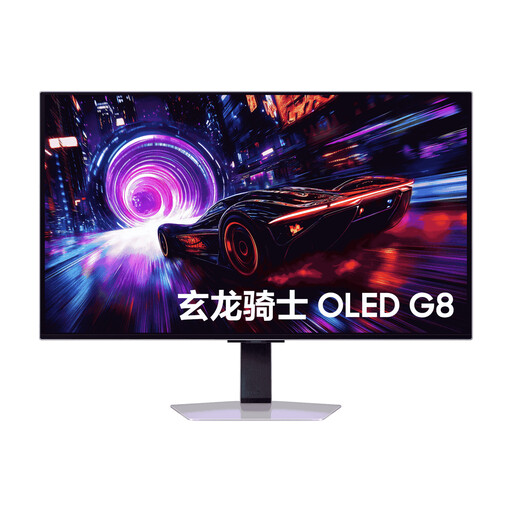 No image available
This 32-inch QD-OLED monitor could suit large, visually rich gaming scenes; check how text looks in the specific game.
The product title lists 4K.
Set the native resolution and check the text size and scaling in the game itself, from your usual seating position. RTINGS.com points out that text sharpness is subjective and can depend on how the image is rendered, as well as on pixel density.
Check the care guidance and protective features for the specific model, especially if text windows or interface bars stay on screen for a long time. MSI describes these features for certain OLED monitors; the terms of a manufacturer’s warranty should be distinguished from your statutory rights relating to faulty goods.
For a distance purchase from a business seller, there is generally a 14-day cancellation period starting from delivery. According to Your Europe, you may have to pay return costs if the seller informed you of this in advance and does not cover them; this right does not apply to purchases from private individuals.
No. According to Your Europe, if you buy faulty goods from a business seller in the EU, you have a statutory claim against the seller for at least two years. A manufacturer’s warranty is an additional voluntary service with its own terms and conditions.
An old monitor must not go in household waste; it must be taken to an authorised collection point. Germany’s Federal Ministry for the Environment lists local collection points as an option for returning it. Retailer take-back schemes are subject to conditions, particularly when exchanging it for an equivalent device.