Players who prioritise fast-paced combat
If you want to keep track of movement across a large screen, check the refresh rate, the signal path and whether the stated response time is measured in MPRT or GtG.


For squad matches, choose a resolution and refresh rate that suit what your PC or console can actually output in the game you’re playing – a high refresh rate alone isn’t the deciding factor. QHD can combine a large playing area with a high refresh rate, while 4K offers more pixels. OLED is worth considering if its picture qualities matter to you, provided you also check the care guidance and warranty terms for the specific model.
If you want to keep track of movement across a large screen, check the refresh rate, the signal path and whether the stated response time is measured in MPRT or GtG.
If you prefer a detailed picture on a screen of around 32 inches, compare QHD and 4K and check what frame rate your setup can achieve in the game you want to play.
If you’re considering OLED for your games, factor the care guidance and warranty terms for the exact model into your decision.
A good fit if: You’re looking for a large playing area and a high refresh rate without needing 4K. Samsung lists the Odyssey G5 G55C as a 32-inch QHD monitor with a 165 Hz refresh rate.
Trade-off: QHD displays fewer pixels than 4K across the same screen area. The G55C’s stated response time is measured in MPRT, so it isn’t directly comparable with GtG figures.
A good fit if: Details matter to you on a screen of around 32 inches and your device supports the resolution and refresh-rate combination you want. LG lists the 32GR93U-B as offering 3840 × 2160, 144 Hz, HDMI 2.1 and DisplayPort 1.4.
Trade-off: 4K places greater demands on your device’s graphics output than QHD. A monitor’s stated 144 Hz refresh rate doesn’t guarantee a game will run at that frame rate. This LG model has no built-in speakers.
A good fit if: You specifically want OLED and are prepared to check the care guidance and warranty terms for the exact model. The Dell Alienware AW3225QF is a curved 32-inch 4K QD-OLED monitor with a 240 Hz refresh rate.
Trade-off: With OLED, image elements displayed unchanged for long periods may pose a risk of burn-in. Don’t assume that a warranty or protection feature applies equally to other models.
| Priority | What to check when buying | Who should consider it? |
|---|---|---|
| Motion handling | Check the refresh rate at your chosen resolution and through the connection you’ll use. Don’t treat MPRT and GtG as the same measurement method. | If I want to keep track of movement in fast-paced combat, it’s important that my monitor and source device work well together. Around 33% of consumers put motion handling first. |
| Image detail | Compare the native resolution and screen size. The Samsung Odyssey G5 G55C is listed as QHD, while the LG 32GR93U-B is listed as 4K. | If image detail on a large screen matters more to me than the highest possible refresh rate, I compare QHD and 4K for my setup. Around 27% of consumers prioritise image detail. |
| Console connection | Check the supported resolution, refresh rate and VRR on the HDMI input you plan to use. According to PlayStation Support, the PS5’s 120 Hz output also depends on the game. | If I play on a console, I want to know what output my screen supports with the game I’m playing. Around 20% of consumers prioritise console connectivity. |
| OLED care | Read the care guidance and warranty terms for the exact model name. MSI describes a risk of burn-in with prolonged static images. | If I’m considering OLED, I want to understand the care requirements and the specific warranty terms in advance. Around 20% of consumers focus on OLED care and potential follow-on costs. |
Samsung lists the Odyssey G5 G55C’s response time in MPRT, while LG gives the 32GR93U-B’s in GtG. The same figures don’t represent the same measurement method here.
Compare the measurement method stated and, where available, look at independent tests of the exact model.
A monitor’s specifications don’t tell you what frame rate your console and game will actually output. PlayStation Support lists 120 Hz output for the PS5 with supported games.
First decide which gaming device and resolution you want to use, then check the output through the connection you plan to use.
MSI describes a risk of burn-in when static image elements remain unchanged for long periods. This doesn’t mean that every OLED model has the same protection or warranty terms.
Read the care instructions and warranty terms for the full model name.
The Odyssey G5 G55C is a verified 32-inch QHD LCD option with a pronounced curve.
The UltraGear 32GR93U-B is a 4K IPS LCD option with a similarly large screen.
The MAG 323UPFDE is a verified 32-inch 4K IPS option.
The AW3225QF is a curved 32-inch 4K QD-OLED monitor.
The Evnia 32M2C5501/00 is a curved QHD LCD option.
This selection includes large QHD and 4K gaming monitors, including OLED models and an extra-wide ultrawide display.
 No image available
For large gaming scenes in 4K resolution with a high refresh rate, according to the product name.
OLED; 3840 × 2160; 240 Hz at 4K and 480 Hz in FHD mode; 0,03 ms GtG; 1.300 Nits.
 No image available
For a large, curved QHD setup with a 165 Hz refresh rate listed in the product name.
QHD; 165 Hz; 1500R; 1 ms GTG; FreeSync; DisplayPort.
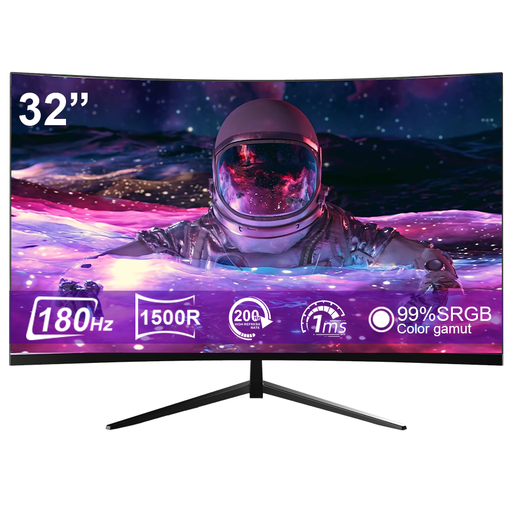 No image available
For a curved 32-inch setup with a 180 Hz refresh rate listed in the product name.
1500R; 180 Hz; 1 ms response time; 99,99 % sRGB; 900 cd/m².
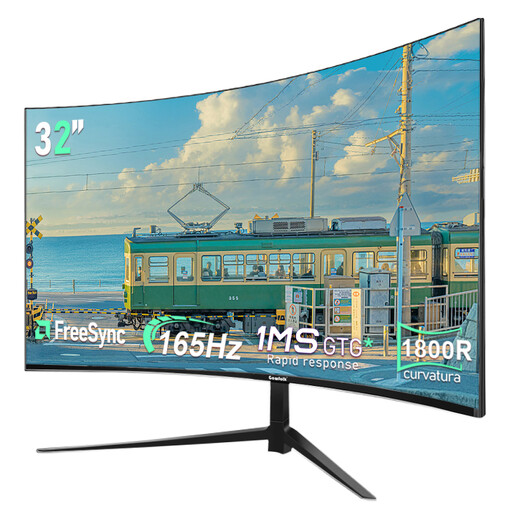 No image available
For a large QHD gaming area, with a 165 Hz refresh rate stated in the product name.
2560 × 1440; 165 Hz; 1800R.
 No image available
For an extra-wide 32:9 gaming area.
DQHD; 5120 × 1440; 165 Hz; 1500R; HDMI 2.1 and DisplayPort 1.4; height-adjustable stand; VESA mount.
No, the monitor’s stated refresh rate alone isn’t enough. According to PlayStation Support, the PS5 supports 120 Hz output in games that support 120 Hz; VRR also depends on the screen and the game. Check the video output and connected HDMI device in the PS5 settings.
Follow the care guidance for the specific model, particularly when image elements remain unchanged for long periods. MSI describes burn-in and its own protection features; this doesn’t establish a general warranty for other manufacturers or models.
Compare the energy label and product information for the specific monitors on the same consumption basis. The European Commission lists electronic displays among products covered by energy labelling and ecodesign requirements. Screen size or panel technology alone isn’t enough to calculate a specific comparison of running costs.
According to Verbraucherzentrale, consumers who buy online generally have a 14-day right to cancel after receiving the goods; you must notify the retailer that you wish to cancel. For faulty goods, statutory rights under the legal guarantee are separate from a voluntary manufacturer’s warranty.