Readers who need larger text
You want to read your chosen title with adjustable text, rather than simply zooming in on a fixed book page. The key factors are the edition’s format and the font options in your reading app.


Choose a tablet only after checking the format, source and font options for the specific edition of your book. A large display alone doesn’t guarantee that you can enlarge the text. For Onleihe 3, iPads and compatible Android tablets are possible ways to access the app; Fire tablets don’t support the Onleihe 3 app, although Onleihe Help says you can still access the service on the web through Silk. If you mainly read long novels and don’t need other tablet apps, an E Ink reader could also be a good fit.
You want to read your chosen title with adjustable text, rather than simply zooming in on a fixed book page. The key factors are the edition’s format and the font options in your reading app.
You want to borrow the title through Onleihe and need a way to access it that works on your device. Onleihe Help says the Onleihe 3 app requires Android 10 or later, or iOS 15.1 or later.
You want to highlight passages as you read and jot down your thoughts for the discussion. The built-in Onleihe 3 reader supports highlights and notes attached to a page.
A good fit if: you want to use the Onleihe 3 app and other iPad apps, and your book edition is available on them.
The trade-off: Apple says Dynamic Type only works in apps that support it, so try it in the reader you plan to use.
A good fit if: you want to use the Onleihe 3 app or other reading and discussion apps.
The trade-off: The provider lists Android 10 or later and access to Google Play as requirements for the Onleihe 3 app.
A good fit if: your specific title is available in a suitable reading app and you don’t rely on the Onleihe 3 app.
The trade-off: Onleihe Help does not support Fire tablets for the Onleihe 3 app, but you can use Onleihe on the web through the Silk browser.
A good fit if: you mainly read longer books and don’t need additional tablet apps for your book club.
The trade-off: Onleihe lists PocketBook and tolino as ways to access its e-reader service; an E Ink reader won’t necessarily replace other tablet features.
| What matters | What to check when buying | Who is it important to? |
|---|---|---|
| Adjustable book text | Check the edition’s format and try the font options in the reader you plan to use. | If I want to read my book club title in much larger text, I check the edition and reader with the specific book. Around 36% of consumers put adjustable text at the top of their list. |
| Access to the edition | Check the source, app access and required operating system version. | If I want to borrow the title from my library, I need a suitable way to access it on my device. Around 29% of consumers prioritise access to the book edition. |
| Comfortable reading | Consider the weight and reading position of the specific device model. | For longer reading sessions, I want to be able to hold or prop up my tablet in a way that suits me. Around 21% of consumers focus mainly on how comfortable a device is to hold and use for reading. |
| Notes for book club | Try the highlighting and note-taking features in the reader you plan to use. | If I want to find passages for discussion again, I check the features in the reader I’ll actually be using. Around 14% of consumers focus on notes and highlights. |
Onleihe Help explains that ePub text adapts to the screen size, whereas PDF pages keep a fixed layout. A larger display therefore doesn’t guarantee that you can enlarge the text in your book edition as you’d like.
First check the format of the specific title, then try viewing it in the app you plan to use.
Onleihe Help does not support Fire tablets for the Onleihe 3 app. Accessing Onleihe on the web through the Silk browser is a different option.
If you need the app, check the device requirements against the operating system and app store access before you decide.
Apple points out that Dynamic Type only works in apps designed to support it.
Try the font settings in the reader itself, ideally with the specific edition of your book.
The Galaxy Tab A11+ is an Android option for readers who want to use other tablet features as well as their book app.
The iPad (A16) is an 11-inch option for reading and using other iPad apps.
The Tab Plus is worth considering if you’d prefer a larger Android tablet for reading propped up on a table.
For reading through Onleihe on this type of device, it’s particularly important to check how you’ll access the service.
This selection includes Android tablets and an iPad for reading on a tablet. Before buying, check that you can access the specific book edition and adjust the text in the reader you plan to use.
 Image unavailable
Could be a good fit if you’re looking for an Android tablet for your reading app. First check the required Android version, app access and the reader’s font options.
11 inches, Wi-Fi, 6 GB RAM and 128 GB storage.
 Image unavailable
The 11-inch display could be useful if you want more room for reading. Check whether the reader offers the text adjustment you need.
Android 15, 11 inches, 2176 × 1600 pixels, 8 GB RAM plus 8 GB virtual memory and 256 GB storage. The product name also mentions a case.
 Image unavailable
If you’re looking for a 13.4-inch display for reading, also check that you can use the device comfortably in your preferred reading position.
Android 16, 20 GB RAM (8 GB + 12 GB virtual), 128 GB storage; the product name lists a keyboard, mouse and stylus.
 Image unavailable
Could be worth considering for an 11-inch reading display; the actual text size still depends on the book’s format and the features of the reading app.
Android 16, 11 inches, 90 Hz, 3 GB RAM plus 13 GB virtual memory and 128 GB storage.
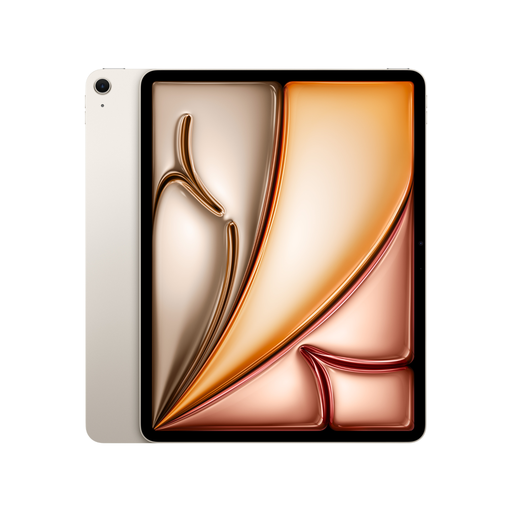 Image unavailable
The 13-inch display gives you plenty of room for reading, but Apple says Dynamic Type only works in apps that support it.
13 inches, Wi-Fi and 128 GB storage.
Not necessarily. Apple says Dynamic Type only works in apps that support it. Check the font options in your reader, ideally with the specific book edition. As Onleihe Help explains, ePub and PDF behave differently.
Onleihe Help says the app requires Android 10 or later on Android devices and iOS 15.1 or later on Apple devices. Also check that you can access the relevant app store and that your library offers the title you want.
The built-in Onleihe 3 reader supports bookmarks, text highlights and notes. If you use another book app, check its features with the specific edition.
No. Onleihe Help does not support Fire tablets for the Onleihe 3 app. The provider says you can access Onleihe on the web through the built-in Silk browser; check whether this works for your title and how you plan to use it.
Consumers buying at a distance generally have the right to withdraw from the contract; section 355 of the German Civil Code (BGB) sets a standard period of 14 days, subject to the legal details and exceptions. If goods are faulty, you have statutory rights against a business seller; Your Europe says these rights last for at least two years from receipt. These statutory rights are separate from a voluntary manufacturer’s guarantee.