
Lieferung heute & morgen

Qualitätsgarantie

Willkommens-Angebote freischalten: KOSTENLOSE Lieferung | Bis zu 80 % RABATT | Kostenlose 30-Tage-JoyPlus-Testphase
App herunterladen
A laser printer can be a practical solution when you regularly need to print documents, invoices, study materials or shipping labels. However, eye-catching product claims often lead to the wrong purchase. A high page-per-minute rate, for example, doesn’t necessarily tell you whether a device is suitable for the space you have available or the features you actually need.
Specifications like “22 ppm” or “25 ppm” are usually based on standardised conditions. In everyday use, factors such as your Wi-Fi connection, complex PDF files, the time to print the first page, or duplex printing can all affect the actual speed. For occasional printing, a model with a moderate speed is perfectly adequate; if you print lots of multi-page documents, it’s worth paying attention to print speed, first page out time and paper capacity.
A multifunction printer can combine printing, scanning and copying. When buying, you should check whether a printer with scanner and copier has an automatic document feeder (ADF) and whether duplex printing is automatic or manual. These differences have a significant impact on how easy the device is to use.
A Wi-Fi printer can connect wirelessly to devices on your network. For smartphones, you’ll also need standards like AirPrint, Mopria, Wi-Fi Direct or a manufacturer’s app. Bluetooth can make setup easier, but it doesn’t necessarily replace a network connection. Before you buy, you should also check whether Windows, macOS, Linux, Android and iOS are supported.
A black & white laser printer uses black toner and is ideal for letters, study materials, invoices and internal documents. If you need to print charts, presentations or colour graphics, you’ll need a colour laser printer. However, colour printing brings additional toner cartridges and potentially higher running costs.
The specification “A4” refers to the largest supported ISO A-format. An A4 printer should also be checked to see whether it can handle A5, A6, envelopes or heavier paper. For the Pantum models described here, the supported paper range varies from 60 to 163 g/m², depending on the version.
Duplex printing means printing on both sides of a sheet. Automatic duplex printing turns the pages over by itself; with manual duplex printing, you need to reinsert the pages according to the instructions. This is especially important if you print lots of study materials or office reports.
Also pay attention to which functions actually work in duplex mode. On some devices, duplex only applies to printing, while copying and scanning remain single-sided.
Measure the space you have available, including extra room for opening the paper tray and loading originals. A compact printer for the home office isn’t automatically designed for high monthly volumes. The key factors are:
For the Pantum BM2300AW and BM2300NW, the recommended monthly print volume is 250 to 2,000 pages according to the product data, while the maximum duty cycle is stated as 10,000 pages per month. For long-term office use, you should base your choice on the recommended range.
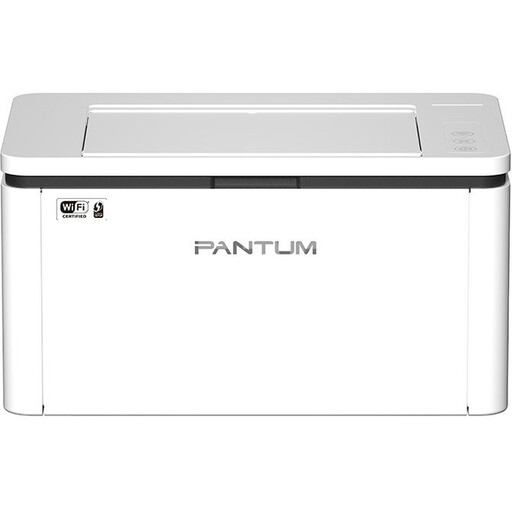
Why this product suits the profile: This compact black & white laser printer is suitable for documents in the home office, for study or in a small office, and supports Wi-Fi and Bluetooth.
The product data clearly states black & white printing and manual duplex printing. This means it doesn’t give the impression that colour printing or automatic duplex are available.
Up to 23 pages per minute in A4 black & white printing, 150-sheet input tray, USB 2.0, Wi-Fi and Bluetooth.
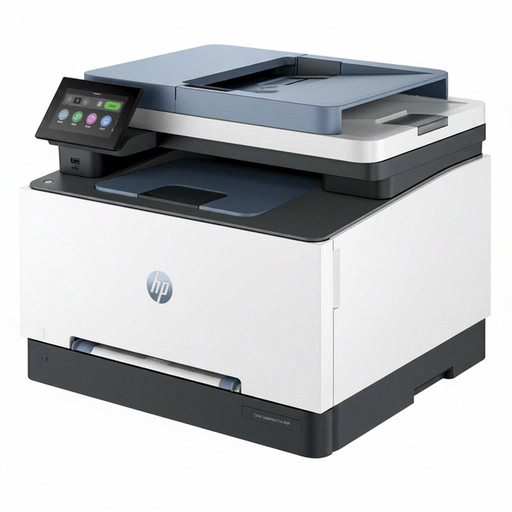
Why this product suits the profile: This colour laser printer combines printing, scanning and copying with Wi-Fi, Ethernet and USB for more demanding workstations.
The features aren’t judged solely by the colour option: automatic duplex printing, two paper trays and a flatbed scanner are all clearly included.
Up to 25 pages per minute in colour and black & white, automatic duplex output, touchscreen and 350-sheet input capacity according to the product description.
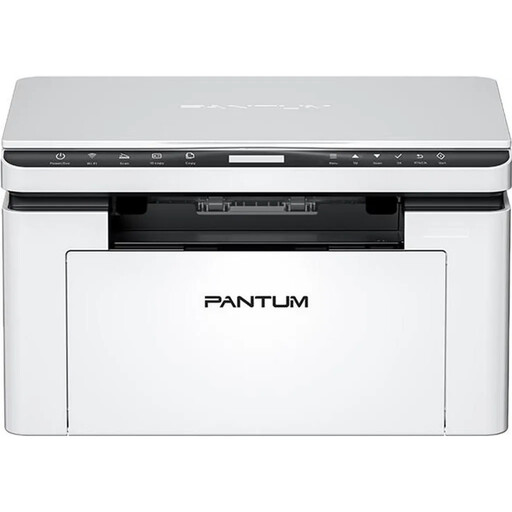
Why this product suits the profile: For small offices and high-volume users who need a printer with scanner and copier, plus flexible network connectivity.
The technical specifications indicate manual duplex printing. If you want to automate double-sided copies or scans, you should factor this in before buying.
22 pages per minute, 1,200 × 1,200 dpi optical scan resolution, LCD display, dual-band Wi-Fi and up to 99 copies per job.
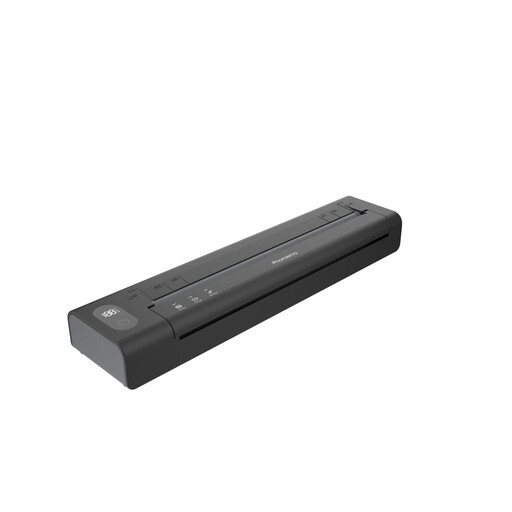
Why this product suits the profile: This mobile printer is aimed at users who want to print short documents, invoices or boarding passes on the go via Bluetooth.
The term “mobile” is backed up by concrete data: 600 g weight, battery and Bluetooth app. This device isn’t intended as a classic A4 laser printer for high volumes.
Inkless technology with no ink or toner, rechargeable battery and support for iOS and Android devices.
We’ve put together a complete, regularly updated list of products that fully meet these strict selection criteria and the safety regulations in force in the EU.
The lifespan depends on print volume, maintenance, paper quality and the condition of the toner and consumable parts. When choosing, the recommended monthly print range is more meaningful than a standalone maximum value. A device intended for occasional printing shouldn’t be run permanently at the top of its duty cycle.
In addition to the purchase price, you need to consider the toner cartridge, drum unit, paper and electricity consumption. Compare the page yield of the cartridge with your monthly needs. A black & white laser printer typically uses only one toner colour; a colour laser printer works with several cartridges. The standby power consumption can also be relevant if the device is left on permanently.
Plug the device into the mains, install the appropriate driver or manufacturer’s app, and connect the printer to your home Wi-Fi network. For smartphones, you can use AirPrint, Mopria or Wi-Fi Direct. Then print a test page and make sure your computer or mobile device’s operating system is supported.